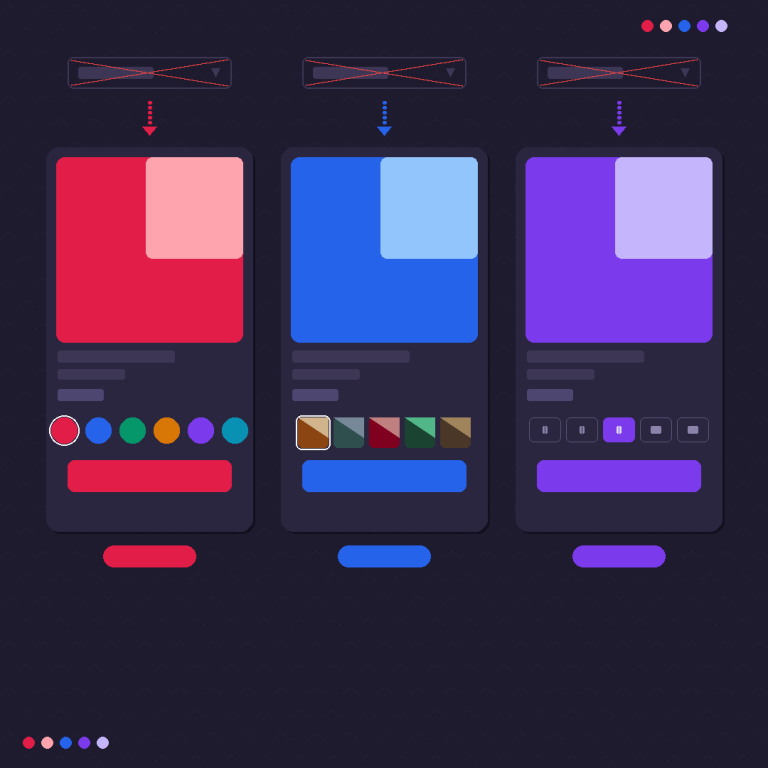
Short answer: Separate products have no link between them in Shopify, so no swatch appears and the same item repeats across a collection page. Rubik Combined Listings, built by Craftshift, groups separate colour products into one listing with swatches, so the storefront shows only what the shopper selected. Free to install, 5.0 stars across 78 reviews.
Before the list: Craftshift builds Rubik Variant Images and Rubik Combined Listings, so we are ranking a category we compete in. Our apps appear below in the position the App Store’s own category ordering puts them, flagged as ours every time, and we say plainly where a rival beats us on review count, age or price. Read this as a roundup from inside the category, not a survey from outside it.
If you are tired of Shopify’s default dropdown menus for product variants, it’s time to make your store more visual and interactive. Variant image and color swatch apps replace boring text selectors with clickable visuals, helping customers see exactly what they are choosing. This small upgrade can dramatically improve user experience and conversion rates.
Whether you are using free themes like Dawn or Horizon, or premium ones like Prestige, Impulse, or Reformation, these apps can help you fully customize the look and behavior of your product variants.
1) Rubik Variant Images & Swatch
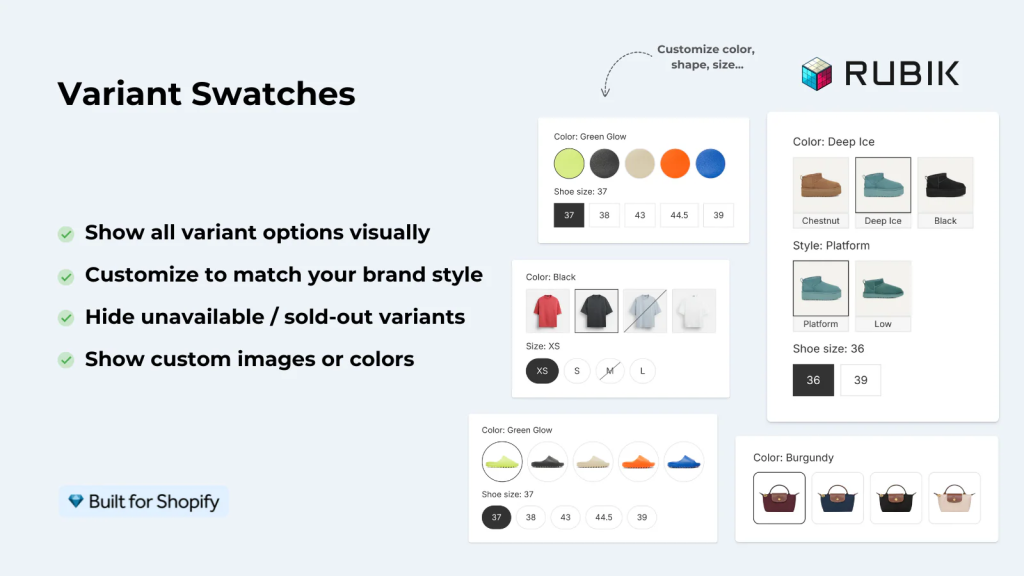
Rubik Variant Images & Swatch is the most complete and customizable Shopify app for displaying product variants with images and color swatches. You can turn dropdowns into elegant image or color buttons, assign multiple images per variant, and display only the relevant images when a customer selects a variant.
It supports advanced customization options such as swatch shapes, border styles, spacing, and hover effects. Rubik also lets you hide unavailable or sold-out variants for a cleaner interface. It works perfectly with both free and premium Shopify themes, and it is fully compatible with Fuel Themes, Kaching Bundles, GemPages, and Instant Page Builder.
Key Features:
- Assign multiple images per variant
- Hide unavailable or sold-out variants
- Turn dropdowns into color or image swatches
- Fully customizable layout, shape, and hover styles
- Works with all major Shopify themes
- Compatible with Fuel Themes, PageFly, GemPages, and Instant
- Optimized for performance with asynchronous loading
2) NS Color Swatch Variant Images
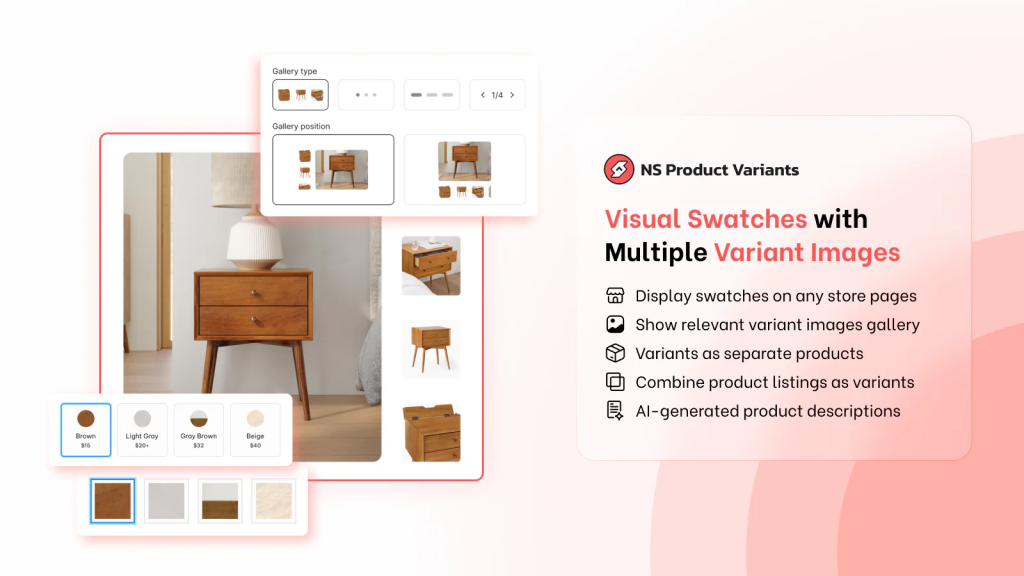
NS Color Swatch Variant Images helps you replace text-based variant selectors with clean and stylish color or image swatches. It supports both color codes and uploaded images, allowing you to match your swatches with your actual product photos.
This app also supports multiple images per variant, giving merchants more control over how product images change when a variant is selected. With its simple design and reliable performance, NS Color Swatch is a great choice for merchants who want an easy yet flexible setup.
Key Features:
- Supports both color and image swatches
- Multiple images per variant
- Hide sold-out or unavailable options
- Simple setup and theme-friendly design
- Adjustable swatch shape and border styles
3) Variant Image Wizard + Swatch
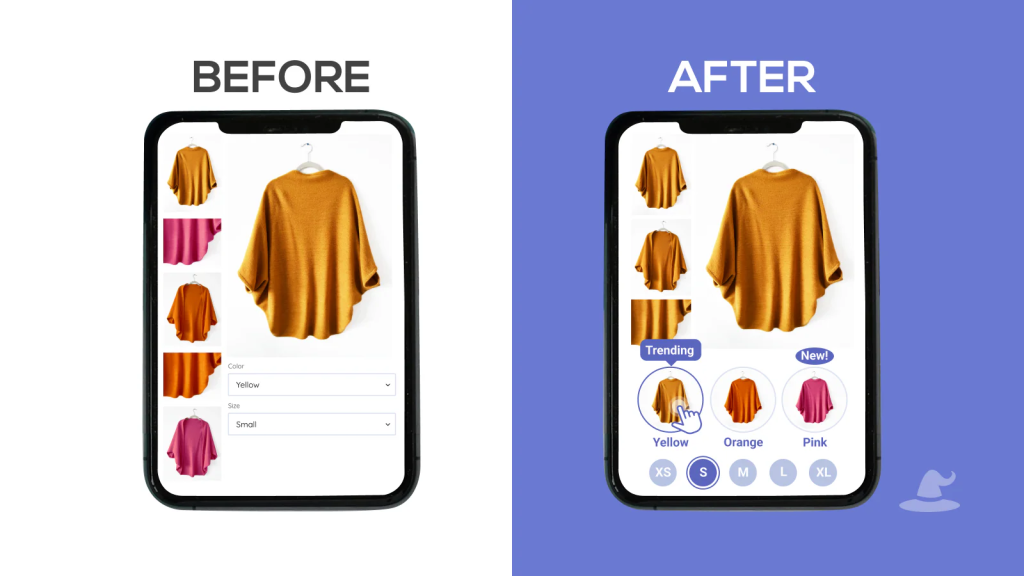
Variant Image Wizard + Swatch gives advanced control over variant image management. You can organize and assign images in bulk, ensure only variant-specific images are displayed, and automatically hide out-of-stock options. It is particularly strong for stores with large inventories and many similar variants.
Key Features:
- Bulk assign variant images
- Show only relevant images for each variant
- Hide out-of-stock variants
- Moderate styling customization
- Fast performance on high-volume stores
4) Color Swatch King: Variants
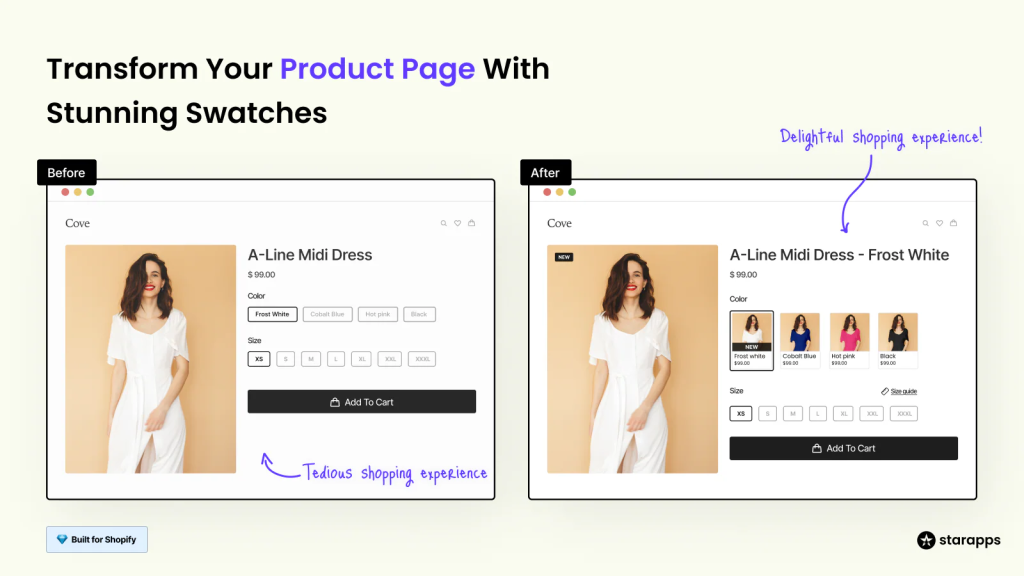
King Swatch is a simple and effective tool for merchants who want to improve variant presentation quickly. It allows both color and image swatches, supports variant names on hover, and includes basic customization options for border and layout. It is lightweight, responsive, and beginner-friendly.
Key Features:
- Easy setup and use
- Supports color and image swatches
- Customizable border and shape
- Works across all devices
5) OP Color Swatch Variant Images (Optis)
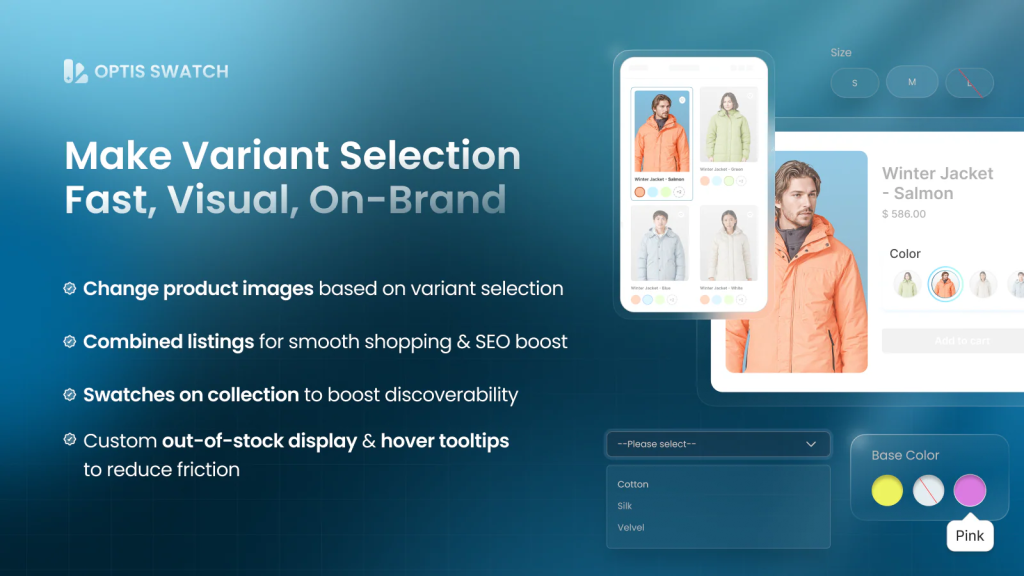
OP Color Swatch Variant Images by Optis offers a clean, minimal design that fits any modern Shopify theme. You can upload custom swatch images or use color codes, and adjust layout and spacing to align perfectly with your brand’s aesthetic.
Key Features:
- Clean, minimal design
- Color or image swatches supported
- Adjustable layout and borders
- Compatible with most themes
Comparison Table
| App Name | Rating | Multiple Images per Variant | Key Features Overview | Recent Review Highlights |
|---|---|---|---|---|
| Rubik Variant Images & Swatch (ours) | ⭐ 5.0 | ✅ Yes | Fully customizable (layout, shape, hover effects). Supports multiple images per variant, hides unavailable options. Works perfectly with Fuel Themes, GemPages, Instant Page Builder, PageFly. Performance-optimized and theme-safe. | “Outstanding support and lightning-fast setup. The customization level is exactly what I needed.” |
| NS Color Swatch Variant Images | ⭐ 4.9 | ✅ Yes | Easy setup and strong theme compatibility. Lets you use color codes or uploaded images and supports multiple variant images. Clean UI and solid developer support. | “Super intuitive app! Made our product pages much clearer for customers.” |
| Variant Image Wizard + Swatch | ⭐ 4.6 | ✅ Yes | Advanced image organization, bulk assignment, and variant-specific display. Ideal for stores with large catalogs and detailed variant structures. | “Perfect for managing hundreds of product variants: everything stays organized.” |
| Color Swatch King: Variants | ⭐ 4.9 | ❌ No | Lightweight and fast. Enables both image and color pickers with label or tooltip support. Great option for merchants who want quick, minimal setup. | “Simple but powerful. Works immediately without any coding.” |
| OP Color Swatch Variant Images (Optis) | ⭐ 5.0 | ❌ No | Minimal, modern design with flexible border, size, and spacing options. Clean integration with most Shopify themes. | “Beautiful design and smooth theme integration, looks native to Shopify.” |
Final Thoughts
Improving how your Shopify product variants are displayed can transform the overall shopping experience. Visual swatches make your products look more premium, help customers make faster decisions, and reduce the chance of returns caused by confusion between colors or styles.
All five of these apps deliver strong functionality, but Rubik Variant Images & Swatch stands out as the most flexible and customizable option. With multiple image support, deep customization settings, and compatibility with page builders like GemPages and Instant, it offers everything you need for a smooth and professional product experience.
FAQ
A swatch app replaces standard dropdown menus with clickable color or image buttons. Instead of guessing what “Red” or “Beige” looks like, customers can instantly see and choose the right variant visually.
Yes. Both Rubik Variant Images & Swatch and NS Color Swatch Variant Images allow you to assign multiple images to each variant and show only the relevant ones when selected.
No coding skills are required. All the apps mentioned provide a simple visual interface that lets you configure swatches directly within Shopify’s admin or the app dashboard.
Yes. All listed apps are compatible with both free and paid themes. Rubik includes specific integrations with Fuel Themes, GemPages, and Instant, ensuring full compatibility.
No. Quality apps like Rubik are optimized for Shopify’s performance standards. They load asynchronously, so your store speed and SEO ranking are not affected.
Yes. You can modify shapes (square, circle, rounded), borders, hover styles, spacing, and alignment. Rubik offers the widest range of customization options for complete design control.
Yes. All these apps allow hiding sold-out variants to maintain a clean, frustration-free customer experience.
Visual swatches make it easier for customers to find what they want quickly. When shoppers can clearly see each variant, they make purchase decisions faster and more confidently, which increases conversions.
Yes. Each app listed here provides responsive layouts that look and work perfectly across mobile, tablet, and desktop screens.
Rubik offers the most advanced customization, multiple image support, and integration with major theme builders like GemPages and Instant. It delivers professional visuals, consistent variant galleries, and smooth performance across all themes.
Frequently asked questions
Which Shopify app is the best pick for variant images and color swatches?
Rubik Variant Images, built by Craftshift, assigns a separate image set to every variant and replaces the dropdown with color, image or pill swatches. It is our own app and it is the first entry in the list above. It holds 5.0 stars across 436 reviews and carries the Built for Shopify badge. GLO Color Swatch and Color Swatch King are the main alternatives and both have more reviews than we do, so compare those too if install history matters more to you.