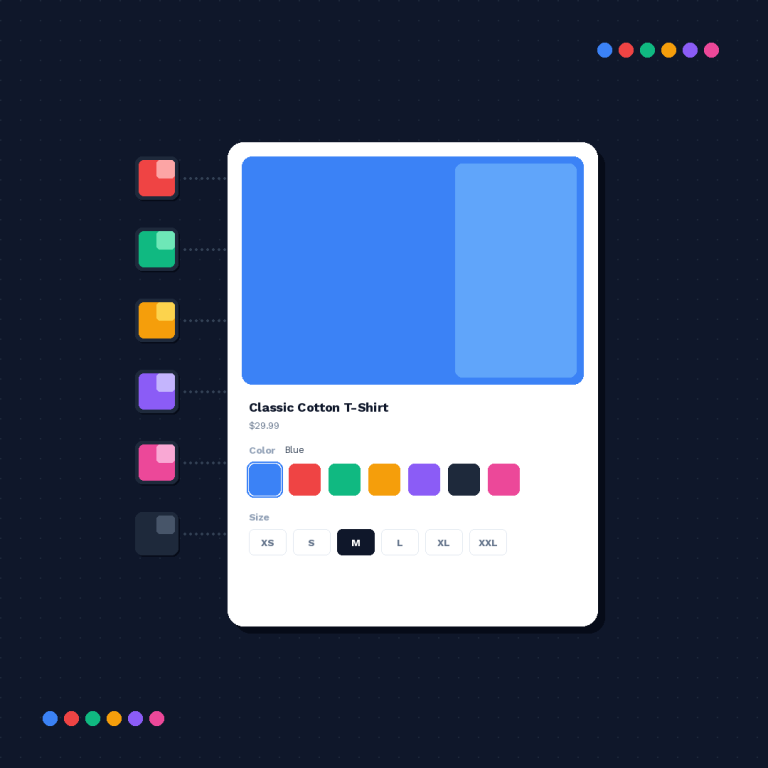
Want to migrate SA Variants to Rubik? Two apps that do the same job (grouping Shopify products with swatches on product pages) with very different tradeoffs on price and site performance. But the biggest issue, for me, is the pricing. Now let’s walk through the process of doing it anyway.
SA Variants by StarApps Studio, released in Jan 2025, already has 308 5.0 reviews. It’s still working well – It’s Built for Shopify. It works. Pricing is a bit unusual and based on the Shopify-plan, not fixed. However, the storefront render speed in the public test was the slowest of the group at 2,934 ms trimmed mean. This was more than twice as slow as the next slowest app, Rubik, at 1,251 ms.
The two main reasons people switched were pricing and speed. Feature set is roughly comparable, and there’s a full list of the migration if you need it.
Disclosure: I develop Rubik Combined Listings plugins. Data pulled from the Shopify App Store as of April 2026.
In this post
- Pricing compared
- Render speed compared
- Step 1: Export SA Variants groups
- Step 2: Install Rubik
- Step 3: Rebuild groups with AI Magic Fill
- Step 4: Verify
- Step 5: Uninstall SA Variants
- Gotchas
- FAQ
Pricing compared
SA Variants doesn’t come with free live store support on basic stores. However, all Partner, Staff and Trial stores get live support free. Everyone else has to pay from the very first day, and the rate at which you pay is based on the Shopify store plan you are on.
| Shopify plan | SA Variants | Rubik |
|---|---|---|
| Trial / Partner / Staff | Free | Free ($0, 5 groups) |
| Pause & Build | $5/mo | Free ($0, 5 groups) |
| Basic | $14.90/mo | $10/mo (Starter, 100 groups) |
| Grow / Custom | $29.90/mo | $10/mo (Starter) or $30 (Advanced, 500 groups) |
| Advanced | $49.90/mo | $30/mo (Advanced) |
| Plus | $99.90/mo | $30 or $50/mo |
On Plus it works out to a saving of around $600/year at the Advanced rate, on Advanced it would be around $240/year. Additionally, if you’re a live store on any paid Shopify plan you get 5 working groups with AI credits on the free plan with Rubik – which is more than you get with SA Variants at $0.
Render speed compared
Tests were run on Public Render Test Page – here I created 11 combined listings apps, all had the same theme, same number of products, and same viewport: Rubik averaged 1251 ms to render, while SA Variants averaged 2934 ms. This is one area where the performing rather poorly. It will show up in Lighthouse scores and people will notice it on slower connections.

Step 1: Export SA Variants groups
Open SA Variants in your admin. Make a table in a spreadsheet with three columns and for each section of options copy the section’s name, the products that include that section, and the first option of that section (the ‘primary’ option value).
This is your backup. Don’t skip it. I don’t care how small your catalog is.
Step 2: Install Rubik
Install Rubik Combined Listings, go through the onboarding wizard, enable theme app embed. Keep SA Variants installed until you’ve completed the migration window during which both plugins will get to render at the same time.
Step 3: Rebuild groups with AI Magic Fill
Open AI Magic Fill – It automatically groups products by name together if similar (Same base product name, different color). It gives you the option to accept the grouped product the way it is, or make edits as you see fit.
For those cataloges where AI Magic Fill didn’t catch 100% of the patterns, we bulk grouped the rest with tags, title patterns and/or metafields and then manually recreated the last few from the spreadsheet.
Step 4: Verify
- Open 5-10 product pages from different groups.
- Click swatches. Confirm they navigate correctly.
- Test out-of-stock behavior (hidden, grayed, or struck through, your choice in settings).
- Test mobile viewport.
- If you have custom product templates in GemPages, PageFly, or Instant, test one of each.
Step 5: Uninstall SA Variants
Disable SA Variants’ theme app embed first (Online Store > Themes > Customize > App embeds). Reload product page. Only Rubik swatches should display. Then remove SA Variants from Apps list.
Gotchas
- App embed block. Must be disabled separately. Uninstalling the app doesn’t always remove the embed.
- Color values. SA Variants and Rubik may have picked different hex codes. Pin your palette in the spreadsheet and copy paste consistently.
- Billing overlap. If you’re mid-cycle on SA Variants, you’ll be charged for that cycle even after uninstall. Time the move to your billing cycle if you care.
- Cached theme. Save the theme once to flush cached pages.
Watch the tutorial
See the live demo store, watch the tutorial video, or read the getting started guide.
FAQ
Does Rubik have a free plan for live stores?
Yes. Rubik Free is $0/mo, 5 groups, 100 AI credits. Works on any Shopify plan.
Is Rubik actually faster than SA Variants?
It renders fairly fast for me, 1,251 ms (trimmed mean) for the render speed test, compared to 2,934 ms for SA Variants. Quite a difference.
Will AI Magic Fill rebuild my groups?
It will provide a few options based on your current catalog, then you review, adjust, and import individually. This will not import your entire catalog all at once, but should suffice for a majority of lists.
Can I run both apps during the migration?
Yes. I should keep the SA Variants enabled until I’m certain the new Rubik theme is safe, then disable theme embed and uninstall.
Will product URLs change?
No. Both shop options keep products separate with separate URLs. There will be no SEO problems with shop switching.
Does Rubik support the same themes as SA Variants?
Rubik theme is built to be compatible with over 350+ Shopify themes. Also, Rubik supports all popular page builders such as Beae, EComposer, Foxify, GemPages, Instant, PageFly, Replo.
How long does it take?
Small catalogs an hour. Medium catalogs an afternoon with AI Magic Fill.