Shopify AI product grouping is the difference between spending a weekend merging color variants by hand and getting the same result in ten minutes. If your catalog has dozens or hundreds of standalone products that should be linked as variants of each other, you need a tool that can look at your titles, recognize the pattern, and build the groups for you.

Rubik Combined Listings ships with an AI grouping engine that reads product titles and attributes, finds matches, and proposes combined listings you can approve with one click. This post explains what it analyzes, how accurate it is, how to review results, when AI grouping beats manual, and how it holds up on large catalogs.
In this post
- What AI grouping actually does
- How it analyzes titles and attributes
- Accuracy and the review step
- When to use AI vs manual grouping
- Language support
- Large catalog handling
- Frequently asked questions
- Related reading
What AI grouping actually does
Most Shopify stores end up with duplicate-feeling products. A T-shirt in five colors becomes five separate product pages because the POD app pushed them that way, or because each color needed its own SEO URL, or because a staff member created them one at a time. The products are related, but Shopify does not know that.
AI grouping fixes this. The engine scans your product catalog, looks at titles and variant attributes, and identifies clusters of products that should be shown together. It then proposes combined listings: one parent group that contains several child products, each showing up as a swatch on the collection page and on the product page. Nothing in your catalog gets deleted. Your original products and URLs stay intact. The AI only builds the relationship layer on top.
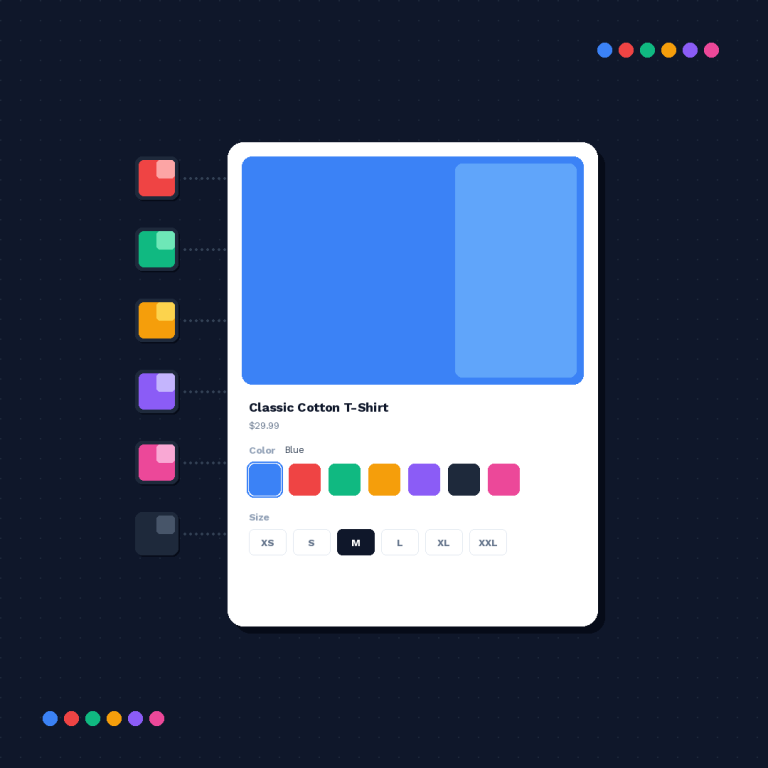
The output is a list of suggested groups. You review them, approve the good ones, fix anything odd, and publish. From there the collection page swatches appear automatically, and shoppers can jump between colors without opening each product.
How it analyzes titles and attributes
The AI engine does two things at once. First, it looks at the structure of your product titles to find shared base names. Second, it looks at attributes like color, size, material, and finish that vary between otherwise-similar products. When both signals line up, it has a confident group.
Title analysis
Product titles usually contain a base name plus a modifier. “Linen Summer Dress – Sand” and “Linen Summer Dress – Olive” share “Linen Summer Dress.” The AI splits on common separators, strips noise words, and normalizes casing so that “LINEN summer dress” still matches “Linen Summer Dress.” For titles without separators, it falls back to finding the longest shared prefix or suffix of at least two meaningful words.
Attribute analysis
On top of titles, the engine checks product attributes. If two products have the same vendor, product type, and tag set but different color tags, that is a strong signal. If they share a metafield namespace that points at the same parent SKU, that is an even stronger signal. The AI weights these signals together before proposing a group.
This is why AI grouping works better than a simple filename or tag script. A script only knows what you explicitly told it. The AI uses multiple overlapping signals, which catches products that follow slightly inconsistent naming conventions.
Accuracy and the review step
No AI grouping engine is perfect on a messy catalog, and the honest answer is that accuracy depends on how consistent your titles are. Stores with clean POD imports see near-perfect grouping. Stores that have been edited by five different people over three years see more edge cases.
| Catalog quality | Expected AI accuracy | Review time for 200 products |
|---|---|---|
| Clean POD titles (Printify, Printful) | 95 to 99 percent | 5 minutes |
| Consistent manual naming | 85 to 95 percent | 10 to 15 minutes |
| Mixed naming conventions | 70 to 85 percent | 20 to 30 minutes |
| Legacy catalog with many editors | 60 to 75 percent | 30 to 45 minutes |
The review screen shows each suggested group with its products, the detected base name, and a confidence score. You can approve all high-confidence groups in one click, then walk through the medium-confidence ones. Low-confidence suggestions stay flagged for manual inspection. You are in control at every step. Nothing goes live until you publish.
If the AI misses a product, add it to an existing group manually. If it proposes a wrong match, remove that product and the group regenerates without it. These edits feed back into the next run, so the engine gets better on your specific catalog over time.
When to use AI vs manual grouping
Both modes exist for a reason. AI grouping is for speed on medium-to-large catalogs. Manual grouping is for precision when you already know exactly which products belong together, or when your catalog is small enough that clicking is faster than reviewing suggestions.
| Situation | Recommended mode |
|---|---|
| Under 20 products total | Manual grouping |
| 20 to 100 products, clean titles | AI, then quick review |
| 100 to 1,000 products | AI is much faster than manual |
| Over 1,000 products | AI is the only realistic option |
| Highly specific merchandising rules | AI as a starting point, then manual tweaks |
| Print-on-demand store | AI, very high accuracy |
Most stores use both. AI grouping handles the bulk of the catalog in one pass, then the merchandiser creates a few manual groups for products that break the pattern. If you want a deeper look at manual mode, our combined listings explained post walks through the mental model, and the bulk grouping guide covers tag and metafield-based workflows for complex rules.
Language support
The AI engine is language-aware. It has been tested across English, German, French, Dutch, Spanish, Portuguese, Turkish, and Italian catalogs. Product title patterns work the same way in every language: base name plus modifier, separated by a dash or space. The engine does not care what language the base name is in. “Robe en lin – Sable” and “Robe en lin – Olive” group exactly the way “Linen Dress – Sand” and “Linen Dress – Olive” do.
Accent handling is built in. “Café” and “Cafe” normalize to the same token. Uppercase and lowercase are merged. Common color words in each language are recognized so the AI knows “Rouge” and “Red” are color modifiers, not part of the base product name.
If you run a multilingual store using Shopify Markets, the grouping is based on your default language catalog. Translations flow through Shopify’s own translation system, so the groups you approve in English show up correctly in every other storefront locale.
Large catalog handling
Large catalogs are where AI grouping earns its keep. Manual grouping a 2,000 product store is a project measured in days. AI grouping runs in the background in minutes and hands you a review list that can be processed in an afternoon.
The engine handles large catalogs by streaming products in batches, analyzing titles in memory, and writing the resulting group relationships to metafields. Because everything is metafield-based and there are no external API calls at runtime, the rendering layer stays fast even after you add thousands of groups. See our guide on the 2048 variant limit for how combined listings scale beyond Shopify’s native variant ceiling.
For very large catalogs, run AI grouping on a vendor or collection subset first. Review the suggestions, make sure the accuracy is acceptable, then expand to the rest of the store. This keeps the review session manageable and catches any systemic naming issues before they propagate.
Frequently asked questions
Does AI grouping change my existing product URLs?
No. AI grouping only creates relationships between existing products. Your product URLs, titles, descriptions, and SEO data stay exactly as they are. The group layer lives in metafields on top of your catalog.
How long does AI grouping take on 500 products?
The AI pass itself finishes in a few minutes. The review step depends on catalog quality. For a clean 500 product catalog, expect about 15 to 20 minutes of review time before publishing.
Can I run AI grouping more than once?
Yes. Run it any time you add new products. The engine picks up new items and suggests adding them to existing groups, or creating new groups for fresh product families. Existing approved groups are not overwritten.
What if two products should be grouped but have completely different titles?
The AI will probably miss that pair, because titles are its strongest signal. Use manual grouping for that edge case, or add a shared tag like RUBIK::group_name::Color::Navy and re-run the bulk grouping step.
Does the AI need internet access at runtime?
The AI runs only during the grouping step inside the app. Once groups are published, the storefront reads from Shopify metafields directly. There are no external API calls when your collection pages render. Speed stays consistent regardless of catalog size.
Will AI grouping work with Shopify’s combined listings feature?
Yes. Rubik Combined Listings is built around the same concept and extends it with collection page swatches, product page swatches for grouped products, and AI-based auto-grouping. You do not need Shopify Plus.
Is there a free tier for AI grouping?
Yes. The free plan supports 5 groups, enough to test AI grouping on a small subset before committing. Paid plans start at $10 a month for 100 groups with 17 percent savings on annual billing.