Shopify combined listings without Shopify Plus is possible. The native Shopify Combined Listings app requires a Plus plan, which starts at $2,300 per year. But third-party apps give you the same result (and often more features) on any Shopify plan, starting from $0.
If you sell the same product in multiple colors and each color is a separate Shopify product, combined listings let customers switch between them with color swatches or image selectors. The question is whether you pay $2,300+/year for Shopify Plus to use the native feature, or $10/month for a third-party app that does more.
In this post
- What are combined listings?
- Why does Shopify require Plus?
- What the native feature cannot do
- The alternative: Rubik Combined Listings
- Native vs Rubik: side-by-side comparison
- Other third-party combined listings apps
- How to set up combined listings on any plan
- Frequently asked questions
- Related reading
What are combined listings?
Combined listings connect separate Shopify products so they appear as variants of each other. Instead of cramming 10 colors into a single product with dozens of variants, you keep each color as its own product with its own URL, images, and SEO metadata. Then a combined listings app adds color swatches that let customers switch between them.
A customer lands on the Blue T-Shirt page. They see swatches for Red, Green, Black, and Navy. They click Red. They go to the Red T-Shirt page. Each page has its own photos, its own meta title, its own Google Shopping entry. The swatches just connect them visually.
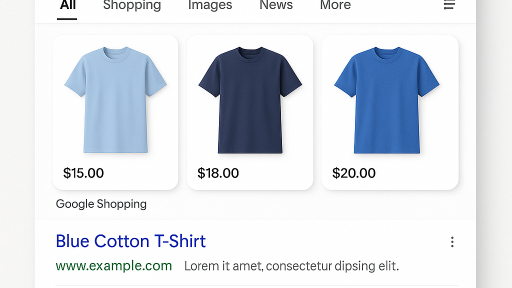
This is better for SEO than stuffing everything into one product with 10 variants. Each color gets its own URL that can rank independently. Each shows up as a separate result in Google Shopping. AI shopping assistants like ChatGPT can recommend specific colors because each has its own dedicated page.
Why does Shopify require Plus?
Shopify built a native Combined Listings app, but it only works on Shopify Plus ($2,300+/year) and Enterprise plans. There is no technical reason this feature needs Plus. It is a business decision to keep certain features exclusive to higher-tier plans.
The native app has a 3.3 rating on the Shopify App Store with 30 reviews. Merchants report limited customization, no collection page swatch support, and broken color filters when using the feature. For $2,300+/year in Shopify plan costs alone, that is a hard sell.
What the native feature cannot do
Even if you are on Shopify Plus, the native Combined Listings app has significant gaps:
- No collection page swatches. Swatches only appear on the product page. On collection pages, customers see separate product cards with no way to switch colors.
- Breaks collection page filters. The color filter on collection pages stops working because child products cannot contain a color option. Shopify’s filters do not recognize options created at the parent level.
- Limited swatch styling. You get basic variant selectors. No image swatches, no custom colors, no CSS variables, no carousel layout.
- No AI features. No auto-fill for option values. No AI-powered swatch color detection. Everything is manual.
- No bulk grouping. Each group is created manually. If you have 200 products to group, you do them one at a time.
- No out-of-stock handling. Sold-out products still show their swatches. No option to hide them or push them to the end of the list.
- No accessibility features. No ARIA labels, no keyboard navigation support.
The alternative: Rubik Combined Listings
Rubik Combined Listings Swatch works on every Shopify plan. Basic, Grow, Advanced, Plus. It does not matter. The free plan gives you 5 product groups with every feature included. The $10/month Starter plan gives you 100 groups. Compare that to $2,300+/year for Shopify Plus just to access the native feature.
Here is what you get that the native feature does not offer:
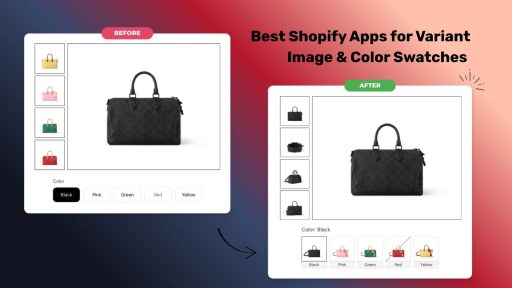
- Collection page swatches. Swatches appear on product cards in your collection pages. Hovering a swatch changes the product card image in real time. Works across 350+ themes and 7 page builders (GemPages, PageFly, EComposer, Instant, Beae, Foxify, Replo).
- 4 swatch types. Image swatches (product photos), color swatches (solid or dual-color circles), button/pill swatches, and dropdown selectors. Mix and match per group.
- 7 image sources. First, second, or last product image. Custom uploaded image. Solid color. Dual-color split (vertical, horizontal, or diagonal). Auto mode that tries custom image first, then colors, then product image.
- Magic Fill (AI). Add products to a group and click Magic Fill. The AI analyzes product titles and images, then auto-fills option values (“Navy Blue”) and swatch colors (#1B2A4A). No typing, no guessing hex codes.
- AI visual assistant. Describe what you want in plain language: “make the swatches round and add a border.” The AI applies the changes and shows a live preview.
- Bulk grouping. Group hundreds of products at once using title patterns, product tags, or metafields. The app auto-detects groups using a 4-pass matching algorithm that handles separators, reverse patterns, and fuzzy word matching.
- Per-group visual settings. Each product group can have its own swatch design. Large image swatches for shoes, small color circles for t-shirts, dropdown for sizes. All from the same app.
- 11 style presets + 8 for product cards. Start from a preset and customize from there. No design skills needed.
- 70+ CSS variables. Full control over swatch appearance through the visual editor or custom CSS. Shadow DOM isolation prevents your theme from breaking swatch styles.
- Out-of-stock handling. Hide sold-out swatches, push them to the end, or show them crossed out. Archived and draft products are hidden automatically.
- Real-time sync. Product data syncs through Shopify metaobject references. When you change a price or mark a product out of stock, the swatch updates instantly. No background jobs, no delays.
- Categories and subgroups. If a group has 20 swatches, organize them under labels like “Warm Colors” and “Cool Colors.”
- Swatch click analytics. The app fires a custom JavaScript event on every swatch click with 15 properties (product ID, option value, price, context, viewport). Plug it into Google Analytics or Facebook Pixel.
- Accessibility. ARIA labels, keyboard navigation, screen reader support. Touch targets meet the 44x44px WCAG minimum.
- Fastest loading. All swatch data is stored in Shopify metafields and metaobjects. No external API calls. Swatches load with the page itself.
See it on the demo store. Or watch the tutorial.
Native vs Rubik: side-by-side comparison
| Feature | Shopify Native Combined Listings | Rubik Combined Listings |
|---|---|---|
| Rating | 3.3 (30 reviews) | 5.0 (20 reviews) |
| Requires Shopify Plus | Yes ($2,300+/year) | No (works on every plan) |
| Price (100 groups) | Free (but Plus required) | $10/month |
| Free plan | N/A | 5 groups, all features |
| Collection page swatches | No | Yes (350+ themes) |
| Image swatches | Limited | Yes (7 image sources) |
| Color swatches | Limited | Yes (solid + dual-color) |
| Button swatches | Limited | Yes |
| Dropdown | Basic | Yes (customizable) |
| AI features | No | Magic Fill + AI visual assistant |
| Bulk grouping | No (manual only) | Yes (title, tags, metafields) |
| Per-group visual settings | No | Yes |
| Style presets | No | 11 product page + 8 product card |
| CSS variables | Theme-dependent | 70+ with Shadow DOM |
| Out-of-stock handling | No | Hide, push to end, crossed out |
| Real-time sync | Yes | Yes (metaobject references) |
| Categories/subgroups | No | Yes |
| Analytics event | No | Yes (15 properties) |
| Accessibility (ARIA) | Basic | Yes (ARIA + keyboard + screen reader) |
| Translations | Via Shopify | Built-in multi-language |
| Page speed impact | Native | No impact (metafield-based) |
| Docs / FAQ | Limited | Full docs + FAQ |
Other third-party combined listings apps
Rubik Combined Listings is not the only option. Here are the other apps that offer combined listings without requiring Shopify Plus:
- G: Combined Listings & Variant (5.0, 308 reviews) at $9.99/month + Shopify plan surcharges. Free plan limited to manual sync and color swatches only.
- SA Variants: Combined Listings (5.0, 307 reviews). Shopify plan-based pricing: $14.90/month on Basic, up to $99.90 on Plus. No free plan for live stores.
- LinkedOption Combined Listings (5.0, 113 reviews) at $9.99/month for 100 groups. Free plan limited to 1 group.
- Platmart Color Swatches (4.9, 116 reviews) at $9.99/month. No free plan for live stores.
For a full comparison with feature tables and pricing breakdowns, read our 11 best Shopify combined listings apps compared.
How to set up combined listings on any plan
Setting up combined listings with Rubik takes about 5 minutes per group. Here is the process:
- Install the app. Install Rubik Combined Listings from the Shopify App Store. Free plan, no credit card.
- Activate the app embed. The dashboard shows an activation button. One click.
- Create a product group. Click “Create new group.” Give it a name (“T-Shirt Colors”) and an option name (“Color”). Search and add your products.
- Fill option values. For each product, type the option value (“Blue”, “Red”, “Green”). Or click Magic Fill and let the AI do it automatically.
- Save and preview. Click Save. The sidebar shows a live preview of how swatches will look on your storefront.
If you have many products, use bulk grouping to create all your groups at once.
For a walkthrough with screenshots, see the getting started guide.
Frequently asked questions
Do I need Shopify Plus for combined listings?
No. Shopify’s native Combined Listings app requires Plus ($2,300+/year), but third-party apps like Rubik Combined Listings work on every Shopify plan, including Basic ($39/month). The free plan includes 5 product groups with all features.
Do combined listings help with SEO?
Yes. Each product keeps its own URL, meta tags, and image gallery. Search engines index each product separately, giving you more surface area in search results. Each color or style can rank for its own keywords. For a deeper look, read the SEO benefits guide.
How much does it cost?
Rubik Combined Listings starts at $0 (5 groups, all features). The Starter plan is $10/month for 100 groups. Advanced is $30/month for 500 groups. Premium is $50/month for 5,000 groups. Annual billing saves 17%. All plans include every feature. The only difference is the group count and AI credits.
How is this different from Shopify’s native combined listings?
Shopify’s native feature requires Plus, has a 3.3 rating, and lacks collection page swatches, AI features, bulk grouping, per-group styling, out-of-stock handling, and accessibility support. Rubik works on any plan, has a 5.0 rating, and includes all of those features. See the comparison table above.
Do swatches appear on collection pages?
Yes. Rubik shows swatches on product cards in collection pages, search results, featured product sections, and quick view modals. Hovering a swatch on a product card changes the card image in real time. Shopify’s native Combined Listings does not do this.
I also need multiple images per variant. Do I need another app?
Combined listings and variant images are different things. Combined listings link separate products. Variant images show multiple images per variant within a single product. If you need both, install Rubik Variant Images alongside Rubik Combined Listings. The two apps work together.
Related reading
- 11 best Shopify combined listings apps in 2026, compared (CraftShift)
- Your Shopify products come in multiple colors but customers only see one (CraftShift)
- Shopify combined listings app comparison: native vs third-party (Rubikify)
- Separate products vs variants on Shopify: which is better? (Rubikify)
- How to group products into one combined listing with variants (Rubik Variant Images)