Shopify combined listings bypass limits that used to cost merchants a $2,300 per month Plus plan to work around. The 100 variant wall, the 3 options ceiling, the effective image ceiling, all of them bend once you stop thinking about a single product and start thinking about a linked group of products. This guide walks through every limit combined listings touches, the exact math, and the setup.
We take a position here, because most of the advice floating around is vague. If your catalog is blocked by variant count, option count, or image count, combined listings is the right fix in 2026 on any Shopify plan. Shopify Plus is still the right call for locations, staff, and enterprise checkout, but paying for Plus just to break 100 variants is a waste of budget.
Table of contents
- What combined listings actually do
- Variant limit bypass: 100 to 2,048
- Image limit bypass: 250 to 1,000s
- Option limit bypass: 3 to many
- SEO benefits beyond limits
- Combined Listings vs Shopify Plus
- Setup walkthrough
- Pricing
- FAQ
What combined listings actually do
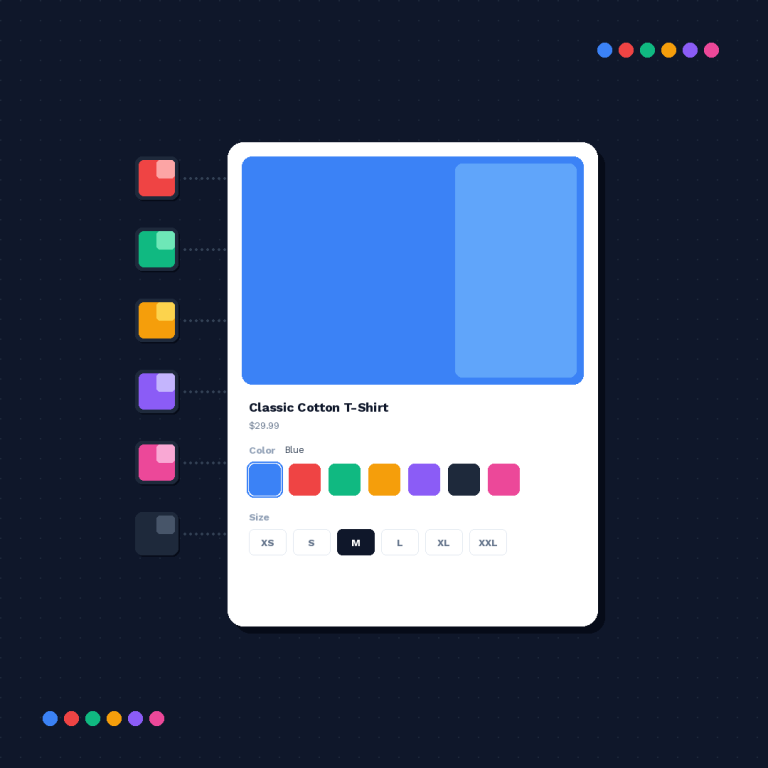
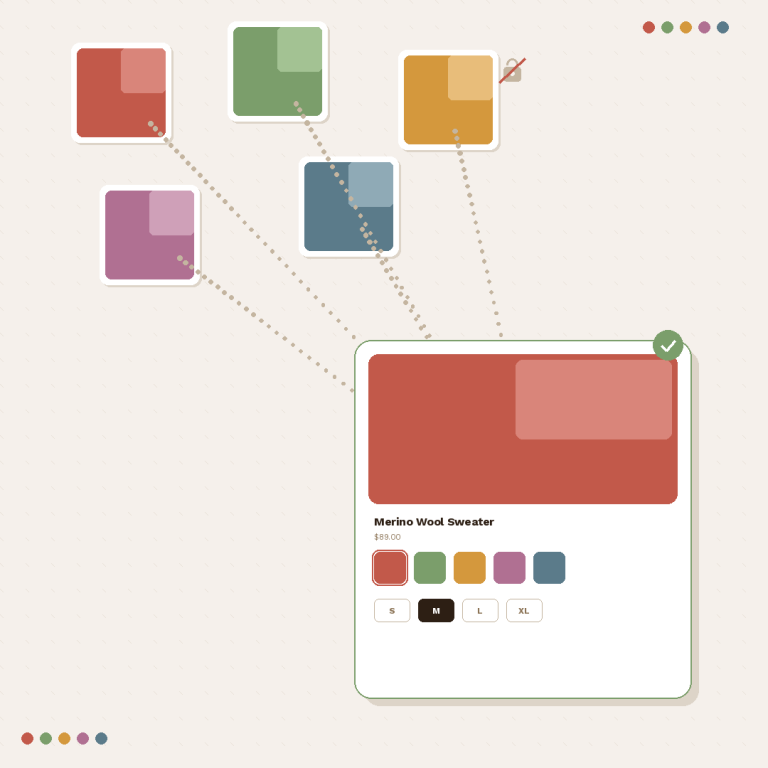
Combined listings is a Shopify feature released in 2024 that lets merchants link several separate products into one shopping experience. Each linked product keeps its own 100 variant limit, its own 250 image limit, its own 3 options, and its own URL. To the shopper, they look like a single product with more options. To Shopify, they are still separate products in the admin.
Rubik Combined Listings is the app that makes this feature usable at scale. It handles grouping, swatches on collection pages, swatches on product pages for grouped products, and bulk operations via AI auto group or CSV.
Variant limit bypass: 100 to 2,048
| Setup | Variants per product | Effective variants in group |
|---|---|---|
| Single product | 100 | 100 |
| 2 linked products | 100 each | 200 |
| 5 linked products | 100 each | 500 |
| 10 linked products | 100 each | 1,000 |
| 20 linked products | 100 each | 2,000 |
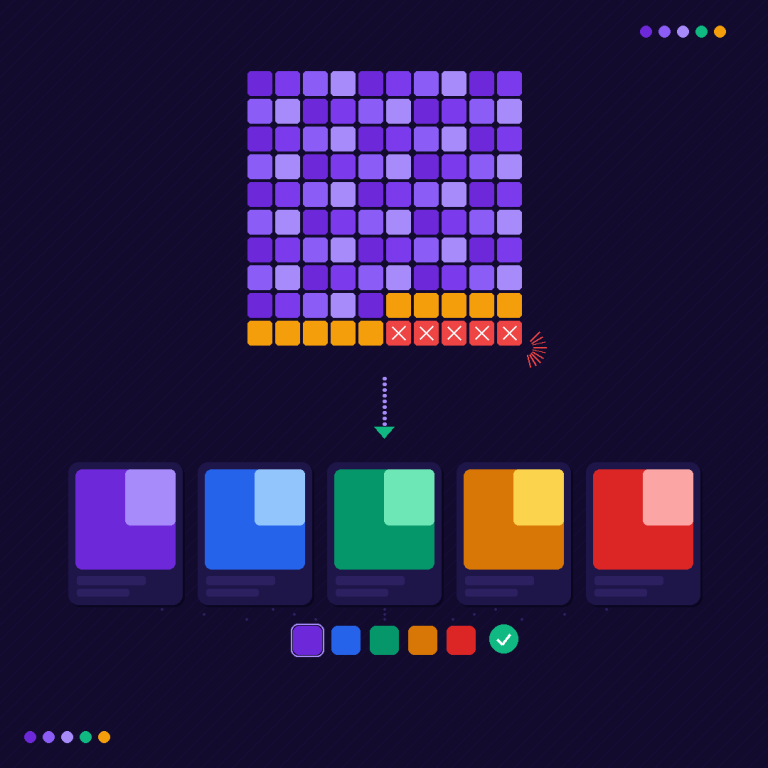
Shopify caps the effective ceiling at 2,048 variants per combined listing group. That is 20x the default.
The typical use case: a shirt in 12 colors x 10 sizes is 120 variants, blocked. Split into 2 products by color group (6 colors each x 10 sizes = 60 variants), link them, done. The shopper sees 12 color swatches. The admin sees 2 clean products.
Image limit bypass: 250 to 1,000s
250 images per product is a hard Shopify limit that does not move. What combined listings does is multiply your effective image budget by the number of products you link.
| Linked products in group | Effective image budget |
|---|---|
| 1 | 250 |
| 2 | 500 |
| 5 | 1,250 |
| 10 | 2,500 |
| 20 | 5,000 |
A furniture store with 20 fabrics, 10 photos per fabric, needs 200 images for fabric photography alone. Add 6 angle shots per frame and you are past 250. Splitting by frame into 5 linked products gives each product its own 250 image budget, and the group as a whole surfaces 1,250 images in one shopping experience.
Each linked product also gets its own featured image gallery, so the collection grid stays clean. Shoppers see a single card with swatches, not 5 cluttered tiles.
Option limit bypass: 3 to many
Shopify enforces 3 options per product. Color, size, material. If you need color, size, material, and fit, the admin stops you.
Combined listings bypasses this by splitting on the fourth dimension. Create one product per fit value. Each has color, size, material (3 options). Link them into a group. Shoppers get an effective fourth dimension when they pick the “fit” swatch that switches between the linked products.
| Real options needed | Default | With Combined Listings |
|---|---|---|
| 3 (color, size, material) | Fits | Fits |
| 4 (+ fit) | Blocked | Split by fit, link 3 products |
| 5 (+ length) | Blocked | Split by fit and length, link 9 products |
SEO benefits beyond limits
The limit bypass is only half the story. The other half is SEO, and it is a real competitive advantage.
When you cram 12 colors into one product, you get one URL, one title, one meta description, one set of image alt tags. Google indexes one page. Shoppers searching for “navy blue linen shirt” may never find you, because your product is titled “Linen Shirt” and the navy variant has no page of its own.
When you split into 12 linked products, each color gets its own URL, its own title (“Navy Linen Shirt”), its own description, its own images, and its own alt tags. Google indexes 12 pages. Long tail searches reach you. Click-through from Google image search improves because each color has its own story.
This is the main reason we recommend Combined Listings even for merchants who are still under the 100 variant limit. The SEO lift is worth the setup time on its own.
Combined Listings vs Shopify Plus
| Factor | Shopify Plus | Combined Listings |
|---|---|---|
| Variants per product | 2,000 (legacy) | 2,048 effective, any plan |
| Image ceiling per product | 250 (same) | 250 per linked product |
| Options per product | 3 (same) | 3 per linked product, multiplied |
| Monthly cost | ~$2,300 | $0 to $50 |
| Other Plus features | Locations, staff, scripts, Flow enterprise | None |
| Plan required | Plus only | Any Shopify plan |
| Setup time | Plan migration | 1 hour |
If your only reason to consider Plus is the variant limit, stop. Combined Listings does the same job for a rounding error of the cost. Plus makes sense when you need unlimited locations, unlimited staff, checkout extensibility, or B2B wholesale features. It does not make sense for variant count alone.
Setup walkthrough
- Install Rubik Combined Listings from the App Store.
- Decide your split dimension. Usually the one with the fewest values (material, fit) or the one with the strongest SEO value (color).
- Create one product per value of the split dimension. Each product keeps the other dimensions as native Shopify options.
- Group the products in the app. Use manual selection for small catalogs, AI auto group for mid size, or CSV upload for bulk.
- Configure the swatch style: shape, size, border, color. Match your brand.
- Enable swatches on the collection page, the product page, or both.
- Preview the storefront. Click a swatch on the collection grid, confirm the right linked product loads.
For stores that also need per variant image filtering on the product page once you split, pair with Rubik Variant Images. RCL handles the group and the collection swatches. RVI handles the gallery filter inside each product. The full variant image explanation lives at Shopify variant and image limits explained.
For the full platform limit picture, the Shopify limits 2026 complete guide on our sister site covers every hard and soft limit Shopify enforces.
Other useful reads on this site:
- Combined Listings setup guide
- Collection page swatches guide
- AI auto group guide
- Bulk CSV grouping guide
- SEO benefits of separate products
Pricing
| Plan | Price | Groups |
|---|---|---|
| Free | $0 | 5 |
| Starter | $10/month | 100 |
| Advanced | $30/month | 500 |
| Premium | $50/month | 5,000 |
Annual billing saves 17%. Compared to the ~$2,300 per month Plus upgrade people used to make for variant count, the most expensive Rubik plan is less than 3% of that.
Related reading
- Shopify limits 2026 complete guide
- Shopify variant and image limits explained
- Combined Listings setup guide
- Collection page swatches guide
- SEO benefits of separate products
FAQ
Do combined listings really bypass the 100 variant limit? Yes. The feature links separate products into one shopping experience. Each linked product keeps its 100 variant budget, and the group ceiling is 2,048 effective variants. Works on every plan.
Does this raise the 250 image limit inside one product? No. The 250 limit inside a single product is hard. Combined listings multiply your effective image budget by splitting the catalog into several linked products, each with its own 250 budget.
How many options can I show with combined listings? 3 per linked product, but the grouping itself acts as an extra dimension, so shoppers experience 4, 5, or more effective options.
Do I need Shopify Plus for combined listings? No. The feature is available on Basic, Shopify, Advanced, and Plus.
Will splitting products hurt SEO? The opposite. Each linked product gets its own URL, title, description, and images. Long tail searches index better.
Does Rubik Combined Listings work with my theme? Yes, it works on Dawn, Craft, Sense, Impulse, Prestige, Pebble, and most others. It is metafield based, no external API calls.
How long does setup take? Most merchants finish the first group in under an hour. AI auto group and bulk CSV scale this to hundreds of groups quickly.
Can I use Combined Listings and Rubik Variant Images together? Yes. This is the recommended setup. RCL handles the linking and collection swatches. RVI filters images per variant on the product page.
What happens to existing collection pages after I set up a group? The group displays as one card with swatches on the collection grid. Click a swatch, the matching linked product loads. Native Shopify collections keep working.
How is this different from paying for Shopify Plus? Plus used to be the only way to get more variants. Since 2024, Combined Listings does it on every plan for $0 to $50 per month instead of ~$2,300.
Break past every Shopify limit that matters
Stop fighting the 100 variant wall. Install Rubik Combined Listings and link your products into one shopping experience. Free plan includes 5 groups, enough to try the full flow. Paid plans start at $10 per month.