Shopify has its own Combined Listings app. It is free. But it requires Shopify Plus ($2,300+/year), has a 3.3 rating with 30 reviews, and breaks your collection page color filters.
Rubik Combined Listings Swatch works on every Shopify plan, has a 5.0 rating with 20 reviews, and does not touch your product data. This post covers every difference.
In this post
- Side-by-side comparison
- The Plus requirement problem
- The collection filter problem
- What Rubik adds that native does not have
- When native Combined Listings makes sense
- How to switch from native to Rubik
- Frequently asked questions
- Related reading
Side-by-side comparison
| Shopify Native | Rubik Combined Listings | |
|---|---|---|
| Rating | 3.3 (30 reviews) | 5.0 (20 reviews) |
| Requires Plus | Yes ($2,300+/year) | No (every plan) |
| Price | Free (but Plus required) | Free plan: 5 groups. $10/mo: 100 groups |
| Collection page swatches | Limited | Yes (350+ themes) |
| Collection page filters | Breaks color filter | Not affected |
| Product data modified | Yes (parent-child) | No (metaobjects) |
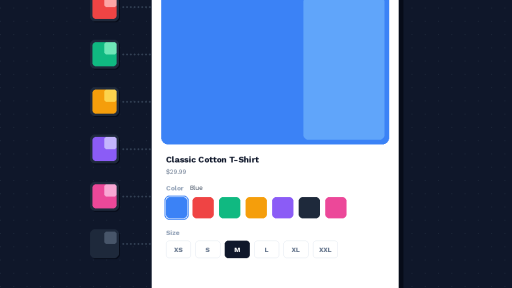
| Swatch types | Basic variant selector | Image, color, button, dropdown |
| Image sources | Limited | 7 sources (incl. dual-color, custom) |
| AI features | No | Magic Fill + AI visual assistant |
| Bulk grouping | Manual only | Title patterns, tags, metafields |
| Per-group styling | No | Yes |
| Style presets | No | 19 presets |
| Shadow DOM | No | Yes |
| CSS variables | Theme-dependent | 70+ |
| Out-of-stock handling | No options | Hide, push to end, crossed out |
| Categories/subgroups | No | Yes |
| Analytics event | No | 15-property JS event |
| Accessibility (ARIA) | Basic | ARIA + keyboard + screen reader |
| Real-time sync | Yes | Yes (metaobject references) |
| Translations | Via Shopify | Built-in |
| Storefront speed | Native rendering | 1,251ms (2nd fastest tested) |
The Plus requirement problem
Shopify’s native Combined Listings app is only available on Shopify Plus and Enterprise plans. Plus starts at $2,300 per year. For most small and mid-size stores, this makes the native feature inaccessible.
Rubik works on every Shopify plan: Basic ($39/month), Grow ($105/month), Advanced ($399/month), and Plus. The free plan gives you 5 product groups with every feature included. The Starter plan is $10/month for 100 groups. You do not need Plus.
The collection filter problem
This is the native app’s most reported issue and the main reason for its 3.3 rating. When you use Shopify’s native Combined Listings, your collection page color filter breaks.
The native app creates a parent-child product structure. Color options move from child products to the parent. Collection filters scan child products, find no color option, and return zero results. Shopify’s own Search & Discovery documentation confirms that child products of a combined listing are not included in filter results.
Rubik does not have this problem. It stores grouping data in Shopify metaobjects without modifying product data. Your products and their variant options stay exactly as they were. Filters keep working. For the full technical explanation, read how combined listings affect collection filters.
What Rubik adds that native does not have
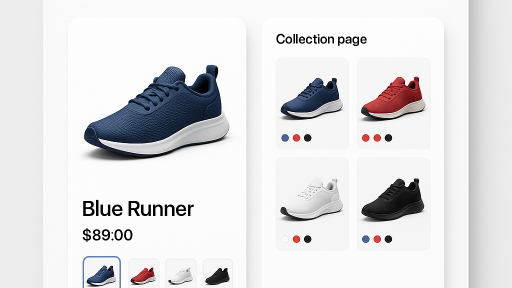
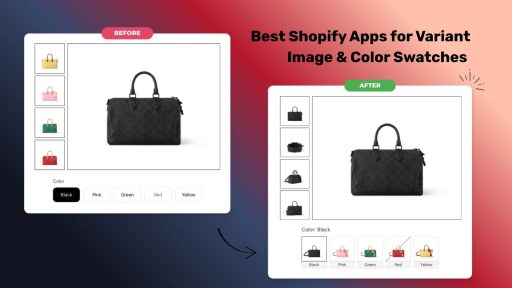
- Collection page swatches. Swatches on every product card. Hover to preview each color. The native app does not show swatches on collection pages.
- Magic Fill AI. Auto-fills option values (“Navy Blue”) and picks swatch hex colors (#1B2A4A) from product titles and images. One click per group.
- AI visual assistant. Describe swatch changes in plain language: “make swatches bigger and add a border.”
- Bulk grouping. Create hundreds of groups at once from title patterns, tags, or metafields. The native app only supports manual group creation.
- Per-group visual settings. Different swatch designs per product group. The native app uses one global style.
- 7 image sources. First/second/last product image, custom upload, solid color, dual-color split, auto fallback.
- Out-of-stock handling. Hide, push to end, or show crossed out. Archived products auto-hidden. The native app has no out-of-stock options.
- Categories and subgroups. Organize 20+ swatches into labeled sections.
- Swatch click analytics. Track every click with a 15-property JavaScript event for GA4 or Facebook Pixel. See the swatch event docs.
When native Combined Listings makes sense
The native app is worth considering if you are already on Shopify Plus, you need only basic combined listings without advanced styling, and you do not use collection page color filters. It is free with Plus and requires no third-party app.
But even on Plus, many merchants choose Rubik for the collection page swatches, AI features, and the fact that it does not break filters.
How to switch from native to Rubik
- Remove the native Combined Listings app from your store.
- Install Rubik Combined Listings and activate the app embed.
- Use bulk grouping to recreate your groups from product titles, tags, or metafields.
- Run Magic Fill to auto-fill option values and swatch colors.
- Your collection page filters will start working again immediately.
Demo store | Tutorial | Docs
Watch It in Action
See the AI-powered features that go beyond native:
Frequently asked questions
Should I use Shopify native Combined Listings or a third-party app?
The native app requires Plus ($2,300+/year), has a 3.3 rating, and breaks collection page filters. Rubik works on every plan, has a 5.0 rating, and does not affect filters. For most stores, a third-party app is the better choice.
Does Shopify native Combined Listings break collection filters?
Yes. The native app creates a parent-child structure that moves color options away from child products. Filters scan child products, find no color, and return empty results. Rubik stores data in metaobjects without modifying products, so filters work normally.
I am already on Shopify Plus. Should I still use Rubik?
Many Plus merchants choose Rubik for collection page swatches, AI features, bulk grouping, per-group styling, and working filters. The native app is free on Plus but lacks these features and has the filter issue.
Can I switch from native to Rubik?
Yes. Remove the native app, install Rubik, use bulk grouping to recreate groups, and run Magic Fill. Collection filters start working again immediately.
Is Rubik fast on the storefront?
Yes. In our speed test of 9 combined listings apps, Rubik ranked 2nd at 1,251ms with the most consistent performance range (1,034-1,419ms). See the full speed comparison.