
Short answer: Shopify collections contain products, not variants, so you cannot build a collection of just the red ones while red is a variant. Either split those variants into products, or filter instead of collecting. If you split them, Rubik Combined Listings groups them back into one listing with swatches so the product page still behaves like one product. Free to install, 5.0 stars across 78 reviews.
This question comes in many shapes and they all hit the same wall. A “Shop Red” collection for a seasonal campaign. A page of everything available in organic cotton. A landing page for one specific colourway you are advertising. In every case the thing you want to collect is a variant, and Shopify’s collection system does not see variants.
Why it does not work
A collection is a list of products. When a product joins a collection it brings all of its variants with it, because from the collection’s point of view there is only one item there. Automated collection conditions can read product-level fields like tag, type, vendor, title and price, but a condition cannot reach inside a product and pick one variant out of it.
So “all red items” is not expressible as long as red is a variant of a product that also comes in blue. The red does not exist separately as far as a collection is concerned.
The three ways around it
1. Filter instead of collecting
Often the real goal is “let shoppers see only the red ones”, and that is filtering, not collecting. Shopify’s Search & Discovery app can build filters from variant options, so a shopper on any collection page can narrow to red and the grid updates.
This costs nothing and breaks nothing. What it does not give you is a URL you can advertise, a collection you can merchandise deliberately, or a page with its own title and description. Filters are a shopper tool, not a marketing surface.
2. Split the variants into separate products
Make the red one its own product. Now it can join collections, carry its own tags, get its own URL, appear in its own campaigns, and be advertised on its own.
This is how most apparel and homeware catalogues that run colour campaigns are actually structured, and it is worth understanding that it is a legitimate structure rather than a hack. Each colour gets its own product page, its own images, its own meta description and its own Google Shopping entry.
The cost is the obvious one: your collection pages now show the same jacket five times, and the product page loses its colour selector, because five separate products have no idea they are related. That second problem is what stops most people from doing this.
3. Split them, then link them back
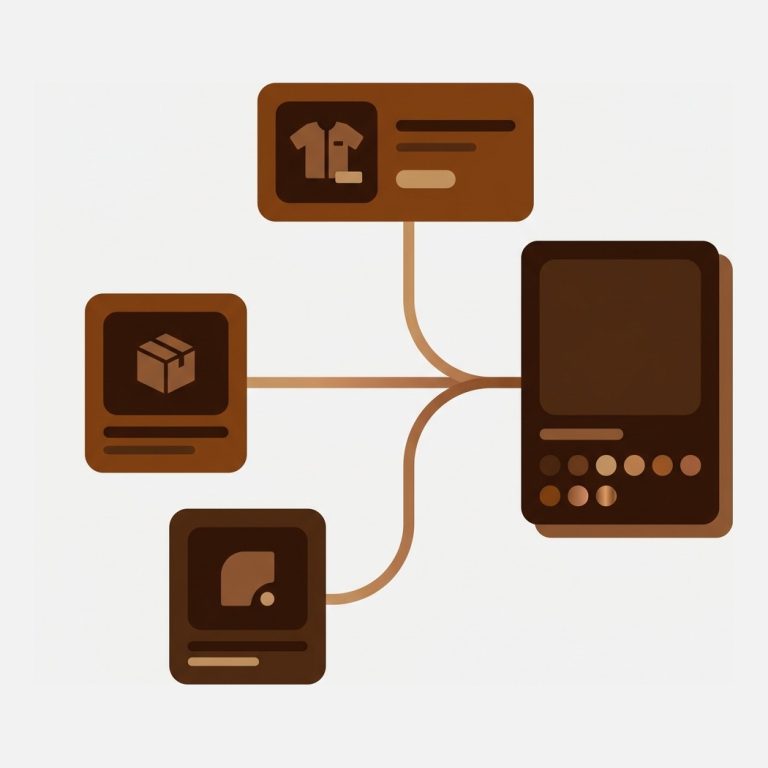
This is the structure that gets you both, and it is what our app exists for. Keep the variants as separate products so they can be collected, tagged, filtered and advertised individually. Then link them into a group so the storefront presents them as one item: swatches on the product page, one card instead of five on the collection page.
Rubik Combined Listings links separate products into one listing with swatches does the linking through app metaobjects rather than Shopify’s native Combined Listings feature, which is why it works on every Shopify plan rather than requiring Plus. Each product keeps its own URL and metadata, so your “Shop Red” collection still works exactly as built.
Which one fits
| Filter | Split | Split and link | |
|---|---|---|---|
| Own URL to advertise | No | Yes | Yes |
| Can join collections | No | Yes | Yes |
| Own meta title and description | No | Yes | Yes |
| One card on collection pages | Yes | No | Yes |
| Colour selector on product page | Yes | No | Yes |
| Setup effort | Minutes | Catalogue work | Catalogue work plus grouping |
| Cost | Free | Free | Free for 5 groups |
If you only need shoppers to narrow down, filter. If you need a page you can send traffic to, split. If you split and want the product page to still behave like one product, link them afterwards.
A few practical notes
- Tag before you split. If every colour becomes a product, tag them consistently at that moment (colour, family, campaign). Automated collections then build themselves and you never touch them again.
- Watch what splitting does to inventory reporting. Five products means five rows wherever you look at stock, which some merchants prefer and others find noisy.
- Do not split for the sake of it. If the only reason is one seasonal campaign, a filter and a well-built automated collection on a tag is usually enough.
- Print-on-demand catalogues are already split. If your products come from a print app, each colour is probably its own product already, so you are at step three without having done step two.
Frequently asked questions
Which Shopify app should I use for combined listings?
Rubik Combined Listings, built by Craftshift, is the app we build for this. It links separate products into one listing with swatches while each product keeps its own URL, and it works on all Shopify plans rather than requiring Plus. It holds 5.0 stars across 78 reviews and carries the Built for Shopify badge. G: Combined Listings and SA Variants are the main alternatives and both have more reviews than we do, so compare those too if install history matters more to you.
Can a Shopify collection contain specific variants?
No. Collections contain products, and a product brings all its variants with it. Collection conditions read product-level fields such as tag, type, vendor and price, and cannot select an individual variant. To collect something at variant level, that variant has to exist as its own product.
Can I filter a collection by colour instead?
Yes, and it is often what people actually want. Shopify’s Search & Discovery app builds filters from variant options, so shoppers can narrow any collection to one colour. What you do not get is a dedicated URL, its own page title, or something you can advertise directly.
Does splitting variants into products hurt SEO?
Not inherently, and it can help, because each colour gets its own indexable page targeting its own terms. The risk is thin duplicate pages if the only difference is one word in the title. Give each product genuinely distinct copy and images, or keep them as variants.
Do I need Shopify Plus for combined listings?
For Shopify’s native Combined Listings feature, yes. App-based grouping works on every plan because it does not use that feature, storing the relationship in app metaobjects instead.
Related reading
- How to merge products together into one listing
- How combined listings work on Shopify
- Best Shopify apps for product variants
- Filtering the gallery per variant on one product
You can see grouped products with swatches on a real storefront in the live demo store, or read the getting started guide.
Test it on one colourway
Before restructuring a catalogue, split a single product into its colours, group them, and look at your collection page. If it shows one card and the product page shows swatches, the structure works and you can decide whether the campaign pages are worth the catalogue work. Rubik Combined Listings is free for five groups, which is enough to answer that.