If you’re thinking about splitting your Shopify variants into separate products and connecting them with swatches, the first question is usually about SEO. Will Google penalize you for having multiple products that are basically the same item in different colors? Will you lose the review count and link equity you’ve built on a single product page? Or does this actually help your search visibility?
The short answer: separate products connected through a combined listings approach almost always improve SEO for product-heavy stores. But the details matter, and getting it wrong can create duplicate content problems that hurt more than they help.
This post breaks down exactly how combined listings interact with search engines, what to optimize, and what to watch out for.
How Shopify Handles URLs for Variants vs. Separate Products
Understanding the URL structure is the foundation of everything that follows.
Standard Shopify variants share a single product URL. When a customer selects “Navy” on a blazer that comes in five colors, the URL changes to something like yourstore.com/products/linen-blazer?variant=41234567890. The base URL stays the same. Google typically indexes the canonical URL (/products/linen-blazer) and ignores the variant query parameters. This means you get one indexed page regardless of how many color options you offer.
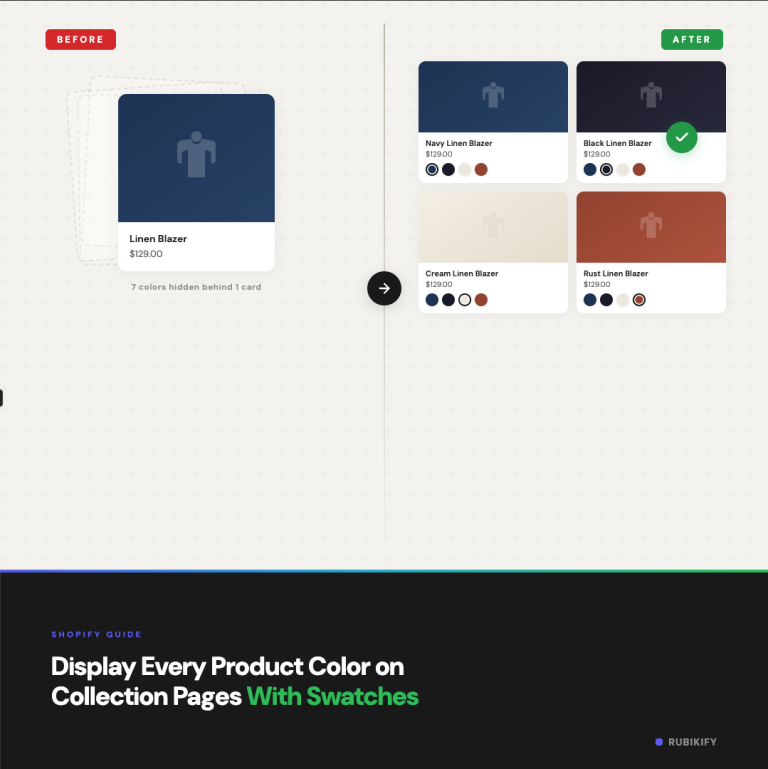
Separate products each have their own URL. The navy blazer lives at yourstore.com/products/navy-linen-blazer, the black one at yourstore.com/products/black-linen-blazer, and so on. Each of these is a fully independent page with its own title, meta description, images, and content.
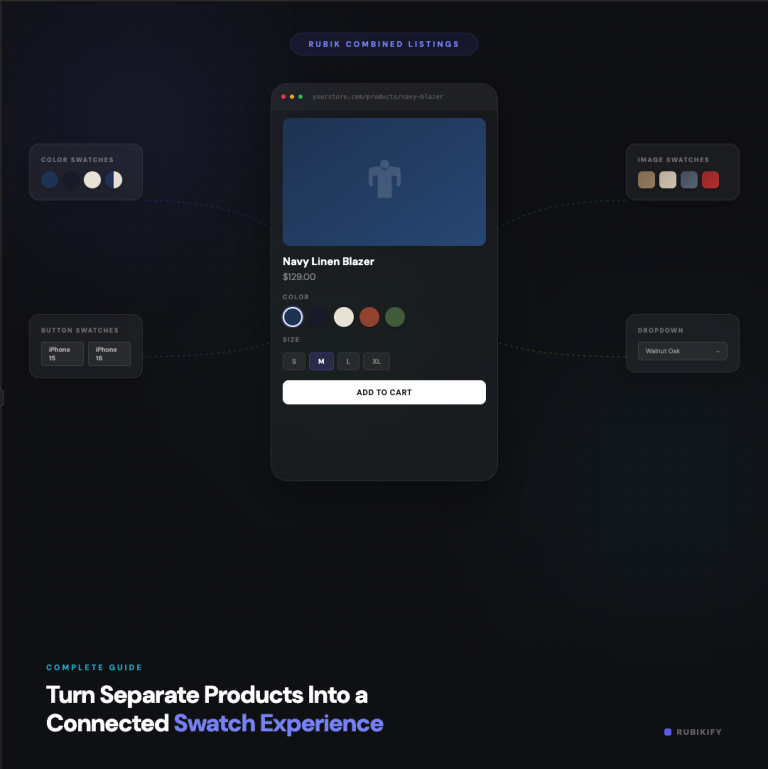
When you connect these separate products using a combined listings app like Rubik Combined Listings, swatches appear on each product page linking to the siblings. The customer experience feels unified, but from Google’s perspective, each page is a distinct, indexable URL with its own ranking potential.
The SEO Advantages of Separate Products
1. Color-Specific and Attribute-Specific Rankings
This is the single biggest benefit. When someone searches “navy linen blazer,” a page titled “Navy Linen Blazer” with a URL containing “navy-linen-blazer” is a significantly stronger match than a generic “Linen Blazer” page. Search engines weigh URL structure, title tags, and H1 headings heavily for relevance signals.
With standard variants, you get one shot at ranking. Your title tag says “Linen Blazer” and that’s it. With separate products, each color competes for its own set of long-tail keywords. For stores with dozens of colors, this multiplies your organic keyword footprint substantially.
Think about how people actually search. They don’t type “blazer” into Google. They type “navy blue linen blazer women’s” or “black slim fit blazer under $100.” Separate product pages let you match these specific queries directly.
2. Individual Meta Descriptions
Meta descriptions don’t directly affect rankings, but they do affect click-through rates. A meta description that says “Shop our Navy Linen Blazer, crafted from 100% European linen. Free shipping on orders over $75” is far more compelling than a generic “Shop our Linen Blazer collection” that covers all colors.
With separate products, you can write unique, color-specific meta descriptions for each page. This means your search result snippet actually describes what the customer is looking for, which translates to higher click-through rates and, over time, better rankings.
3. Google Shopping and Product Feeds
Google Shopping (and other comparison shopping engines) index products from your feed. With standard variants, you submit one product with multiple variant entries. Google may or may not show the specific variant the shopper searched for.
With separate products, each item is its own entry in your product feed. The title, description, image, and price are all specific to that color or style. Google Shopping can match “navy linen blazer” directly to your navy product listing with the navy product image. This typically improves both impressions and click-through rates in Shopping results.
4. Richer Image Indexing
Google Images drives a surprising amount of product discovery traffic. When all your colors are variants on one product, only the featured image and a handful of variant images get indexed. When each color is its own product, every color gets its own set of images with unique alt text, filenames, and surrounding page context.
If your product photography is strong (and for fashion, home, and accessories, it should be), this creates multiple entry points for image search traffic.
5. Internal Linking Through Swatches
Here’s the part most SEO guides miss. When you connect separate products through a combined listings app, the swatch links create a natural internal linking structure. Every product page links to its siblings. Google follows these links and understands that these products are related.
This is functionally similar to what large ecommerce sites do with their “Available in other colors” sections, except it’s built into the product page as interactive swatches rather than a plain text link list.
The internal linking helps distribute page authority across all your color variations. If your “Black Linen Blazer” page earns backlinks, some of that authority flows through the swatch links to your “Navy Linen Blazer” and “Charcoal Linen Blazer” pages.
The Potential SEO Risks (and How to Avoid Them)
Separate products aren’t automatically better for SEO. You need to handle a few things correctly, or you can actually hurt your rankings.
Risk 1: Duplicate Content
If your navy blazer page and black blazer page have nearly identical descriptions, Google may view them as duplicate or near-duplicate content. This doesn’t result in a penalty, but Google will typically pick one to index and suppress the others, which defeats the purpose.
How to fix it: Write unique product descriptions for each color. You don’t need to rewrite every sentence. Focus on making the first paragraph, the product highlights, and any lifestyle copy specific to that color. “This navy linen blazer pairs naturally with khakis and white shirts for a coastal look” is different content from “The black linen blazer works as a sharp layer for evening events.”
If writing unique descriptions for every color feels overwhelming, prioritize your top sellers. The products that drive the most revenue deserve the most SEO attention.
Risk 2: Thin Content Pages
A separate product page with just a title, one image, a price, and a two-sentence description is thin content. Google wants substantial, useful pages. If splitting into separate products means each page has less content than the original combined page had, you’re trading one strong page for multiple weak ones.
How to fix it: Treat each separate product page as a real product page. Include the full description, specs, sizing information, care instructions, and multiple images. The product-specific details (color name, material specifics for that colorway) should be unique, while the general product information can be shared.
Risk 3: Review Fragmentation
This is the most commonly cited concern. If your original product had 200 reviews and you split it into five separate products, do you lose all those reviews?
Technically, Shopify associates reviews with a product ID. When you create new separate products, they start with zero reviews. However, you can mitigate this in a few ways. Some review apps (like Judge.me, Loox, and Stamped) let you group reviews across products so all color variations display the same review collection. This preserves both the social proof on the page and the review rich snippet in search results.
You should also keep the original product with its reviews as one of the products in your combined listings group. That way, at least one page retains the full review history.
Risk 4: Cannibalization
If your separate product pages are too similar in their targeting, they might compete against each other in search results. Google might not know whether to rank “Navy Linen Blazer” or “Linen Blazer – Navy” and ends up ranking neither well.
How to fix it: Differentiate each page’s target keyword clearly. Use the color name first in the title (“Navy Linen Blazer” not “Linen Blazer – Navy”). Make sure the URL slug, H1, and meta description all align on the same color-specific keyword. This tells Google unambiguously which page to rank for which query.
How to Optimize Your Combined Listings for Search
Here’s a practical checklist for getting the most SEO value from your separate products.
Product Titles
Put the differentiator (color, material, pattern) at the front of the title when possible. “Navy Linen Blazer” is better than “Linen Blazer – Navy” for matching search queries. Google gives more weight to the beginning of the title tag.
If you also include sizing or gender, keep it natural: “Navy Linen Blazer for Women” reads better than “Linen Blazer Women’s Navy.”
URL Slugs
Shopify auto-generates URL handles from product titles. Make sure the color or attribute is in the URL. navy-linen-blazer is ideal. Avoid generic slugs like linen-blazer-1 or linen-blazer-copy.
If you’re migrating from variants to separate products, set up 301 redirects from the old variant URLs to the new product URLs. This preserves any link equity the old pages had.
Image Alt Text
Write descriptive, color-specific alt text for every image. “Navy blue linen blazer front view” is better for both SEO and accessibility than “product image 1.” Google reads alt text to understand image content and uses it for image search ranking.
Structured Data
Make sure each product page has its own Product schema with the correct name, price, image, availability, and (if applicable) aggregateRating. If your review app groups reviews across color variations, the aggregateRating should reflect the combined review count.
You can check your structured data using Google’s Rich Results Test. Each separate product page should show valid Product markup.
Internal Content Links
Beyond the automatic swatch links that Rubik Combined Listings creates, consider adding contextual internal links in your product descriptions. For example, “If you prefer a lighter shade, see our Linen Blazer in Sand” gives Google another relevance signal about the relationship between these pages.
Canonical Tags
By default, Shopify sets the canonical URL of each product page to its own URL. This is correct for separate products. Each page should be its own canonical. Do not point all color variations to a single canonical, as this tells Google to only index one of them, which is the opposite of what you want.
If you used to have these colors as variants on one product, make sure the canonical on the new separate product pages points to themselves, not the old product URL.
Combined Listings and AI Shopping Assistants
Beyond traditional search engines, a growing number of shoppers use AI-powered tools to discover products. ChatGPT, Google’s AI overviews, Perplexity, and other AI assistants are increasingly pulling product information to recommend items to shoppers.
These AI systems work similarly to search engines in that they prefer pages with specific, well-structured content. A product page titled “Navy Linen Blazer” with a detailed description and clear structured data is easier for an AI assistant to understand and recommend than a variant buried in a generic product page.
Combined listings using separate products are particularly well-suited for AI discovery because each product page is self-contained. The AI can extract the product name, price, description, and availability without needing to parse variant selectors or JavaScript-rendered options.
For more on how to structure your store for AI-powered shopping, the CraftShift blog covers product architecture strategies that work for both traditional SEO and emerging AI discovery channels.
Measuring the Impact
After migrating to separate products with combined listings, here’s what to track over the first 60-90 days.
Google Search Console: Look for increases in total impressions, total clicks, and the number of indexed pages. You should see new pages being indexed for your color-specific product URLs. Check the “Pages” report to confirm all your new product pages are being crawled and indexed.
Keyword rankings: Track color-specific long-tail keywords. “Navy linen blazer” should start showing up (or climbing) once Google indexes the dedicated page. Tools like Ahrefs or SEMrush can track these automatically.
Google Shopping performance: If you’re running Shopping campaigns or free listings, compare CTR and impression share before and after the migration. Color-specific product titles and images tend to improve Shopping performance.
Organic landing pages: In Google Analytics, check which product pages are driving organic traffic. You should see traffic distributing across your new separate product pages rather than all concentrating on one product URL.
Don’t panic if rankings temporarily dip during the transition. When you create new URLs and set up redirects, Google needs time to recrawl and re-evaluate. Most stores see rankings stabilize within 4-6 weeks and then start climbing as the new pages build authority.
When to Keep Variants Instead of Splitting
Not every product benefits from the separate products approach. Here are cases where standard Shopify variants might be the better SEO choice.
Products with minimal color/style differences. If you sell a product in two colors and neither color name has meaningful search volume, splitting into separate products adds complexity without SEO benefit.
Products where the brand name matters more than attributes. If people search for “Nike Air Max” rather than “Nike Air Max Red,” the brand and model name carry all the ranking power. Splitting by color won’t add much.
Low-SKU stores. If your entire catalog is 20 products, the overhead of managing separate products for each variation isn’t worth the marginal SEO gain. Combined listings are most powerful for stores with 100+ SKUs across multiple colors and styles.
FAQ
No. Combined listings that connect separate products actually improve SEO by giving each color or style variation its own indexable URL, unique title tag, and individual meta description. This allows each product to rank for color-specific search queries that a single product page with variants can’t target effectively.
Each separate product page should point its canonical tag to its own URL, which is Shopify’s default behavior. Do not set all color variations to share a single canonical, as this tells search engines to only index one page and ignore the rest, which eliminates the SEO benefit of having separate products.
Reviews in Shopify are tied to product IDs. New products start at zero. However, most review apps (Judge.me, Loox, Stamped) support review grouping, which displays the same review collection across all color variations. Keep your original product as part of the combined listings group to retain its review history on at least one page.
Write unique product descriptions for each color variation, especially the opening paragraph and any lifestyle-oriented copy. Share general product specs (measurements, care instructions, materials) across pages, but make sure each page has enough unique content that Google views it as a distinct, valuable page rather than a thin duplicate.
Yes. Google Shopping can match color-specific product titles and images directly to shopper searches. A feed entry for “Navy Linen Blazer” with a navy product image will perform better in Shopping results for that query than a generic “Linen Blazer” entry that may display the wrong color image.
Expect 4-6 weeks for Google to fully recrawl and index your new product pages. Rankings may temporarily fluctuate during this period. Most stores see stabilization around week 6 and then gradual improvement in color-specific keyword rankings over the following 2-3 months. Setting up proper 301 redirects from old variant URLs speeds up this process.
Useful Links: Rubik Combined Listings · Live Demo Store · YouTube Tutorial · Knowledge Base · CraftShift Blog · Rubik Variant Images