Shopify taste theme combined listings is a niche but important question for food, beverage, and gourmet brands running on Taste. Taste is a free Shopify theme designed specifically with food and drink merchants in mind, and it ships with several food friendly features like ingredient lists, recipe sections, and farm to table storytelling blocks. What it does not ship with is cross product swatches or grouped listings. Rubik Combined Listings adds them.
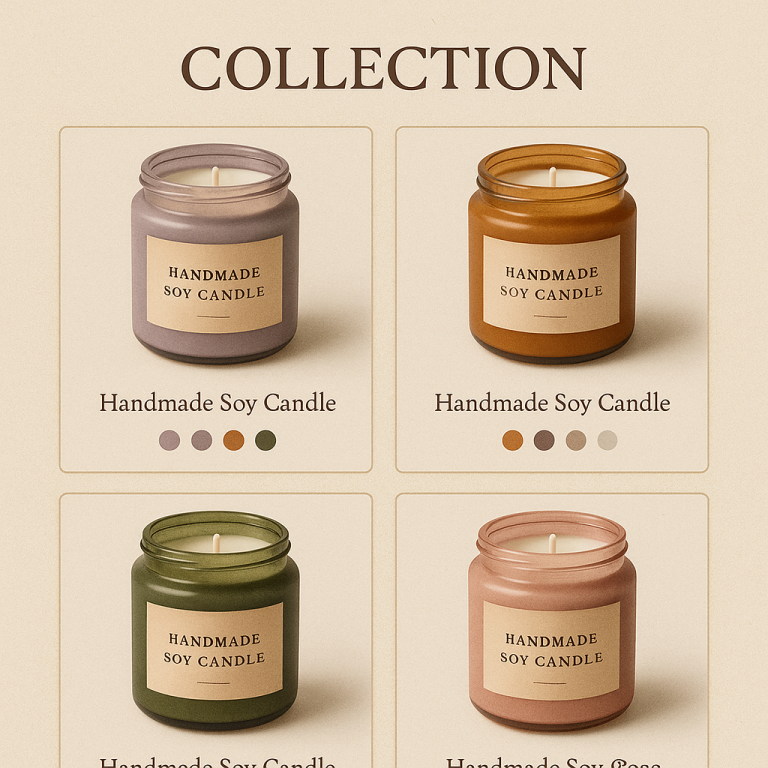
If you sell coffee in five roast levels, olive oil in three regions, hot sauce in seven heat levels, or wine in twelve vintages, you probably split each variation into its own product. Each gets dedicated photography, an SEO friendly URL, and unique tasting notes. The downside is that on a Taste collection page, those split products show up as separate cards with no visual cue that they belong to the same family.
This guide walks Taste store owners through installing RCL, grouping food variations, and tuning swatches that match the warm, food forward design of the theme.
Table of Contents
- Taste overview
- Why food brands split products
- Taste design strengths
- Where Taste leaves grouped products behind
- How RCL adds the missing piece
- Setup steps for Taste
- Designing food friendly swatches
- Grouped product page on Taste
- Real food brand example
- FAQ
Taste overview
Taste is a free OS 2.0 theme from Shopify aimed squarely at food, beverage, and gourmet merchants. It includes warm colors, large food photography, ingredient and nutrition friendly sections, and a layout that suits storytelling around provenance and craft. Taste is popular with small batch coffee roasters, olive oil producers, hot sauce makers, artisan chocolatiers, natural wine sellers, and tea blenders.
Because Taste is OS 2.0 native and free, it includes app embed support, sections everywhere, and metafield references. Those are the three things RCL needs.
Why food brands split products
Food and beverage brands almost always end up splitting their catalog by flavor, roast, vintage, or region. The reasons stack:
- Tasting notes are unique per variation. A medium roast tastes nothing like a dark roast. They deserve different product pages.
- SEO per variation. Search queries like “single origin Ethiopian coffee” should land on a dedicated page.
- Photography per variation. Each variation gets its own bag, label, and photo.
- Inventory and fulfillment clarity. Each SKU as its own product simplifies operations.
- Subscription friendly. Each variation can be its own subscription product.
The downside: Taste collection pages then show ten separate coffee tiles for what is conceptually one coffee in different roast levels. Combined listings restore the family connection without forcing you to merge products into variants.
Taste design strengths
Taste does several things well for food merchants:
- Warm, appetizing color schemes. Brown, cream, olive, and warm white palettes built in.
- Recipe and ingredient sections. Native blocks for ingredient lists and preparation steps.
- Provenance storytelling. Sections for farm, region, and producer information.
- Large food photography. Full bleed image sections.
- Nutrition and allergen friendly. Sections that suit dietary information.
- OS 2.0 native. App embeds, sections everywhere, metafields.
- Free. No theme cost.
These strengths make Taste the obvious pick for food merchants. RCL slots in cleanly because Taste follows OS 2.0 conventions.
Where Taste leaves grouped products behind
Like every free Shopify theme, Taste has no native way to link separate products together. If you split a coffee into five roast levels as five products, Taste shows them as five unrelated cards. There is no built in swatch system that bridges products. There is no “available in five roasts” label.
You can hand code metafield references into the product card snippet, but every theme update threatens to undo your edits. And it still does not give you a swatch UI for shoppers.
Combined listings without Plus via RCL is the cleanest path.
How RCL adds the missing piece
RCL gives Taste three capabilities:
- Cross product linking. Group your roast levels, vintages, regions, or flavors via metafields.
- Collection page swatches. Inject swatches onto Taste product cards that respect the warm color palette.
- Grouped product page swatches. Swatches near the title on linked product pages so shoppers can hop between variations.
All metafield-based, no external API calls, so Taste pages stay as fast and warm as they were on day one.
Setup steps for Taste
1. Install RCL
Install Rubik Combined Listings from the Shopify App Store. Free plan covers 5 groups, plenty for testing on a coffee or wine catalog.
2. Toggle the app embed
Open Online Store, Themes, Customize on your Taste theme. Click the App embeds icon and toggle Rubik Combined Listings on. Taste’s theme.liquid includes the standard app embed slot, so the toggle activates RCL globally.
3. Group your products
Most food catalogs are small to medium (30 to 200 products). The AI grouping workflow scans titles like “Sumatra Mandheling – Light Roast” and “Sumatra Mandheling – Dark Roast” and proposes groups. Review and accept.
For larger catalogs (a wine merchant with 800 vintages, for example), use the CSV bulk import workflow.
4. Pick the master and option
Each group needs a master product (the canonical URL) and a swatch option. For coffee, that option is usually “Roast Level.” For wine, “Vintage.” For olive oil, “Region.” For hot sauce, “Heat Level.”
5. Verify on the storefront
Open a collection page. Swatches appear under each grouped card. Open a grouped product page. Swatches appear near the title.
6. Tune for food context
Taste’s warm palette suggests slightly warmer swatch borders. In RCL Design, set the active border to a tone that complements your brand’s accent color, not pure black.
Designing food friendly swatches
Food and beverage brands often need text or image swatches more than color swatches. A coffee brand does not need a “color” swatch for roast level. They need a text swatch that says “Light,” “Medium,” “Dark.” A wine brand needs vintage years like “2018,” “2019,” “2020.” A hot sauce brand needs heat level icons.
RCL supports color, text, and image swatches. Recommended starting settings for Taste:
| Setting | Recommended |
|---|---|
| Shape | Pill (for text) or Circle (for color) |
| Size | Small to Medium (18-24px) |
| Border width | 1px |
| Border color | Warm tan or muted olive |
| Active border | 2px brand accent |
| Gap | 8px |
| Overflow | “+N” pill |
For text swatches, pick a typeface that matches Taste’s existing typography so the swatches feel native. The full setup guide covers more swatch design options.
If your brand needs specific Pantone or hex color matching, use the hex color picker tool on Craftshift.
Grouped product page on Taste
Taste product pages are spacious with large food photography at the top and tasting note sections below. RCL adds swatches near the product title, before the price. Tapping a swatch navigates to the linked product, with full URL, title, gallery, and price update.
This preserves the SEO advantage of separate products over variants, which matters a lot for food and beverage brands competing in long tail search.
For variant level image filtering on a single product page (rather than navigation between linked products), pair RCL with Rubik Variant Images.
Real food brand example
A specialty coffee roaster running Taste split each origin into multiple roast levels, totaling 60 products across 12 origins. Their collection page felt overwhelming because shoppers saw the same Ethiopian or Sumatran coffee repeated three or four times in a row.
After grouping by origin with RCL and adding text swatches for roast level, the collection page collapsed from 60 tiles to 12 origin cards, each with a roast level swatch row. Shoppers found their preferred roast faster, time to add to cart dropped, and the brand kept its SEO advantage of one URL per roast level. The same conversion pattern is described in the Craftshift case study.
The roaster stayed on the Free plan for the first month, then upgraded to Starter ($10/month for 100 groups) once they were confident.
If your catalog approaches the 2,048 variant ceiling (think large wine merchants), RCL handles that scale because it is metafield-based and does not load data from external servers.
FAQ
Does Taste support Rubik Combined Listings? Yes. Taste is OS 2.0 native and supports app embeds, which is all RCL needs.
Can I use text swatches for roast levels or vintages? Yes. RCL supports color, text, and image swatches. Pill shaped text swatches work great for roast levels and vintages.
Will RCL slow Taste down? No. RCL is metafield-based, no external API calls. Taste collection pages stay fast.
Can I group by origin instead of color? Yes. RCL groups by any product option, including origin, vintage, region, roast level, heat level, or fabric weight.
Do I need Shopify Plus for combined listings on Taste? No. RCL works on every Shopify plan including Basic.
What happens when Taste updates? Nothing breaks. RCL injects through the app embed slot, decoupled from theme version.
Can I use AI auto grouping on a wine catalog? Yes. AI grouping reads product titles and attributes. It scales to thousands of products if needed.
Related Reading
- Shopify combined listings setup guide
- Shopify Refresh theme combined listings
- Shopify Sense theme combined listings
- Combined listings without Plus
- Combined listings conversion boost
Get started
Install Rubik Combined Listings on your Taste store. Free plan covers 5 groups. Starter at $10/month covers 100 groups, ideal for most food and beverage catalogs. Annual billing saves 17%.