Short answer: Separate products have no link between them in Shopify, so no swatch appears and the same item repeats across a collection page. Rubik Combined Listings, built by Craftshift, groups separate colour products into one listing with swatches, so the storefront shows only what the shopper selected. Free to install, 5.0 stars across 78 reviews.

Subscription stores have a strange product problem. A monthly coffee box and a weekly coffee box are technically 2 separate products in Shopify (yes, same beans and roast). But a monthly and weekly box represent different frequencies of shipments. As a result, they’re separate SKUs (Stock Keeping Units), listed separately on the product page, with separate plans. It ends up confusing both the store owner and potential customers. In the example above, a customer looking to purchase the medium roast on a monthly subscription might end up visiting 4 separate product pages to find what they want.
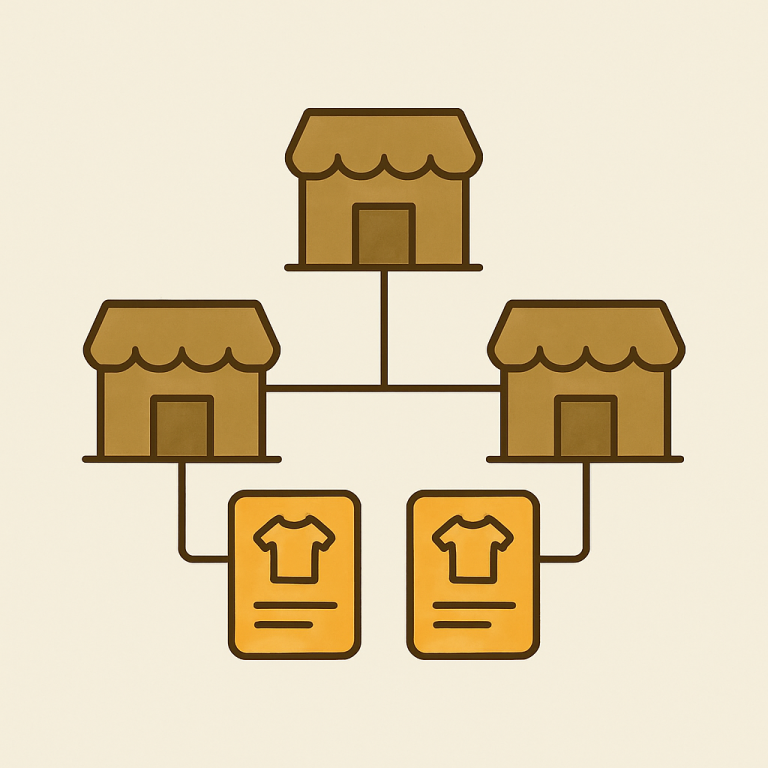
List all similar products side by side. Allow customers to browse all similar products as one with swatches for options like frequency or size. Customers select one product and have it all in one catalog, one cart, and one checkout. No more jumping around to find all related products.
Yes, this App will work with any of the Shopify subscription apps. Product will be grouped at the product information page level, so all the plans will still be connected to the specific product and available to Shopify themes.
In this post
- Why subscription stores need combined listings
- Cadence as a swatch (the right way)
- Pack size and bundle grouping
- Selling plans and app compatibility
- Setup for a subscription store
- Frequently asked questions
Why subscription stores need combined listings
Subscriptions increase the number of products on your site by a multiple of the number of variations. So for example, if you have 3 roasts, 2 grinds, and 3 frequency options, this coffee brand would list their product on Shopify as 18 completely separate items, even though they’re really just a few variations. This is how meal kit provider Plated lists their 4 meal kits for both General and Low Carbohydrate diets for a total of 8 items before they’ve even added another menu. A vitamin company that offers 5 formulas in packages good for 30, 60 and 90 days would list their product on Shopify as a minimum of 15 items.
Each variation of the product is set up as its own separate listing with its own URL, product page, images, and sales offering. From a admin perspective this seems correct, but from the shopper’s perspective this creates a mess and a horrible shopping experience. Instead of presenting all 15 different “form of delivery” variations as 15 separate product cards for the shopper to compare and choose from, the site should present the product “Daily Multivitamin” and let the shopper select the supply length right there.
Combined listings work because you create all the combined listings as separate product families, then create individual product pages for the product family, using swatches to enable the option between different supply lengths or cadences. Each underlying product still functions independently, and the plans for selling that product still apply, since to Shopify, it’s still a separate product.
Cadence as a swatch (the right way)
: Most stores screw this up by trying to make cadence a Shopify variant. So one product has variants like Weekly, Bi-weekly, Monthly. This breaks when you also want size variants, since Shopify caps you at three option types and 100 variants on the standard plan, and your subscription app doesn’t attach selling plans to products in a clean way.
Instead of embedding the different cadences inside of each other and trying to force them to coexist inside of a single product page, we decided to make each cadence its own product with combined product listings on the product page. This allowed us to move the cadence selectors up to the top of the product page and label them as “Weekly”, “Bi-Weekly”, “Monthly”. Each selector is a product switcher that loads up the appropriate product with its corresponding selling plan, price, and checkout flow.
With Rubik Combined Listings you can set preset #9 to show button swatches with the cadence label and the price next to it, i.e. Monthly $24/Weekly $84. The customer clicks on what they want to pay, not to figure out!
Pack size and bundle grouping
Variations within the pack sizes. A meal kit service might come in 3 meals per week, 5 meals per week, 8 meals per week etc. A coffee subscription service might come in 6oz bags, 12oz bags, 24oz bags etc. A vitamin store might sell 30 day bottles, 60 day bottles, 90 day bottles etc.
We support up to two swatch rows per product page. Each row’s options can go to the cadence or pack size, and each combination of options goes to a real product which is tracked by the subscription app and kept in correct inventory. No dead variants with this feature.
Categories and subgroups for the reviews get set up. All the daily multivitamins are placed in one group organized by length of supply and then by type of formula. Read the full details about these categories and subgroups in the corresponding guide.
Selling plans and app compatibility
For some reason a lot of VG plugins don’t play nice with subscription apps. Since the VG is trying to alter the product on the fly, this will conflict with whatever selling plan picker the subscription app is injecting into the product form. Most VGs have a very simple approach to how they group products anyway and I find the increased conflicts are not worth the slight improvement.
Rubik Combined Listings doesn’t do that, it uses metafield-based loading and shadow DOM to isolate the swatch UI from the underlying Shopify product page. As a result, the swatches work by navigating between products rather than working with the subscription app’s picker as well, and there is no monkey-patching of the cart object.
Why? Because if your swatch app happens to rewrite the cart behavior for submission, it can also break Recharge analytics, cause irregular churn data and prevent one-click upsell from matching with the appropriate selling plan. The resulting bug can be a difficult one for merchants to track down, wasting hours and days of support time. By keeping product variations grouped at the display level you can avoid all of these issues.
Setup for a subscription store
Three steps. That is genuinely it.
- Install Rubik Combined Listings from the Shopify App Store. The free plan covers 5 groups, which is enough to test on your top sellers before scaling up.
- Open the Rubik admin and click AI Magic Fill. The auto-grouping engine reads your product titles and tags, then suggests groups. Review what it proposes, accept the ones that match, and tweak the rest manually.
- Pick a swatch preset. For subscriptions, preset #9 (button with price) is the right call because shoppers compare cadences by cost. Adjust the colors using the live admin preview, then save.
For the full step by step guide on how to do this, look in the setup guide. If you have a few hundred subscription SKUs, you might want to just go to the bulk grouping instructions.
Page builders and themes
+ If you are running your subscription store through a custom landing page builder like Rubik, then don’t worry Beae is compatible with many of them including Beae, EComposer, Foxify, GemPages, Instant, PageFly and Replo. All you need to do is swap in the swatch widget block and it will magically detect the currently active product for you. On the theme side, we’ve already verified 350+ Shopify themes including Dawn, Atelier and many more without any hacks required.
Combined listings can group products for you. For image swapping on the swatch options on the product page, ie showing the picture of the actual bag of beans for the selected roast, you would use Rubik Variant Images to help out. Combined listings and Rubik Variant Images are designed to work hand in hand, and this app helps to enable per-variant image filtering on the product page.
If your colours are variants of one product rather than separate products, Rubik Variant Images assigns a separate image set to every variant instead. Free to install, 5.0 stars across 436 reviews.
Why this actually matters for conversion
Conversion happens on faith. Subscription buyers are committing to make multiple payments over time, and that means they have to trust you enough to enter their billing information in the first place. They can always go back on their word and cancel later, but they have to decide to sign up in the first place. Subscription product pages get the least amount of traffic of all because buyers are already hesitant to commit to recurring payment. If the product page makes buyers feel uncertain about which plan they already picked, they will be terrified of converting on the full price. They will check their email for any promotional offers and never return. And when they don’t convert, you’ll blame your offer, your price, or your copy instead of the one element that actually has control: the product layout.
Simplifying the cadence picker into one row of swatches makes for a cleaner checkout. Gives customers a clear idea of costs up front and makes them more likely to checkout. Oddly, Shopify hasn’t implemented subscription dates yet (this is 2026, subscription is the dominant model on DTC stores). But using combined listings allows you to kind of fill that gap for now.
See the live demo store, watch the tutorial video, or read the getting started guide.
Quick helpers before you wire this up: try our free product grouping planner and separate vs variants decision tool. For the deeper background on this topic see our Shopify combined listings and SEO guide.
Frequently asked questions
Which Shopify app should I use for combined listings subscription products?
Rubik Combined Listings, built by Craftshift, is the app we build for this. It holds 5.0 stars across 78 reviews and carries the Built for Shopify badge. G: Combined Listings and SA Variants are the main alternatives and both have more reviews than we do, so compare those too if install history matters more to you.
How do I use combined listings for Shopify subscription products?
Install Rubik Combined Listings plugin, which groups your separate subscription products by cadence (weekly, monthly etc) or pack size. Additionally this plugin includes button swatches which display the price per option and provide a link to the relevant product. You can continue to sell plans for each underlying product, the grouping is done at the display level.
Does Rubik Combined Listings work with Recharge or Shopify Subscriptions?
Yes. This solution does not alter the cart object or product form in any way. The color swatch UI is rendered in shadow DOM isolation, so your subscription app can inject this selling plan selector just as you would. Works with Shopify Subscriptions, Recharge, Bold Subscriptions, Loop and Appstle.
Should cadence be a Shopify variant or a separate product?
Separate product. Variants share inventory Variants share selling plans and resulting shipping issues. Instead create each cadence as a separate product and then create a combined listing to display them on the product page. Each cadence would then have its own selling plan and shipping cycle.
Can the swatches show the price for each subscription option?
Yes. Use preset #9 for buttons that display prices. Each swatch contains both the cadence or pack label and the price and allows prospects to compare options side by side as they make their decision.
I have 200 subscription SKUs. Can I group them in bulk?
Yes. AI Magic Fill for groups will automatically detect groups from product names and tags. For irregular product names, you can add tags like RUBIK::GroupName::OptionName::Value via the standard process of importing products from a CSV file. This method is capable of handling hundreds of products in a matter of minutes.
What does Rubik Combined Listings cost for a subscription store?
Free plan includes 5 groups & 100 AI credits. Starter plan is $10 per month for 100 groups. Advanced plan is $30 per month for 500 groups. Premium plan is $50 per month for 5000 groups. You get 17% discount for annual billing. Flat pricing and not tied to your Shopify plan.