

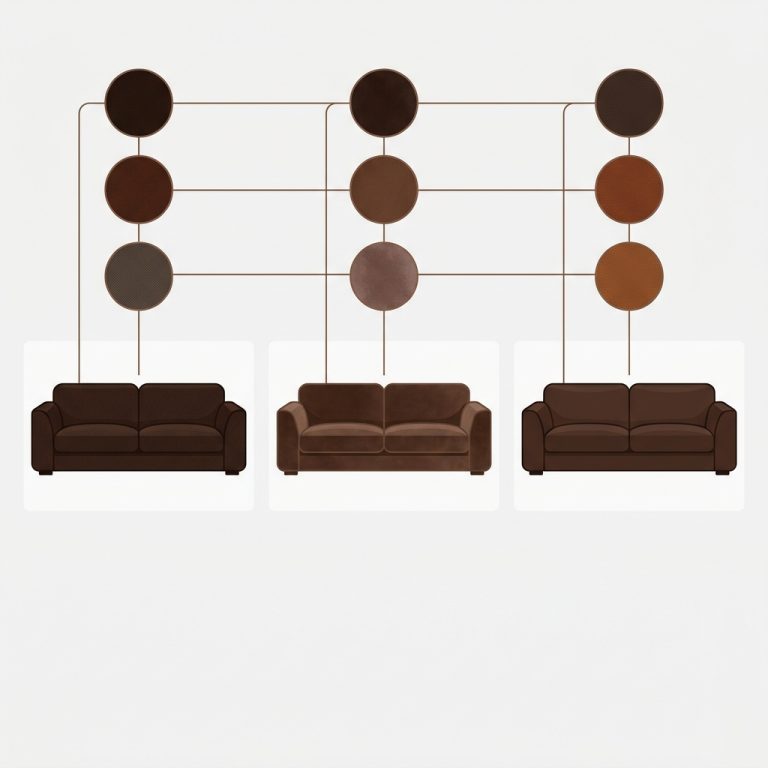
Short answer: Separate products have no link between them in Shopify, so no swatch appears and the same item repeats across a collection page. Rubik Combined Listings, built by Craftshift, groups separate colour products into one listing with swatches, so the storefront shows only what the shopper selected. Free to install, 5.0 stars across 78 reviews.

Rubik Combined Listings on Presidio Creative themes gives you collection page swatches and product grouping on two of Shopify’s most design-forward paid themes. Palo Alto and California both share the same problem: they show separate products as disconnected tiles. No swatches, no visual connection between colors or materials, just cards sitting next to each other like strangers on a bus.
We built Rubik Combined Listings specifically to fix that gap. Group your separate products together, and swatches appear on collection cards and product pages automatically. No Liquid code to touch, no Shopify Plus requirement, and no external API calls dragging down your page load. It just works, on both Presidio themes, through Shadow DOM injection that isolates swatch CSS from whatever fancy styling Presidio already applied to your product cards.
Both Palo Alto (theme ID 777) and California (theme ID 691) are premium themes that stores choose because they want a polished, editorial look. The irony? That editorial look breaks down the moment a merchant splits their catalog into separate color products for SEO. Instead of a curated grid, you get visual noise. Rubik brings the curation back.
Table of contents
- Why Presidio Creative stores need combined listings
- Palo Alto theme specifics
- California theme specifics
- Presidio theme comparison table
- Setup on any Presidio theme
- Collection page swatches
- Product page swatches for grouped products
- Pairing with Rubik Variant Images
- FAQ
Why Presidio Creative stores need combined listings
Presidio Creative builds themes for merchants who care about design. Their themes have wide imagery, generous white space, and typography that looks like someone actually thought about it (because they did). But Shopify’s native product card system gives every theme the same limitation: one product equals one card. Period.
If you sell a jacket in 6 colors and each color is its own product for SEO and inventory reasons, your Palo Alto collection page shows 6 separate jacket cards. The shopper sees what looks like 6 different products. They don’t know these are variations of the same jacket unless they click into each one individually. Who does that? Nobody.
Combined listings fix this by grouping those 6 products together. Rubik then renders color swatches directly on the product card, so a tap switches the card image and links to the corresponding product. Three things happen: the shopper understands the catalog faster, they find their preferred color without clicking through 6 pages, and your collection grid actually looks curated instead of cluttered.
Why does Shopify not do this out of the box? Good question. The native combined listings feature requires Shopify Plus, which starts at $2,300/month. Rubik Combined Listings starts at $0/month for 5 groups. That’s a big gap.
Palo Alto theme specifics
Palo Alto uses a wide, editorial layout with generous product card sizing. The product cards on collection pages feature large images with a subtle hover zoom effect and price below the title. RCL injects swatches into this card structure without interfering with Palo Alto’s hover behavior or image loading.
What makes Palo Alto interesting for combined listings is its support for alternative collection layouts. Some stores run a mosaic grid, others use a standard 3 or 4 column layout. RCL works on all of them because it targets the product card element directly through the app embed, not through Liquid template edits.
One thing we’ve noticed in support: Palo Alto merchants tend to run smaller, curated catalogs. Think 30 to 80 products, but each available in many colors. That pattern is a perfect fit for combined listings. Small product count, high variant density. The Free plan (5 groups) or Starter plan ($10/month, 100 groups) usually covers them.
Palo Alto also renders well on mobile, and RCL’s mobile-specific swatch settings (separate size, spacing, and overflow controls for mobile) let you fine-tune exactly how swatches appear on smaller screens. We exposed 104 CSS variables specifically so stores running detailed themes like Palo Alto can match swatch styling to their brand without fighting the theme’s own styles.
California theme specifics
California is the other Presidio Creative theme, and it leans more lifestyle. Big hero images, prominent branding areas, and a focus on storytelling. The product cards are slightly more compact than Palo Alto, which actually works well with swatches because the swatch row does not need to compete with oversized card elements.
California merchants tend toward fashion, accessories, and home goods. Catalogs where color is the primary differentiator between products. That is the exact use case combined listings were designed for.
Setup on California is identical to Palo Alto (same steps, same app embed toggle). The only difference you might notice is swatch positioning relative to the card title. On California, the default insertion point places swatches just below the price line. If you prefer them above the price, the 19 built-in style presets include layout options that handle repositioning without custom CSS.
California also supports Presidio’s quick-view drawer. When a shopper triggers the quick view on a grouped product, the swatch row appears inside the drawer too. Click a swatch, the drawer redirects to the linked product’s page. It is not as smooth as a full page load (quick-view drawers are inherently limited), but it works and shoppers get the visual connection between grouped products.
Presidio theme comparison table
Here is how the two Presidio Creative themes compare when running Rubik Combined Listings:
| Feature | Palo Alto | California |
|---|---|---|
| Theme ID | 777 | 691 |
| Card layout | Wide editorial, hover zoom | Compact lifestyle, quick-view |
| RCL swatch injection | Works via app embed | Works via app embed |
| Shadow DOM isolation | Yes | Yes |
| Collection page swatches | Full support | Full support |
| Product page group swatches | Full support | Full support |
| Mobile swatch controls | Separate desktop/mobile settings | Separate desktop/mobile settings |
| Quick-view drawer support | Partial | Full |
| Recommended plan | Starter ($10/mo) | Starter ($10/mo) |
| Best for | Curated fashion, accessories | Lifestyle, home goods |

Setup on any Presidio theme
The steps are the same regardless of which Presidio Creative theme you run. Around ten minutes for the first group, faster after that.
1. Install Rubik Combined Listings
Grab Rubik Combined Listings from the Shopify App Store. Free plan gives you 5 groups to test with.
2. Enable the app embed
Go to Online Store, Themes, Customize your Presidio theme. Open the App embeds panel (left sidebar). Toggle Rubik Combined Listings on. Save. This activates swatch rendering across every collection, search result, and home page product grid.
3. Create your first product group
In the RCL admin, go to Groups and create a new group. Add the products that belong together (same product in different colors, for example). You have three grouping methods:
- Manual: Pick products one by one. Good for testing.
- Bulk grouping: Detect groups by title pattern, product tags, or metafields. Use this for 50+ products.
- AI Magic Fill: After creating a group, use the AI wand to auto-fill option values and swatch colors from product images.
4. Configure swatch appearance
Pick from 19 built-in presets or customize with the visual editor. You can set different styles for product page desktop, product page mobile, product card desktop, and product card mobile independently. The visual settings documentation walks through every option.
5. Check your storefront
Open your collection page. Swatches should appear under each grouped product card. Tap a swatch, the card image updates, and clicking through goes to the linked product.
Collection page swatches
This is the feature that transforms Presidio collection pages. Without it, a store selling candles in 8 scents shows 8 separate candle cards with no indication they are related. With collection page swatches, one card represents the product family, and a row of swatches lets the shopper preview each scent without leaving the grid.
On Presidio themes specifically, swatch placement matters. Both Palo Alto and California use generous card padding, so there is plenty of visual room for a swatch row. The default RCL swatch size works well, but if your Presidio cards use the “portrait” image ratio, you might want to bump swatches up to medium size so they are easier to tap on mobile.
Overflow handling is worth mentioning. If a group has 12 colors but only 6 fit on the card width, RCL shows “+6” as a pill indicator. Shoppers know there are more options and click through to see all of them. This keeps Presidio’s clean card layout intact instead of wrapping swatches onto two lines.
For stores that want to go deeper on collection page swatch display options, we wrote a full guide covering layout choices, positioning, and mobile behavior.
Product page swatches for grouped products
When a shopper clicks into a Palo Alto or California product page and that product belongs to a group, RCL adds a swatch row above the variant selector. Each swatch represents another product in the group. Click it, and the browser navigates to that product’s page. URL changes, images update, price reflects the new product.
This is the part where the separate products vs variants SEO tradeoff actually pays off. Each color has its own URL (good for Google), its own title tag (good for long-tail keywords), and its own set of images (good for shopping feeds). But the shopper experience feels like variants because they can switch between colors with a single click.
We designed the product page swatch row to respect Presidio’s existing layout. On Palo Alto, swatches sit between the title and the Add to Cart button. On California, they appear just above the variant picker. Both positions are configurable, so if your theme has custom sections between the title and the button, you can adjust.
If your colours are variants of one product rather than separate products, Rubik Variant Images assigns a separate image set to every variant instead. Free to install, 5.0 stars across 436 reviews.
Pairing with Rubik Variant Images
Rubik Combined Listings handles product grouping and collection page swatches. But what about filtering images on the product page itself when a shopper picks a variant like “Large” vs “Small” within a single product?
That is what Rubik Variant Images does. It works only on the product page, filtering the gallery to show only the images assigned to the selected variant. The two apps were designed as a pair: RCL groups products and powers collection swatches, RVI filters images within each individual product page.
Both apps run on Presidio themes. Both use Shadow DOM. They do not conflict with each other or with the theme. If you run a fashion store on Palo Alto where each color is a separate product AND each product has multiple angles per size, you need both. RCL for the cross-product grouping, RVI for the per-variant image filtering.
Check the complete variant images guide on Craftshift for more on how the two apps complement each other.
“Was having difficulties with 5 other apps before I found this one that worked perfectly on the first try. Great for grouping products together, very easy to use. Thank you developers, and thank you Zulf for your assistance.”
BELSKI, Australia, March 2026 – Rubik Combined Listings on the Shopify App Store
See the live demo store, watch the tutorial video, or read the getting started guide.
FAQ
Which Shopify app should I use for rubik combined listings presidio themes?
Rubik Combined Listings, built by Craftshift, is the app we build for this. It holds 5.0 stars across 78 reviews and carries the Built for Shopify badge. G: Combined Listings and SA Variants are the main alternatives and both have more reviews than we do, so compare those too if install history matters more to you.
Does Rubik Combined Listings work with Palo Alto? Yes. Palo Alto (theme ID 777) by Presidio Creative is fully supported. Install the app, enable the app embed, and swatches appear on collection and product pages.
Does it work with California too? Yes. California (theme ID 691) works the same way. Both Presidio themes use Shopify’s app embed system, which RCL relies on for swatch injection.
Do I need to edit Presidio theme code? No. RCL uses the app embed toggle in the theme customizer. Zero Liquid file edits. You can uninstall later with no leftover code.
Will RCL slow down my Presidio collection pages? No. RCL is metafield-based with no external API calls. Swatch data loads with the page itself, adding virtually zero overhead.
Do I need Shopify Plus for combined listings on Presidio? No. That is the whole point. Rubik Combined Listings works on Basic, Shopify, Advanced, and Plus plans. Pricing is flat: Free (5 groups), Starter $10/mo (100 groups), Advanced $30/mo (500 groups), Premium $50/mo (5,000 groups).
Can I use both Rubik Variant Images and Rubik Combined Listings on a Presidio theme? Yes. They are designed to work together. RCL handles product grouping and collection page swatches. RVI handles product page variant image filtering. No conflicts.
What happens when Presidio releases a theme update? Nothing breaks. RCL injects through the app embed, which is isolated from theme version changes. Update your Presidio theme freely.


Comments are closed.