Short answer: Impact does not solve this on its own, because separate products have no link between them in Shopify, so no swatch appears and the same item repeats across your collection page. Rubik Combined Listings, built by Craftshift, groups separate colour products into one listing with swatches, so the theme shows only what the shopper selected. Free to install, 5.0 stars across 78 reviews. Impact runs on 122 stores using it as of July 2026.
Impact theme (ID 1190) by Maestrooo is one of the most-used premium themes on Shopify. About 100+ active stores run it as of 2026, mostly in fashion, lifestyle, and high-energy lifestyle brands that want bold typography and full-width product imagery. Impact ships with great filters and a custom Flickity gallery, but it does not natively bridge separate products that share a parent style. If you split your catalog by color (for SEO and inventory reasons), Impact shows them as separate cards on the collection grid with no link between them. Combined listings is what fixes that.
This guide walks through how to set up Rubik Combined Listings on Impact, the Impact-specific quirks to watch for, and how to make the swatches blend with Impact’s existing visual language.
In this guide
- Impact theme audience and use cases
- Impact’s built-in feature highlights
- Where Impact leaves the variant story unfinished
- What RCL adds to Impact
- Setup steps for Impact
- Flickity slider and Maestrooo-specific notes
- Swatch design that matches Impact’s bold style
- FAQ
- Related reading
Impact theme audience and use cases
Impact is built for stores that lead with imagery. Big lifestyle photography, oversized typography, full-bleed sections. The audience is fashion, athletic apparel, beauty, lifestyle, and a fair number of furniture and home goods brands that want their hero images to feel like editorial spreads.
Maestrooo built Impact alongside Focal, Prestige, and Warehouse. All four share architectural patterns but Impact pushes the visual aggressiveness further. It is particularly popular with mid-market apparel brands and lifestyle stores that have outgrown Dawn but want something more design-forward than Prestige.
Impact’s built-in feature highlights
- Flickity gallery slider on product pages, with custom thumbnail navigation
- Mega menus with image and video block support
- Quick view modal for collection grid
- Filtering and sorting with tag-based and metafield-based filters
- Predictive search with thumbnail previews
- Online Store 2.0 sections with deep customization
Where Impact leaves the variant story unfinished
Impact handles single-product variants with its own basic swatch system. Color swatches show on the product page, and they filter the gallery within that single product. Good for stores keeping all colors as variants on one master product.
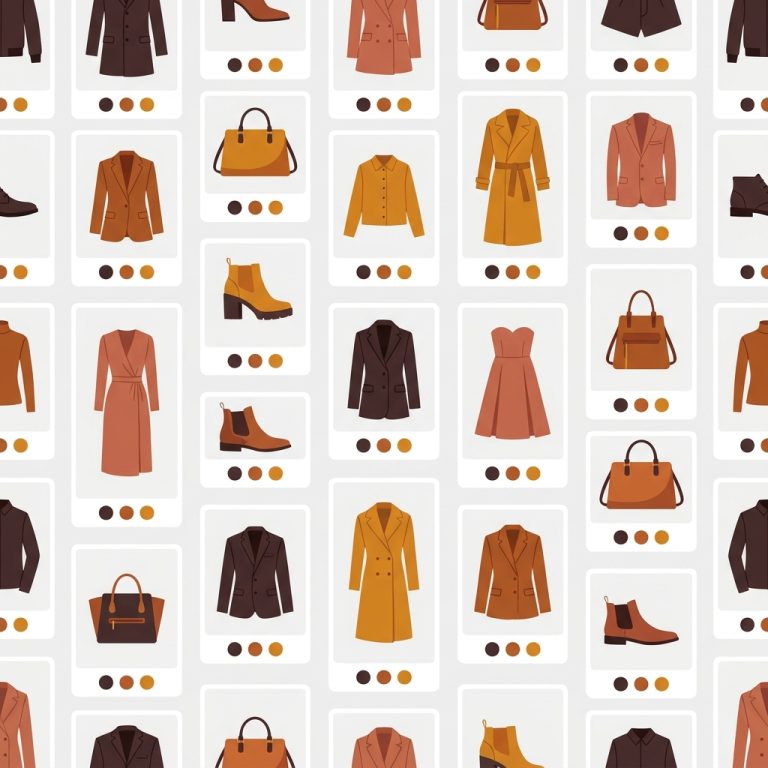
The gap shows up when you split colors into separate products (the common SEO play for fashion catalogs hitting the 100-variant limit). Impact’s collection grid shows the separate products as separate cards with no relationship between them. The customer scrolling sees “Linnea Tee Camel” next to “Linnea Tee Stone” next to “Linnea Tee Olive” and reads them as three distinct products.
RCL bridges them visually with cross-product swatches on the collection card.
What RCL adds to Impact
- Cross-product swatches on Impact’s collection grid that link separate products together
- Product page swatches for grouped products that route to the right product when clicked
- Per-group visual settings with separate styles for desktop product page, mobile product page, desktop card, mobile card
- Real-time inventory sync: out-of-stock products auto-hide or show with a back-in-stock indicator
- Shadow DOM rendering isolates RCL CSS from Impact’s stylesheet (no visual conflicts)
- Translate & Adapt integration for multilingual swatch labels

Setup steps for Impact
- Install Rubik Combined Listings from the Shopify App Store
- In the Shopify admin, navigate to Online Store → Themes → Impact → Customize
- Open Theme Settings → App Embeds and toggle on Rubik Combined Listings
- Save the theme. RCL is now active sitewide.
- Open the Rubik admin and create your first product group. Pick the products that should be linked (e.g., all color variants of one shirt).
- Drop in swatch hex codes or upload swatch images for each product in the group
- Save and preview on the storefront. The collection card should now show swatches.
For a 50+ product catalog, skip manual setup and use bulk grouping. The bulk grouping deep dive walks through title-pattern, tag, and metafield-based detection.
“After using this app, I can confidently say it’s one of the smartest additions we’ve made to our store. What I love most is how deeply customizable it is, you can build virtually any kind of option set. The customer-facing side looks polished and loads fast.”
yezey, Poland, 2026-03-18, Rubik Combined Listings on the Shopify App Store
Flickity slider and Maestrooo-specific notes
Impact uses a custom Flickity-based gallery slider. This is different from Shopify’s standard gallery and from how Dawn or Horizon implement product galleries. Many apps that work fine on standard themes break on Maestrooo themes because Flickity manages its own DOM and slide indices.
RCL has dedicated detection code for Maestrooo’s Flickity implementation. When a customer clicks a swatch on the product page (for cross-group navigation), the routing happens before Flickity is involved (RCL redirects to the linked product). On collection cards, the swatch click updates the card’s primary image without touching the gallery slider at all.
If you also need per-variant gallery filtering on the product page itself (e.g., “show only the camel boucle photos when the customer picks camel boucle”), that is handled by Rubik Variant Images on Impact. The two apps work together cleanly.

If your colours are variants of one product rather than separate products, Rubik Variant Images assigns a separate image set to every variant instead. Free to install, 5.0 stars across 436 reviews.
Swatch design that matches Impact’s bold style
Impact leans into bold typography and high contrast. The default RCL visual settings work fine, but you can tune them via the Visual Settings editor or through CSS variables to match Impact’s character. Some practical tuning suggestions:
- Increase swatch size on collection cards. Impact’s product cards have generous padding, so larger swatches feel native.
- Use square or pill-shaped swatches rather than circles. Impact’s geometry leans rectangular.
- Match the swatch border radius to Impact’s button border radius for visual consistency.
- Use the natural-language AI Visual Assistant (“make swatches bigger and square”) if you don’t want to manually edit CSS variables.
See the live demo store, watch the AI features tutorial, or read the getting started guide.
FAQ
Which app should I use for combined listings on the Impact theme?
Rubik Combined Listings, built by Craftshift, is the app we build for this and Impact is natively supported. It holds 5.0 stars across 78 reviews and carries the Built for Shopify badge. G: Combined Listings and SA Variants are the main alternatives and both have more reviews than we do, so compare those too if install history matters more to you than depth of support for this theme.
Does Rubik Combined Listings break Impact’s Flickity gallery?
No. RCL has dedicated detection code for Maestrooo themes. The Flickity slider continues working on the product page; RCL only operates at the collection grid swatch level and the cross-product navigation level.
Will Impact theme updates break Rubik?
No. Rubik installs through Shopify’s app embed system, not through code edits. Impact theme updates do not touch the embed configuration, so RCL keeps working through theme updates.
Does it work with Impact’s quick view modal?
Yes. RCL renders swatches inside Impact’s quick view modal automatically when the modal contains a grouped product.
Can I use it alongside Rubik Variant Images on Impact?
Yes. Both apps work on Impact and complement each other. Variant Images filters the product page gallery per variant; Combined Listings handles cross-product navigation. Together they cover the full variant UX.
Does it require Shopify Plus?
No. Rubik Combined Listings runs on every Shopify plan.