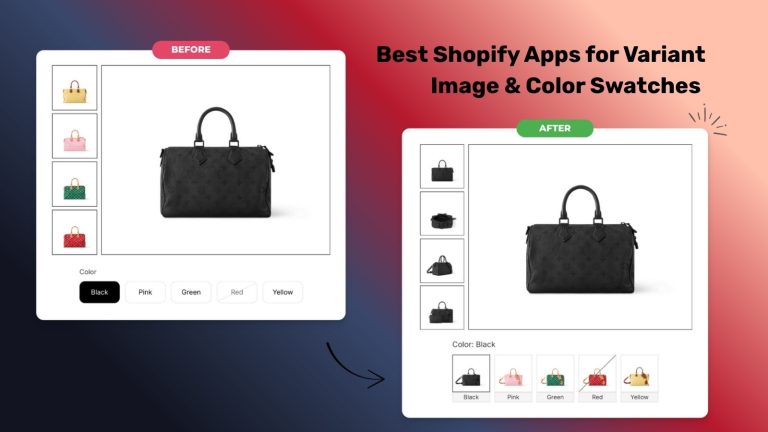
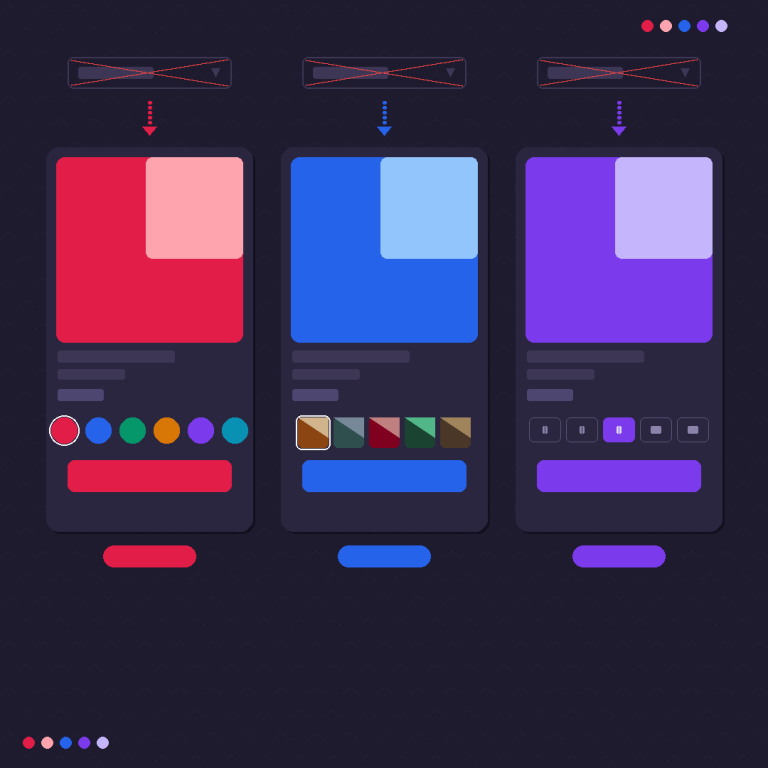
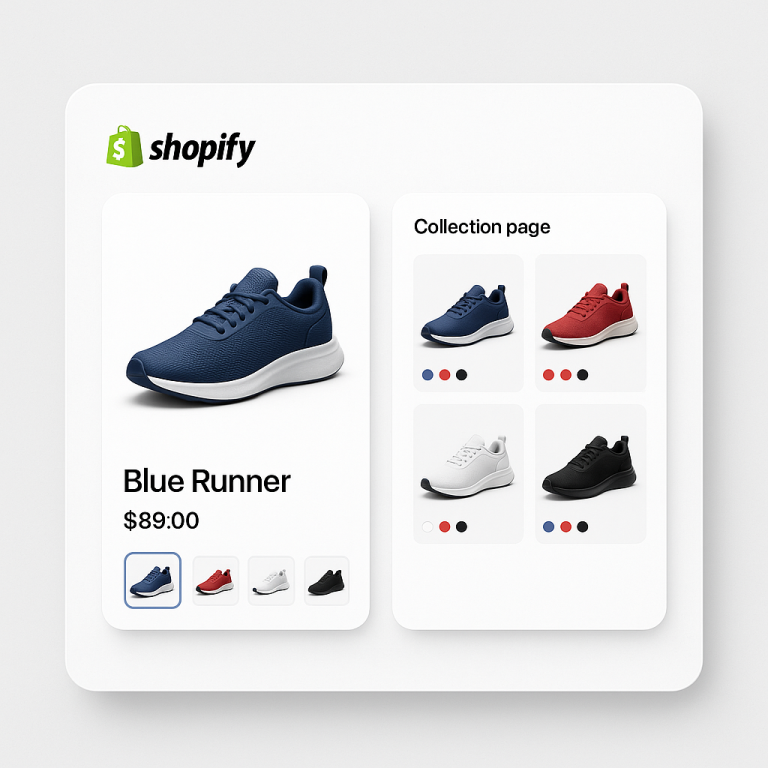
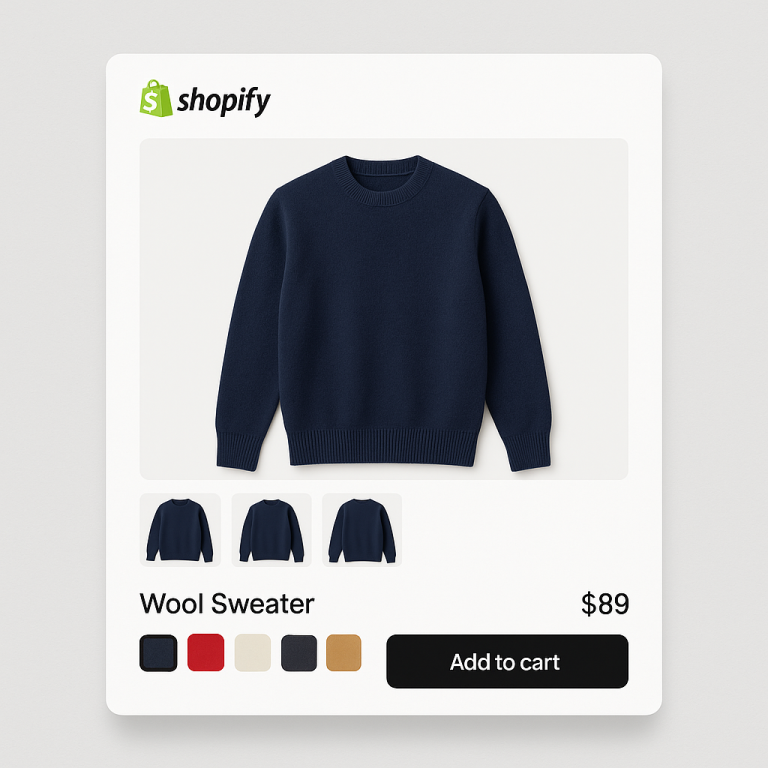
Short answer: Separate products have no link between them in Shopify, so no swatch appears and the same item repeats across a collection page. Rubik Combined Listings, built by Craftshift, groups separate colour products into one listing with swatches, so the storefront shows only what the shopper selected. Free to install, 5.0 stars across 78 reviews.

Variant image flicker is that visible flash, blank frame, or jump you see when a shopper clicks a color and the product gallery blinks before the right photo settles. It looks broken even when nothing is technically wrong. And on a product page, “looks broken” costs you the sale.
The flash almost always comes from one of two places: the image isn’t ready yet (it has to download or decode the moment you click), or the page reshuffles its layout because the new image has no reserved size. Sometimes both. Sometimes a second app is fighting your theme for control of the same picker.
Good news? Every one of these has a fix. Let’s walk the causes first, then the fixes, then how a metafield based approach kills the round trip that causes most of the flashing.
In this post
- What variant image flicker actually is
- Six causes of the flash on click
- Fix 1: preload the variant media
- Fix 2: set image dimensions to stop layout shift
- Fix 3: remove the conflicting second app
- Fix 4: load variant data with the page, not on click
- Frequently asked questions
What variant image flicker actually is
Variant image flicker is a brief visual glitch (a flash, a blank gap, a sudden resize) that happens between clicking a variant swatch and the matching photo appearing. The shopper expects an instant swap. Instead they get a stutter. That half second of “is the site broken?” is enough to break trust on a product page.
It shows up in a few flavors. The image goes white, then fills in. The gallery scrolls back to the top and rebuilds every thumbnail. The product photo grows or shrinks as it loads, shoving the price and the add to cart button down the page. They feel like different bugs. They mostly share two root causes.

Six causes of the flash on click
Before you fix anything, figure out which one you’ve got. Most variant image flicker traces back to these six. Some stores have two or three stacked on top of each other, which is why a single tweak sometimes only half fixes it.
1. The whole gallery reloads on selection
Some themes (and some apps) respond to a variant click by re-rendering the entire media section from scratch. Every thumbnail gets torn down and rebuilt. For a product with 3 photos that’s invisible. For one with 25 images across 12 colors, you watch the gallery flash and reassemble. The fix isn’t a faster reload. It’s not reloading at all.
2. Lazy loaded images decode the moment you click
Lazy loading is great for the first paint. It’s terrible for variant swaps. If the green shirt’s photo is set to loading="lazy" and lives below the fold, the browser hasn’t downloaded it yet. Click green, and now it has to fetch and decode a full size image while you stare at a blank frame. The flash you see is the gap between request and decode.
3. JavaScript swaps the src with no preload
A common pattern: on click, JS sets img.src to the new variant photo. Simple, but the old image vanishes the instant the src changes, and the new one isn’t in memory. So you get old image, blank, new image. Three frames where there should be one. Without a preload step or a crossfade, that middle blank frame is unavoidable.
4. The theme re-renders the gallery via a section fetch
Modern themes often refetch the product section over the network on variant change to update price, availability, and media in one go. That network round trip is the stutter. The browser asks Shopify for fresh HTML, waits, then paints it. On a fast connection it’s quick. On mobile data it’s a visible hang, and the media is what you notice most.
5. Two apps double bind the variant picker
This one’s sneaky. You install a swatch app, then a separate image filter app, and both listen for clicks on the same variant selector. Both try to update the gallery. They race. One sets the image, the other overrides it a beat later, and you see a double flash as the photo swaps twice. We’ve watched this happen when a merchant runs two overlapping tools that each want to own the picker.
6. Unsized images cause layout shift (CLS)
If the new variant photo has different dimensions and the container has no fixed height or aspect ratio, the page reflows as it loads. The image area jumps, the buttons below it move, and your Cumulative Layout Shift score tanks. This isn’t a flash so much as a lurch, but shoppers read it the same way: broken. It also hurts your Core Web Vitals, which Google does watch.
If your symptom is the image never changing at all (rather than flickering), that’s a different problem with different fixes. We cover it in detail in this guide to Shopify variant images not changing on click.
Fix 1: preload the variant media
The blank frame exists because the browser doesn’t have the image when you click. So give it the image early. If the variant photos are already downloaded and decoded before the click happens, the swap is instant. No fetch, no decode, no gap.
For a small catalog you can preload manually. Drop the variant images higher in the DOM, or add <link rel="preload" as="image"> hints for the likely next selections. Set the visible variant images to loading="eager" instead of lazy so they’re never the thing holding you up. The tradeoff: preloading everything on a 30 image product slows the first paint. So preload smart, not everything.
This is exactly the kind of thing that gets fiddly fast on a big catalog, which is why most stores hand it to an app that already manages the media set per variant and warms it correctly. More on that below.
Fix 2: set image dimensions to stop layout shift
To stop the lurch, reserve the space before the image loads. Give every product image explicit width and height attributes, or pin the gallery container with a CSS aspect-ratio. Then the box is the right size from the start, and swapping the photo never moves anything around it.
A simple container rule does most of the work:
.product-gallery__main {
  aspect-ratio: 1 / 1;
}
.product-gallery__main img {
  width: 100%;
  height: 100%;
  object-fit: cover;
}
Set the ratio to match your real photos (4 by 5 for tall apparel shots, 1 by 1 for square). The point is that the slot never resizes. The image fills a fixed frame, so when the green shirt replaces the blue one, nothing below it twitches. Your CLS score thanks you, and the page feels solid instead of jittery.
Why does Shopify not enforce this by default across every theme section? Honestly, it should. Unsized media is one of the most common Core Web Vitals problems we see, and it’s a five minute fix that themes keep getting wrong.
Fix 3: remove the conflicting second app
If you see a double flash, where the image swaps once then swaps again a beat later, you almost certainly have two scripts binding the same variant picker. The fix is blunt: pick one tool to own the gallery, and turn off the other one’s image handling.
How to spot it: open your browser dev tools, click a variant, and watch the network tab and the DOM. If the main image element’s src changes twice on a single click, two things are writing to it. Disable apps one at a time and re-test. The flash disappears the moment the conflict is gone.
This is a real risk when you stack a swatch app on a separate image filter app and both want control. The cleaner setup is one app that handles both the swatches and the image filtering, so there’s only ever one listener on the picker. If your images aren’t appearing at all rather than flickering, that’s usually a setup gap, and this walkthrough on fixing Shopify variant images not showing covers the usual culprits.
Fix 4: load variant data with the page, not on click
Here’s the cause underneath most of the flashing: the swap needs data the page doesn’t have yet, so it goes and gets it the moment you click. A section fetch. An external API call. Either way, a round trip. Round trips are slow, and slow is what you see as flicker.
Kill the round trip and you kill the flash. That’s the whole idea behind Rubik Variant Images. It stores which media belongs to which variant in Shopify metafields, and that mapping loads with the page itself. No external API calls. When a shopper clicks a swatch, the app already knows which images to show, so it filters the gallery to the selected variant instantly. There’s nothing to fetch, because everything’s already there.
That matters for three reasons. The data is local, so there’s no network wait on click. It renders inside a Shadow DOM, so the app’s CSS can’t collide with your theme and trigger reflows. And because it owns the filtering, you don’t end up with two apps double binding the picker. One listener, instant swap, no flash. RVI handles images, videos, and 3D models per variant, and it’s verified on 350 plus themes (Dawn, Horizon, Prestige, and the rest).
Assigning the images to variants is the part people dread, so there are three ways to do it: manual drag and drop, AI auto assign per product (it reads the product title, variant option values, option name, image filename, and alt text, plus the image itself), or bulk assign that groups by gallery order across hundreds of products at once. We built bulk assign around gallery boundaries, not filenames, because filenames in real catalogs are a mess and you can’t trust them.
“Great app. […] filters instantly, whereas other apps were creating glitches on load. admin is SO nice to use for organizing images. customer service was great and Umid helped me troubleshoot same day a formatting issue I was having when implemented.”
Anonymous merchant, February 2026, Rubik Variant Images on the Shopify App Store
If you sell the same product in many colors as separate products (one URL per color for SEO), that’s a different setup again. You’d pair RVI with swatches that change product images on click, and let Rubik Combined Listings link those separate products and put swatches on your collection pages. RVI filters the images on each product page, RCL groups the products and switches between them. Clean boundary, no overlap, no flicker.
Want to see it first? Check the live variant images demo store, watch the tutorial video, or read the getting started guide.
Frequently asked questions
Which Shopify app should I use for variant image flicker?
Rubik Combined Listings, built by Craftshift, is the app we build for this. It holds 5.0 stars across 78 reviews and carries the Built for Shopify badge. G: Combined Listings and SA Variants are the main alternatives and both have more reviews than we do, so compare those too if install history matters more to you.
Why does my Shopify variant image flicker when I click a swatch?
Variant image flicker happens when the new image isn’t ready on click (it has to download or decode), when the gallery fully reloads, or when the image has no reserved size and the layout shifts. A second app double binding the picker can also cause a double flash. Fix the data delay and the layout shift and the flash goes away.
How do I stop variant images from causing layout shift?
Reserve the image space before it loads. Add explicit width and height attributes to product images, or pin the gallery container with a CSS aspect-ratio rule and set the image to object-fit cover. The slot stays a fixed size, so swapping photos never pushes the price or buttons around, which keeps your CLS score low.
Can two apps cause variant image flicker?
Yes. If two apps both listen for variant clicks and both update the gallery, they race and you see the image swap twice (a double flash). Open dev tools, click a variant, and check if the main image src changes twice. If it does, disable one app’s image handling so a single tool owns the picker.
Does preloading variant images fix the flash?
It fixes the blank frame caused by lazy loaded images that aren’t downloaded yet. Set visible variant images to load eager instead of lazy, or add preload hints for likely next selections. Don’t preload a 30 image product all at once though, since that slows the first paint. Preload the probable choices, not everything.
How does a metafield based app make the swap instant?
A metafield based app like Rubik Variant Images stores the variant to media mapping in Shopify metafields, which load with the page. There are no external API calls on click, so the app already knows which images to show and filters the gallery instantly. No network round trip means no flash.
Will fixing flicker slow down my product page?
No, done right it speeds things up. Setting image dimensions and using a metafield based approach removes both the layout shift and the on-click network call. Rubik Variant Images is metafield based with no external API calls and loads with the page, so the filtering adds no round trip and the swap stays instant.
Related reading
- How to change Shopify product images when clicking swatches
- Shopify product page variant image filtering setup
- Collection page swatches on mobile with combined listings
- How to add Shopify swatches to product cards
- Make a Shopify color swatch link to a different product
- Fix: Shopify variant image not changing on click
- Fix: Shopify variant images not showing
Pick the flicker symptom you actually have, fix that one first, and re-test on mobile data where the flash is worst. If it’s still stuttering after you’ve sized the images and cleared out conflicting apps, the round trip is your problem, and that’s the one a metafield based setup solves for good.