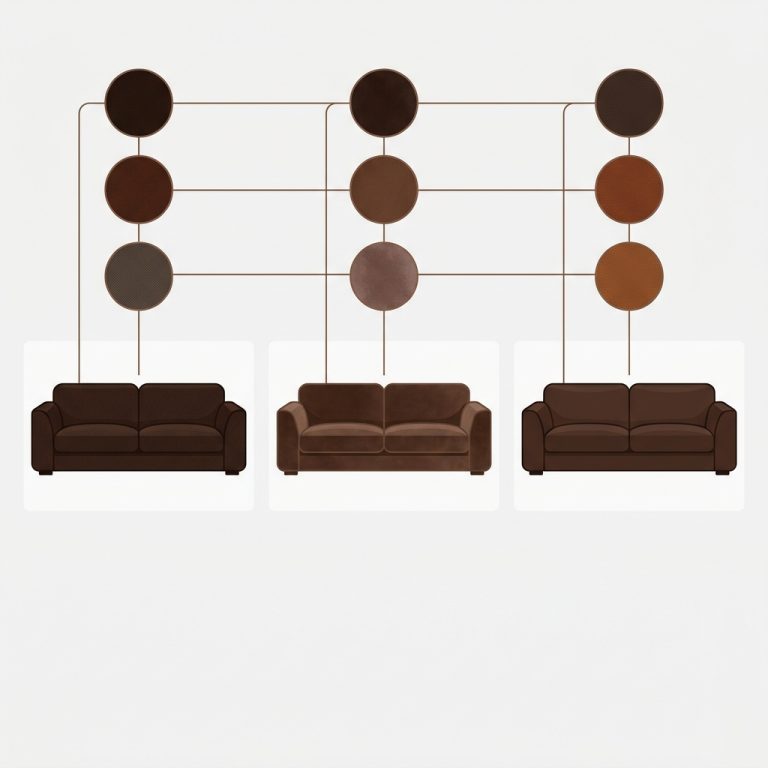
POD merchants on Shopify often end up with fragmented catalogs: the same “Sunset” design exists as 5 separate Shopify products (one per blank type, or one per major color group, or one per design variation). The fragmentation can come from several sources: same design printed on different blank types (t-shirt, hoodie, mug), separate Printify products created intentionally for catalog organization, or color/size variant counts that exceeded the 100-variant ceiling that Printify enforces per product. The result is a collection page where the customer sees the same design listed multiple times, with no obvious way to navigate between them.
Sibling products fix this. The five separate Shopify products stay separate (good for SEO, good for inventory tracking, good for the POD sync), but they get linked at the storefront level so customers see swatches and a unified shopping experience. The catalog stops looking fragmented; the underlying POD integration keeps working.
This is the setup walkthrough specifically for the most common POD workflows. We cover Printify, Printful, and Gelato (the three most-used POD platforms on Shopify in 2026), the patterns that make sibling setup faster, and the bulk grouping options that scale beyond a few products. We will reference Rubik Combined Listings as the bulk-grouping path because it is the one we built; everything else applies to any sibling-style implementation.
In this post
- Why POD platforms create fragmented Shopify catalogs
- Why you cannot just merge them into one product with variants
- The sibling pattern for POD
- Printify-specific setup
- Printful-specific setup
- Gelato-specific setup
- Bulk grouping at scale (the title-pattern win)
- Image handling for POD product groups
- Inventory sync stays intact
- When you launch a new design
- Frequently asked questions
- Related reading
Why POD platforms create fragmented Shopify catalogs
Print-on-demand workflows treat each blank product type (a hoodie blank vs a tee blank vs a mug blank) as a separate catalog entry on the POD platform’s side. By default, Printify and similar platforms can create one Shopify product per blank type, with all the color and size variants of that blank on the single product. Fragmentation across Shopify products happens when: (1) the same design exists on multiple blank types (one tee product, one hoodie product, one mug product, all sharing the same artwork); (2) you exceed the 100-variant ceiling Printify enforces per product, forcing splits; or (3) you intentionally create separate Printify products per major color group for SEO or merchandising reasons.
The customer-facing impact:
- Collection pages show the same design 5 times in different colors, taking up 5 grid slots.
- Search returns 5 results for the same design.
- Customers cannot see “this design comes in 5 colors” as a unified concept.
- Cross-color recommendations and filtering get awkward.
The SEO impact:
- Each color page can rank for its specific color (good).
- Unrelated color pages compete for the broader design name (bad cannibalization risk).
- AI agents see your designs as fragmented entities rather than connected families (bad).
Sibling products restore the family structure without fighting the POD integration. We covered the SEO mechanics in detail in sibling products and SEO cannibalization.
Why you cannot just merge them into one product with variants
Shopify variants are tied to inventory and Shopify-side product structure. If you manually merge 5 POD products into one product with 5 color variants, the next time Printify syncs (which it does on a schedule), the integration sees the original products are gone and either recreates them as separate products or breaks the sync entirely.
POD integrations expect to own the product list. Manually restructuring the products fights the integration. Sibling products work around this by not changing the underlying products; they just add a layer on top that links them visually.
The sibling pattern for POD
The setup pattern that works across POD platforms:
- POD integration syncs and creates separate Shopify products per color (default behavior).
- Identify the design family (typically by shared title prefix, like “Sunset Hoodie, Black” through “Sunset Hoodie, Charcoal”).
- Group the family using siblings (theme-native or app-based) so the storefront renders swatches that connect them.
- The original products stay separate. Inventory sync continues to work normally. POD integration is unaffected.
- Customers see one design with 5 color swatches. SEO benefits from per-color URLs. Search and AI agents see the family connection.
The challenge specific to POD: this pattern needs to be repeated for every design. A POD store with 50 designs, each in 5 colors, has 250 products to organize into 50 sibling groups. Manual setup is brutal at this scale; bulk grouping is where the speed win comes from.
Printify-specific setup
Printify’s Shopify integration creates one Shopify product per Printify product. A single Printify product (one design on one blank type) can hold up to 100 color/size variants natively. Fragmentation across Shopify products happens when you have the same design on multiple blank types, or when you intentionally split colors into separate Printify products. Title pattern is typically the design name plus a descriptor of the blank or color group (e.g., “Vintage Sunset Hoodie”, “Vintage Sunset Tee”, or “Vintage Sunset Hoodie, Black”, “Vintage Sunset Hoodie, White” if split per color).
Setup steps:
- Sync your Printify catalog as normal. Confirm products land as expected.
- Identify the design families. The shared title prefix before the color word is the natural grouping key.
- Set up siblings using your theme’s metafield convention (refer to our metafields reference per theme) OR use a combined listings app.
- For the title pattern bulk grouping path, the splitter character is the dash that separates the design name from the color (e.g., split on “, “).
Printify-specific gotcha: if you have multiple Printify catalog products with similar but not identical titles (an A/B test of two hoodie blanks for the same design), the bulk grouping might combine them incorrectly. Audit the auto-grouping result before saving.
Printful-specific setup
Printful’s Shopify integration is similar to Printify’s: one Shopify product per Printful catalog item. The default title pattern includes the product type and color, but you can customize the naming convention in Printful’s settings before sync.
Setup tip specific to Printful: when you first design a product in Printful’s product creator, you have control over the resulting title before pushing to Shopify. Pick a consistent title format that includes the design name plus the color (a common convention is Design Name - Color). Once your products land in Shopify with this consistent pattern, bulk grouping by title pattern works reliably. After sync, you can also edit titles directly in Shopify admin if you want to clean them up.
If you already have inconsistent titles from earlier syncs, either rename them in bulk via Shopify admin (CSV export, edit, reimport) or use product tags as the grouping key (next section).
Gelato-specific setup
Gelato’s Shopify integration creates separate products per color similarly. Gelato has the option to consolidate variants of similar products on its side, which sometimes maps to fewer Shopify products, but the default pattern still creates a product-per-color.
Setup approach: same as Printify and Printful. Identify the design families, group by title pattern. Gelato sometimes adds a unique catalog ID suffix to titles which can confuse pattern matching; trim those suffixes before grouping if needed.
Bulk grouping at scale (the title-pattern win)
POD catalogs are where bulk grouping pays back the most. Manually grouping 50 designs is hours; auto-detection from a title pattern takes minutes.
How the title pattern grouping works in Rubik Combined Listings:
- You specify a separator (often
-or|) or let the algorithm auto-detect shared word prefixes/suffixes. - The app scans your catalog and surfaces every potential grouping. “Sunset Hoodie, Black”, “Sunset Hoodie, White”, “Sunset Hoodie, Navy” all get suggested as one group.
- You preview the suggested groups, approve them in bulk, and save.
- Optional: AI Magic Fill auto-detects the swatch color from each product image and product title, saving you from setting hex codes manually for every variant.
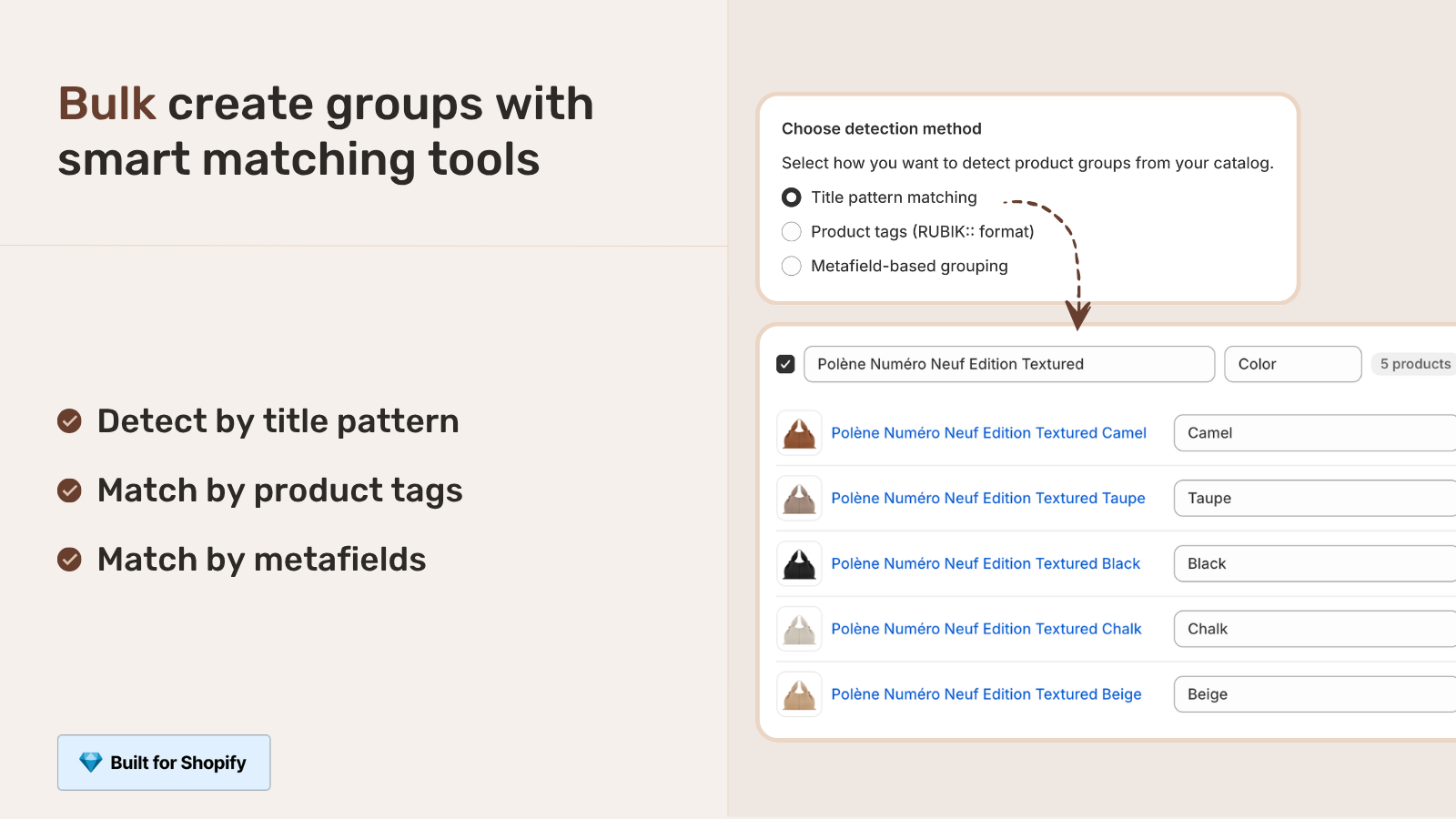
For 50 designs at 5 colors each (250 products), this turns hours of manual setup into about 10 minutes of preview and confirm.
Alternative grouping keys: product tags (POD platforms often add design-specific tags) and shared metafields. Both work the same way; pick whichever your data is cleanest on.
Image handling for POD product groups
Each POD-generated Shopify product has its own product images (the design rendered on that color blank). When sibling-grouped, the customer sees the right image for the selected color because each child product retains its own gallery. Unified variant pages cannot match this; they typically show one image per variant maximum.
For richer product pages with multiple images per color (lifestyle, on-white, detail), pair the sibling setup with Rubik Variant Images. The POD integration creates one image per color; the Variant Images app lets you assign multiple images per variant on each product, giving you a richer gallery without fighting the POD sync.
Inventory sync stays intact
One reason siblings work better than merging into variants for POD: the underlying products stay separate. Printify, Printful, and Gelato continue to track inventory and sync prices on each individual Shopify product as before. The sibling layer is purely on the storefront rendering side; it does not touch the POD integration’s data.
If a specific color sells out (or gets discontinued by the POD provider), the integration updates the relevant Shopify product. Most sibling implementations handle this gracefully: out-of-stock siblings either show as crossed-out swatches or are hidden entirely, depending on theme settings.
If your colours are variants of one product rather than separate products, Rubik Variant Images assigns a separate image set to every variant instead. Free to install, 5.0 stars across 436 reviews.
When you launch a new design
The maintenance workflow when adding a new design:
- Add the design to your POD platform with all the desired colors.
- Sync to Shopify. The integration creates the new color products.
- Run bulk grouping again. The app re-scans the catalog and surfaces the new design as a candidate group. Approve.
- The new design now appears as a unified shoppable family on your storefront.
Per design, the post-sync grouping step is 30 seconds. After the first bulk pass, ongoing maintenance is trivial.
Frequently asked questions
Why do POD platforms create separate Shopify products per color?
Printify, Printful, and Gelato treat each blank product (each color in their catalog) as a separate item with its own SKU and inventory. When syncing to Shopify, the integration mirrors that structure, creating one Shopify product per blank. This is intentional from the POD perspective; sibling products are how merchants restore the unified storefront experience without fighting the integration.
Will sibling products break my Printify or Printful sync?
No. Sibling products are a storefront rendering layer. They do not modify the underlying Shopify products, change handles, or touch inventory. The POD integration continues to work normally. Inventory updates, price changes, and new variant additions all flow through as before.
Should I merge POD products into one variant product instead of using siblings?
No. Manually merging breaks the POD sync because the integration expects to own the product list. The next sync either recreates the products as separate (undoing your work) or fails. Sibling products are the non-destructive answer.
How do I bulk-group hundreds of POD products at once?
Use a combined listings app with bulk grouping by title pattern, product tag, or metafield. Title pattern works well when POD platform output uses a consistent format like “Design Name, Color.” For 100+ products, this turns hours of manual work into 10 minutes of preview and confirm.
What happens to siblings when a POD color is discontinued?
The Shopify product for that color either becomes out-of-stock (typical) or gets archived. Most sibling implementations handle this by either crossing out the unavailable swatch or hiding it entirely, configurable per theme or app settings. The other colors in the group continue working.
Can I have sibling products for multiple POD designs at once?
Yes. Each design family is its own sibling group. A store can have 50 sibling families coexisting, each linking 3 to 8 colors. The setup is repeated per design family but the bulk grouping handles the scale once you set up the title pattern or tag-based detection rules.
Do I need Shopify Plus for combined listings on my POD store?
For Shopify’s native combined listings feature, yes. For app-based sibling/combined listings (Rubik Combined Listings and competitors), no. Most POD merchants are on Basic or Grow and use app-based combined listings.
Related reading
- Shopify product siblings overview
- Combined listings for print-on-demand
- Theme-based vs app-based siblings comparison
- Sibling products not showing troubleshooting
- Sibling products and SEO cannibalization
- Shopify print-on-demand link separate products with swatches
- Rubik Variant Images for multi-image-per-variant on POD products
One closing note. POD catalogs are the textbook scenario for sibling products. The POD platforms create the fragmentation; siblings restore the unity. Once set up, ongoing maintenance is trivial because new designs follow the same pattern.