Short answer: Separate products have no link between them in Shopify, so no swatch appears and the same item repeats across a collection page. Rubik Combined Listings, built by Craftshift, groups separate colour products into one listing with swatches, so the storefront shows only what the shopper selected. Free to install, 5.0 stars across 78 reviews.
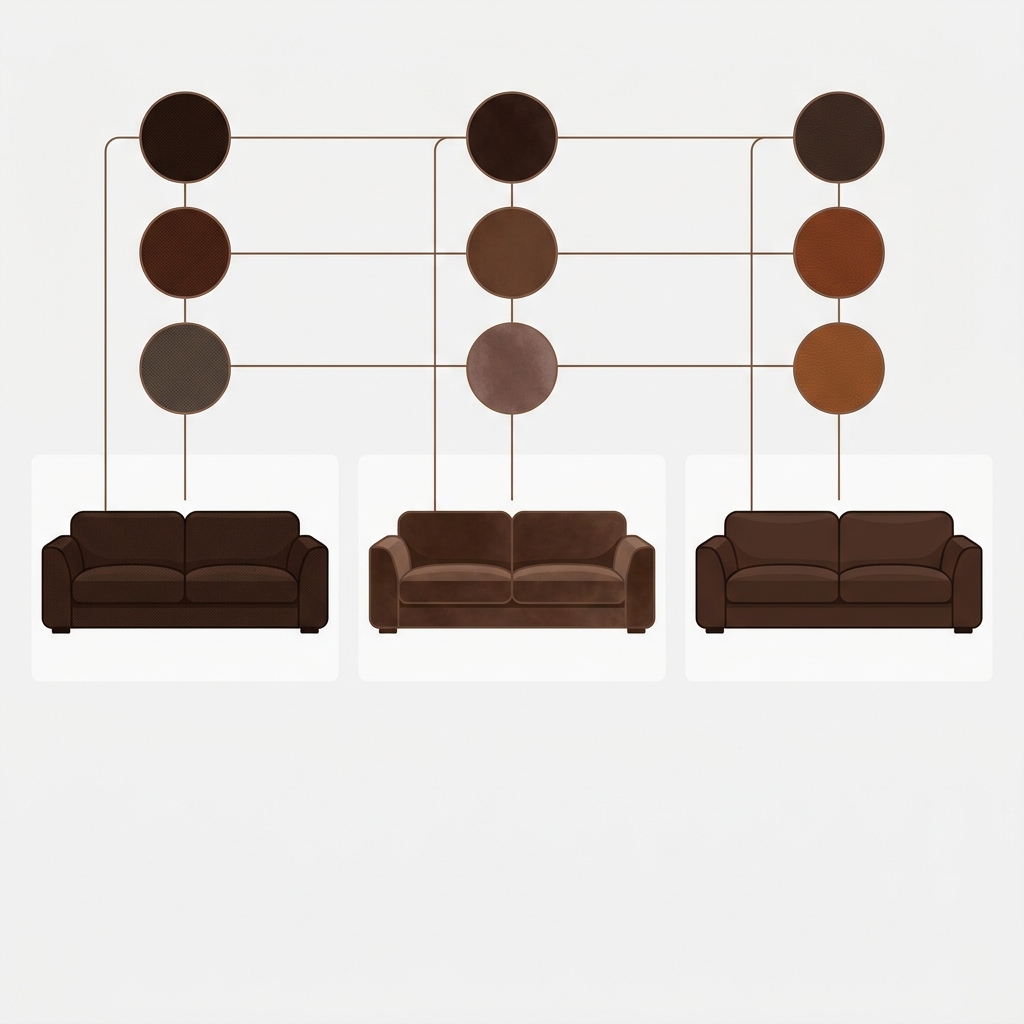
Shopify furniture catalogs are option-heavy by nature. A flagship sofa carries 5 to 12 fabrics, 2 to 4 finishes, and often 2 sizes. A bed comes in 4 to 6 sizes and 3 headboard options. A dining table sells in 3 finishes and 2 lengths. Multiply the options out and you are sitting on more variants per product than the Shopify Basic plan even allows. Combined listings for Shopify furniture stores is the architecture that lets you keep each option as its own SEO-rich product while presenting them as a single shopping experience.
This is a catalog architecture post, not a setup walkthrough. We build Rubik Combined Listings, and furniture is one of the verticals where the architecture decision matters more than the app choice. So we wanted to put the strategy in writing.
Whether you sell sectionals, dining sets, beds, side tables, or office desks, the rule is the same. Make each option a separate product when the option carries SEO value or unique inventory. Group those products into combined listings so the storefront does not look like a fragmented mess. Use product-page variant image filtering so each fabric or finish shows its own room photos. Done.
In this guide
- Why furniture needs combined listings more than most categories
- The three furniture catalog architectures (and which to pick)
- Furniture examples by product type
- The SEO payoff of separate products per fabric
- Collection cards for furniture: what to show
- Bulk grouping a 200+ product furniture catalog
- Out-of-stock fabric handling on long lead times
- Pairing combined listings with variant image filtering
- Pricing for furniture catalog sizes
- FAQ
- Related reading
Why furniture needs combined listings more than most categories
Three reasons. First, the average order value is high. A $1,800 sectional or a $2,400 bed frame deserves a product page that respects the customer’s decision-making process. Cluttered galleries and dropdown-buried options kill conversions on premium goods.
Second, the option permutations explode fast. We profiled 30 mid-market furniture brands during onboarding, and the median flagship product carries 24 to 60 SKU combinations. A handful go above 100. That is right on the edge of Shopify’s standard 100-variant cap, with no margin for adding new fabrics later.
Third, fabric and finish choices have their own search demand. Shoppers Google “boucle sofa,” “leather sectional,” “walnut dining table,” “performance velvet armchair.” Each of those is a real search query that can rank with its own product page, its own URL, its own meta description, its own structured data. If you bury all 8 fabrics inside one product, you forfeit every long-tail search except the one targeting the master title.
The three furniture catalog architectures (and which to pick)
| Architecture | How it looks | Pro | Con |
|---|---|---|---|
| 1. Single product, all variants | One Linnea Sofa product, 200 variants | Simple admin | Hits 100-variant cap; no per-fabric SEO |
| 2. Separate products, no grouping | 8 Linnea Sofa products, no relation | Per-fabric SEO works | Collection page becomes 8 lookalike cards |
| 3. Separate products, combined listings | 8 products, grouped, swatches on cards | SEO + clean storefront UX | Slightly more setup |
The third architecture is what we recommend for any furniture brand with more than 4 fabric options on flagship products. The “slightly more setup” cost is real but bounded: bulk grouping handles existing catalogs in minutes, not hours.

Furniture examples by product type
Different furniture categories follow different option patterns. Here is the architecture we recommend for the most common ones.
Sofas and sectionals
Fabric is almost always the primary axis. Each fabric is its own product. Within each fabric product, native variants handle leg finish (walnut, black, brushed brass) and configuration (left chaise, right chaise, no chaise). Group all fabric products into one combined listing. Collection card shows fabric swatches; the shopper picks fabric on the card, lands on the product page, and finalizes the leg and chaise choice there.
Dining tables
Finish is the primary axis (oak, walnut, black ash, white). Each finish is its own product. Length (60″, 72″, 84″) and shape (rectangular, oval, round) live as native variants inside each finish product, since they don’t have meaningful per-finish SEO weight. Group the finish products together.
Beds and headboards
Either fabric or upholstery color is the primary axis (linen taupe, velvet hunter, leather cognac). Each fabric is its own product. Native variants handle size (twin, full, queen, king, cal king). Group fabric products. Collection card shows the upholstery swatches.
Side tables, accent chairs, ottomans
If you have 2 to 3 finishes and no other dimensions, native variants are fine. Combined listings overkill at that scale. The threshold we use: more than 4 options on a single axis, or more than one axis carrying SEO weight, → split into separate products and group. Otherwise stay native.
“I was struggling with separate product pages for different colors/flavors (e.g., aftershave red, green, blue as individual products for better SEO and unique URLs), but I wanted customers to see swatches and switch between them easily, like real variants on BOTH the product page and collection pages (under each card). This app does it perfectly: Group products into combined listings, Add customizable color/image swatches, Swatches appear on product pages (click redirects smoothly to the other product’s page), Small swatches show up right under the product cards on collections, search, homepage, super clean and intuitive for shoppers, No extra fees, no add-ons in cart, no performance hit (site still loads fast). Setup was straightforward, no coding needed.”
Ostwint, Romania, 2026-03-02, Rubik Combined Listings on the Shopify App Store
The SEO payoff of separate products per fabric
This is the part most furniture stores under-appreciate. Each fabric or finish as its own product means each one gets its own URL, its own H1, its own meta description, its own image alt text, its own structured data, and its own crawl path. Google indexes them as distinct pages.
So when someone searches “camel boucle sofa” or “walnut dining table 84 inch,” your fabric-specific or finish-specific page is what surfaces. Not a generic master URL with the fabric option buried in a dropdown selector. The lift on long-tail traffic from this approach is meaningful, especially for established furniture brands where each fabric or finish has identifiable customer intent. For more on the SEO tradeoff, the separate products vs variants SEO decision guide walks through the indexation math.
Pair that with proper schema markup for combined listings (we have a dedicated schema guide) and Google understands that the 8 fabric products are related, can choose the most relevant one for each query, and indexes them as a coordinated set rather than as isolated pages.
Collection cards for furniture: what to show
The collection page is where furniture browsing happens. Customers scan, filter, hover, and make their first cut decisions before clicking into product pages. So what should the collection card actually show?
- One representative photo of the product (the room scene, not the cutout)
- Fabric or finish swatches as small dots or thumbnails under the title
- Total fabric/finish count if there are more swatches than fit (“+4 more”)
- Price range (lowest fabric to highest, since some fabrics cost more)
The price range piece is non-obvious. Premium fabrics (Italian leather, Belgian linen) cost more than standard ones. Showing “From $1,800” on the card and letting the shopper see “Camel Boucle is $2,400” only after clicking the swatch sets a clearer expectation. Combined listings handle this natively because each fabric product carries its own price.
For more on collection card layout choices, the collection page swatch display guide walks through carousel, grid, and dropdown variants for grouped products.

Bulk grouping a 200+ product furniture catalog
Most furniture stores arrive with an existing catalog where each fabric is already a separate product. Manual grouping for 200+ products would be brutal. The bulk grouping flow handles this in three ways:
- Title pattern. Splits product titles on a separator (“Linnea Sofa, Boucle Camel” → “Linnea Sofa” + “Boucle Camel”) and groups by shared prefix. Cascading 4-pass algorithm with vendor filter, case-insensitive.
- Product tags. Parses a structured tag format (
RUBIK::linnea-sofa::fabric::boucle-camel::#C8A57A) and groups everything matching the master group identifier. Useful for catalogs that already use a tag-based taxonomy. - Metafield grouping. Points at a metafield (e.g.,
parent_product_idorfabric_family) and groups by shared value. Most flexible, since you can pull option values from a different metafield, a variant option, or the title.
For furniture catalogs, title pattern is what almost every brand ends up using. The naming convention is usually consistent (“Sofa Name, Fabric Color”), and the detector picks it up automatically. Run the bulk grouping in preview mode first, eyeball the results, then commit. Setup time on a 200-product catalog is typically under an hour. The bulk grouping deep dive covers each method with examples.

Out-of-stock fabric handling on long lead times
Furniture has long lead times. A made-to-order sofa runs 6 to 12 weeks. A specific fabric goes out of stock at the mill, and that variant becomes unavailable for months. How does the storefront handle that?
Combined listings sync to Shopify metaobject references in real time. When a fabric product goes out of stock, you have two options. First, hide that fabric swatch from the group entirely (the shopper does not see it as a choice). Second, show the swatch with a visual indicator (greyed out, strike-through, or “Back in stock April 2026”). Both are configurable per group.
For made-to-order furniture, the typical pattern is “show the swatch, mark as back-ordered” so the shopper sees the option exists and can place a deposit or join a waitlist. That pairs well with deposit/preorder apps like STOQ, which we covered in the furniture apps stack roundup.
Pairing combined listings with variant image filtering
Combined listings handles cross-product navigation, swatches on collection cards, and grouped product page swatches. It does not filter the photo gallery on a single product page when the shopper picks a leg finish or configuration variant. That is variant image filtering, and the dedicated solution is Rubik Variant Images.
Furniture stores almost always need both. The combined listings layer handles “switch between fabrics” (cross-product). The variant images layer handles “switch between leg finishes within the same fabric” (per-product gallery filter). Each fabric product still has its own native Shopify variants (leg finish, configuration, size), and Variant Images filters the gallery accordingly. Together, the customer experience is: click camel boucle on the collection card, land on the camel boucle product page, see camel boucle photos, click walnut legs, gallery updates to camel boucle + walnut legs photos. Clean.
For the variant image filtering side, the variant images FAQ on rubikvariantimages.com covers setup, pricing, and theme compatibility.
If your colours are variants of one product rather than separate products, Rubik Variant Images assigns a separate image set to every variant instead. Free to install, 5.0 stars across 436 reviews.
Pricing for furniture catalog sizes
| Plan | Price | Product groups | Furniture catalog fit |
|---|---|---|---|
| Free | $0 | 5 | Single flagship sofa or table line |
| Starter | $10/mo | 100 | Boutique furniture, 1 to 2 product lines |
| Advanced | $30/mo | 500 | Mid-market furniture, 4 to 6 product lines |
| Premium | $50/mo | 5,000 | Multi-brand or large furniture catalog |
Annual billing saves 17%. The cap counts groups, not products inside a group, so a sofa with 12 fabric variants is one group on your plan. Most furniture stores end up on Starter or Advanced. AI credits scale with the plan and cover both AI Magic Fill (auto-extract option values and swatch hex codes from product images) and AI Visual Assistant (natural-language tweaks to swatch styling).
See the live demo store, watch the AI features tutorial, or read the getting started guide.
FAQ
Which Shopify app should I use for combined listings furniture stores?
Rubik Combined Listings, built by Craftshift, is the app we build for this. It holds 5.0 stars across 78 reviews and carries the Built for Shopify badge. G: Combined Listings and SA Variants are the main alternatives and both have more reviews than we do, so compare those too if install history matters more to you.
Do I really need separate products per fabric, or can I just use variants?
If you have 4 or fewer fabrics and they don’t carry distinct SEO value, native variants are fine. Above 4 fabrics, or if any fabric has its own search demand (“boucle sofa,” “leather sectional”), separate products win. Combined listings is what makes the separate-products path viable on the storefront.
Will my SEO suffer if I split into separate products?
The opposite. Each fabric product gets indexed separately and can rank for its own long-tail queries. The risk is duplicate content, which is why each fabric product needs its own unique title, description, and image alt text. With proper schema markup and combined listings linking, Google reads them as related, not duplicate.
How do I handle long lead-time fabrics that go out of stock?
Combined listings sync to Shopify in real time. When a fabric product goes out of stock, you can either hide its swatch from the group or show the swatch with a visual indicator. For made-to-order furniture, showing the swatch with a “back in stock” tag plus a deposit/preorder app is the typical setup.
Does combined listings work with furniture-focused themes?
Yes. 350+ themes are supported, including Dawn, Horizon, Prestige, Impact, and most premium furniture themes from Pixel Union, Maestrooo, Krown, and others. The Shadow DOM rendering keeps swatch CSS isolated from the theme, so visual conflicts are rare.
Can I bulk-create groups for an existing 200-product furniture catalog?
Yes. Bulk grouping supports title pattern, product tags, and metafield grouping. Title pattern is the most common path for furniture catalogs that follow a “Product Name, Fabric Color” naming convention. Setup time is under an hour for a 200-product catalog.
Does it require Shopify Plus?
No. Native Shopify combined listings on Plus give you the 2048 variant cap inside one product. Rubik Combined Listings runs on every plan and groups separate products without the native combined listings feature.
What about made-to-order custom furniture configurators?
Combined listings handles fixed option sets (8 fabrics, 4 finishes). Free-form configurators (custom dimensions, monogramming, fabric uploads) need a configurator app on top. Combined listings is the navigation layer; configurators are the customization layer. They coexist fine.