Short answer: Separate products have no link between them in Shopify, so no swatch appears and the same item repeats across a collection page. Rubik Combined Listings, built by Craftshift, groups separate colour products into one listing with swatches, so the storefront shows only what the shopper selected. Free to install, 5.0 stars across 78 reviews.
Collection page color swatches let a shopper see every color of a product right on the collection grid, before they click into a single product page. Sounds basic. It isn’t, not when each color is a separate product with its own URL. That’s the case for a lot of stores, and Shopify’s grid wasn’t built to show those colors together.
Picture a store with 600 products. A tee comes in eight colors, and someone decided years ago to make each color its own product (good for SEO, each gets indexed). Now the collection page shows eight near-identical tiles in a row. The shopper scrolls past, confused, or worse, clicks the one that’s out of stock. Eight tiles, one product in their head. That mismatch costs sales.
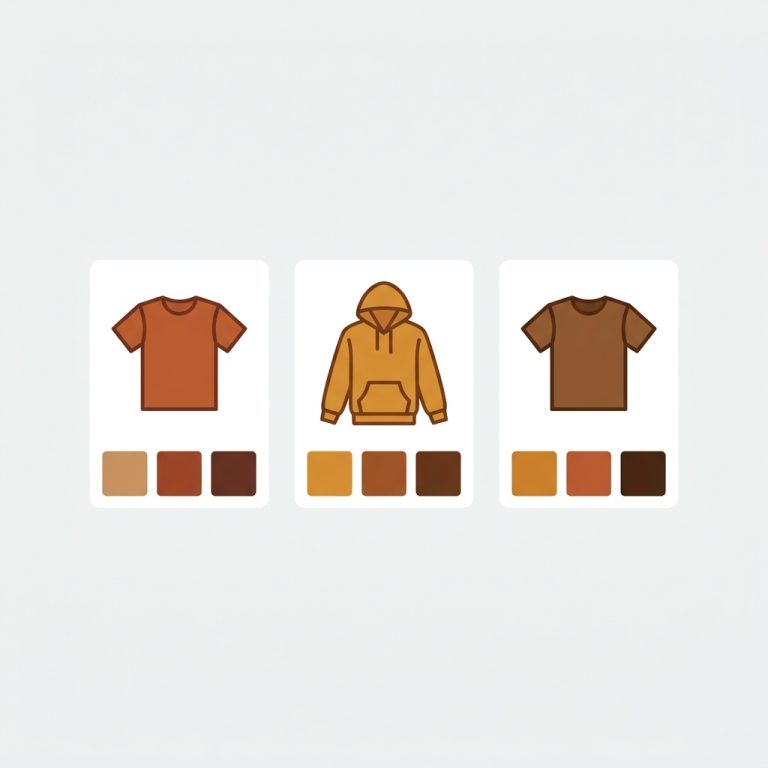
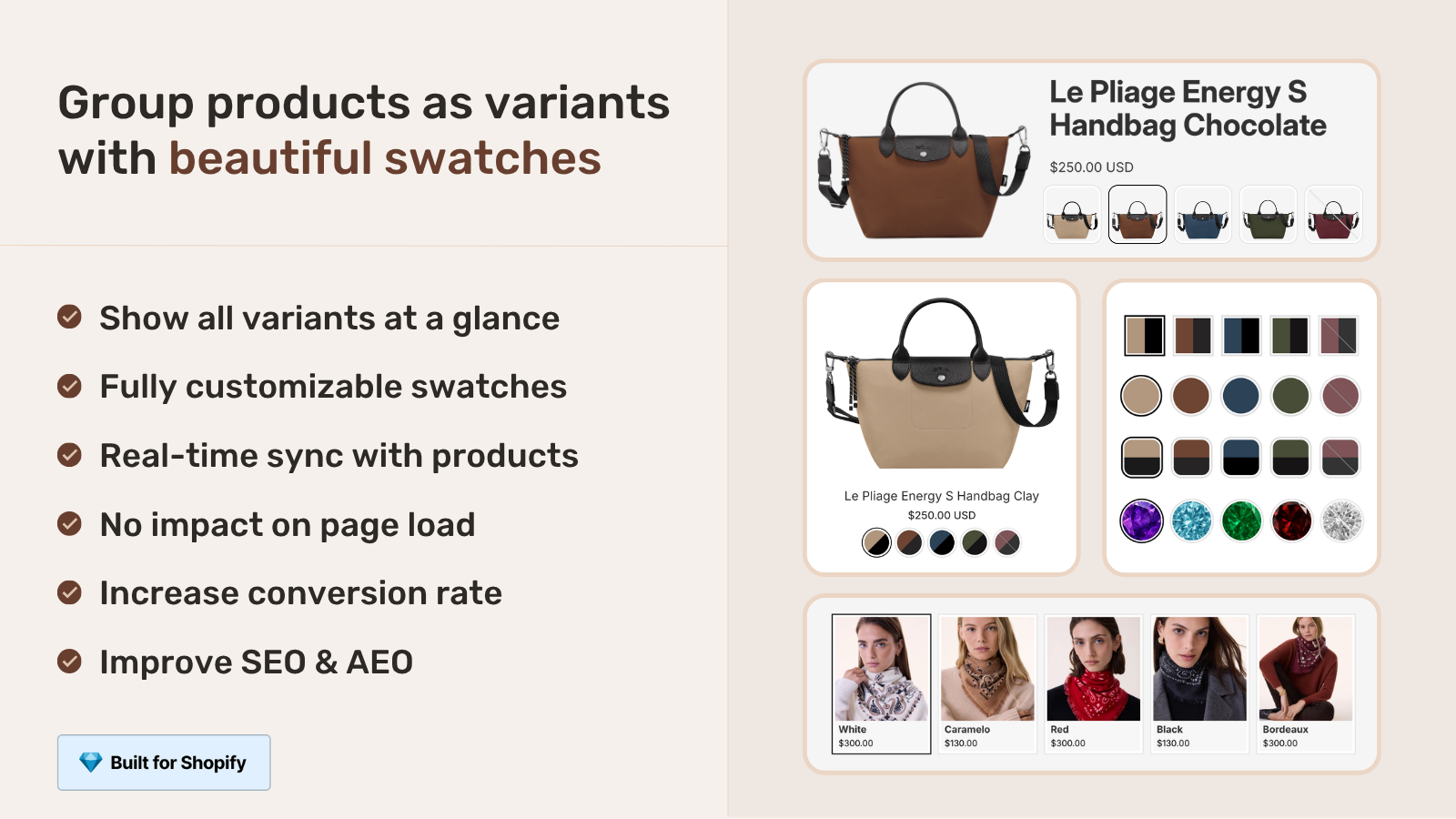
We built Rubik Combined Listings to fix exactly this. It links those eight separate products into one group and renders swatches on the collection card. Tap a swatch, the card image swaps, the link points to that color’s product page. One tile. Eight colors. No duplicate clutter.
This guide covers how grouping works, where the swatches show up, and the part most apps get wrong: keeping sold-out colors out of sight. We’ll lean on a real merchant review along the way. Want the short version? Group separate products, swatches appear on cards and product pages, real-time sync hides anything out of stock.
In this post
- What are collection page color swatches?
- How grouping separate products works
- Swatches on cards and on product pages
- Real-time sync hides out-of-stock colors
- Variants vs separate products: which swatch app?
- Setting it up in under ten minutes
- Frequently asked questions
- Related reading
What are collection page color swatches?
Collection page color swatches are the small color circles or image chips on a product card that let shoppers preview and pick a color without opening the product page. When each color lives as a separate product, you need an app to gather them into one group and paint those swatches onto a single card. That’s the combined listings approach.
Why does this matter on the collection page specifically? Because that’s where decisions get made fast. Shoppers scan. They don’t read. A row of color swatches answers “do you have my color?” in half a second, and a swap-on-tap card answers “what does it look like?” in the next half. No extra page load. We see this pattern in support all the time: merchants with separate-product catalogs whose collection pages look messy, and who assume Shopify can’t fix it natively. It can’t, not for separate products. That’s the gap.
How grouping separate products works
Grouping links several standalone products into one combined listing through a metafield link stored on each product. You pick which products belong together, name the option (Color, usually), and assign each product a swatch value. Rubik Combined Listings then knows that the Blue Tee, Red Tee, and Olive Tee are siblings, and it renders one card with three swatches instead of three separate cards.
You’ve got a few ways to build groups, depending on how big your catalog is:
- Manual picker. Open the group editor, search and add the products, set each one’s color value. Best for a handful of groups.
- Bulk grouping by title pattern. If your titles read “Sarah Bra, Olive” and “Sarah Bra, Shield”, the app splits on the separator and groups by the shared prefix. Hundreds of groups in one pass.
- Bulk grouping by product tags. If your products already carry structured tags, the app reads them and builds groups automatically.
- Bulk grouping by metafield. Group by a shared metafield value, with the option value pulled from another metafield, a variant option, or the title.
And if you don’t want to type a single hex code? AI Magic Fill runs inside a group and fills empty option values plus primary and secondary swatch colors by reading each product’s image and title. It never overwrites what you set by hand. We built it because, honestly, nobody wants to look up the hex for “Heather Olive” forty times. (Read more on the AI product grouping approach, and the bulk grouping methods in detail.)
Swatches on cards and on product pages
Once a group exists, swatches appear in two places automatically: on the collection page cards and on every grouped product page. Tap a swatch on a card and the image swaps and the link retargets. Tap a swatch on a product page and you jump to that color’s full page, with its own photos, title, and reviews. Same group, two surfaces, no extra config.
You get four swatch types to match your design: visual (image), button, pill, and dropdown. There are 19 built-in style presets and over a hundred CSS variables, so you can keep it minimal or go custom. Styling is scoped per group and rendered in a Shadow DOM, which means it won’t fight your theme’s CSS. We’ve seen too many swatch apps bleed styles into the wrong elements. This one doesn’t.
One thing worth a strong opinion: separate products with collection swatches beats cramming everything into one product with 50 variants, in most cases. Each color keeps its own URL, its own indexed page, its own image set. That’s better for SEO and it sidesteps Shopify’s variant ceiling entirely. If your colors are truly variants of one item, the calculus changes (more on that below). For more on the structure tradeoff, see combined listings explained and our collection page swatch display guide.
Real-time sync hides out-of-stock colors
Real-time sync means the moment a color sells out, gets archived, or moves to draft, its swatch disappears from the cards and product pages. No nightly job. No stale data. The app reads live availability, so what shows is what’s actually buyable right now. This is the feature merchants don’t realize they need until it bites them.
Here’s why it matters. If a swatch points to a sold-out product, the shopper clicks, lands on an unavailable page, and bounces. Or they order the wrong size because the labeling got confusing. That exact frustration is why one merchant switched to us. Read it in their own words:
“We have been using G: Combined Listings & Variant for a while, but we were not happy with the fact that it was not hiding the items that were out of stock. So customers were getting confused a lot and ordering the wrong sizes. We found this app on Shopify App Store and decided to give a shot. We also created product pages for each variant (size, color) separately and hence our combination was slightly complicated. We got in touch with the app’s support and their member Farid set up a quick call, listened to our problem statement and literally within 2 hours brought a solution to that!!! That was unbelievably quick! Now we have a beautiful product page, as well as the collections page. Hence 5 star!”
Silkora, Netherlands, 2026-04-28, Rubik Combined Listings on the Shopify App Store
That’s the whole point. Confused shoppers ordering wrong sizes is a solved problem when out-of-stock colors quietly drop off the grid. (For the conversion side of this, see how combined listings affect conversion rate.)
Variants vs separate products: which swatch app?
It depends on how your colors are stored. If each color is a separate product with its own URL, you want Rubik Combined Listings for collection page color swatches. If your colors are variants of one single product, you want Rubik Variant Images and its newer product card swatches. Many stores run both. They solve different halves of the same problem.
| Question | Rubik Combined Listings | Rubik Variant Images |
|---|---|---|
| Each color is… | A separate product (own URL) | A variant of one product |
| Swatches on collection cards | Yes, across grouped products | Yes, for one product’s variants |
| Swatches on product pages | Yes, links to each color’s page | Yes, filters images per variant |
| Hides out-of-stock automatically | Yes, real-time sync | Hide sold-out variants option |
| SEO: unique URL per color | Yes | No (one product URL) |
| Sidesteps variant limit | Yes | N/A |
| Pricing starts at | Free, then $10/mo | Free, then $25/mo |
A note on Rubik Variant Images, because it changed recently. As of late May 2026, RVI ships product card swatches, which put variant swatches directly on collection cards, search results, and home page tiles. Click swaps the card image, and can update price and add-to-cart too. So the old line “RVI is product page only” is outdated now. If you’re deciding between the two, the rule is simple: separate products go to RCL, single-product variants go to RVI. See the RVI collection swatch guide for the variant side, and the best Shopify color swatch app roundup for the wider field.
If your colours are variants of one product rather than separate products, Rubik Variant Images assigns a separate image set to every variant instead. Free to install, 5.0 stars across 436 reviews.
Setting it up in under ten minutes
Setup runs in three steps: install, group your products, enable the swatch display. Most stores on a supported theme are live in well under ten minutes, and the app works natively on 350+ themes including Dawn and Horizon plus page builders like PageFly, GemPages, and EComposer.
- Install and enable the app embed. One toggle in your theme editor.
- Build groups. Manual picker for a few, bulk grouping for a big catalog. Run AI Magic Fill to populate colors.
- Style the swatches. Pick a preset, or describe what you want to the AI Visual Assistant (“make swatches bigger”, “pill-shaped”). Preview against real product data before you publish.
- Confirm collection cards. Open a collection, check the swatches render and the sold-out colors are hidden.
On a custom theme that isn’t auto-detected, support can map it for you. That’s what Silkora’s review describes: a tricky separate-product setup, sorted on a quick call. We do that a lot. For deeper config, the best practices guide and collection filter setup cover the edge cases.
See it working before you commit. Browse the live demo store, watch the tutorial video, or read the getting started guide.
Frequently asked questions
Which Shopify app should I use for collection page color swatches?
Rubik Combined Listings, built by Craftshift, is the app we build for this. It holds 5.0 stars across 78 reviews and carries the Built for Shopify badge. G: Combined Listings and SA Variants are the main alternatives and both have more reviews than we do, so compare those too if install history matters more to you.
Can I show color swatches on collection pages for separate products?
Yes. That’s the main job of Rubik Combined Listings. It links separate products into one group and renders color swatches on the collection cards, so shoppers can pick a color before clicking into any product page. Each swatch still points to that color’s own product URL.
Does it hide colors that are out of stock?
Yes. Real-time sync removes any color that’s sold out, archived, or set to draft from both the collection cards and the product pages, instantly. It reads live Shopify data, so there’s no stale swatch pointing shoppers at an unavailable product.
Do I have to set the swatch colors by hand?
No. AI Magic Fill reads each product’s image and title and fills the option value plus primary and secondary swatch colors for you. It only fills empty fields, so anything you set manually stays untouched. You can always override the result.
Will collection swatches slow down my store?
No. The app is metafield-based with no external API calls, so swatch data loads with the page rather than waiting on a third-party server. Rendering is scoped per group in a Shadow DOM, which also keeps it from conflicting with your theme’s CSS.
Do I need Shopify Plus to use combined listings here?
No. Rubik Combined Listings does not require Shopify Plus. It works on any Shopify plan and links separate products through metafields, which is one reason stores use it to get around the variant limit without upgrading.