Short answer: Separate products have no link between them in Shopify, so no swatch appears and the same item repeats across a collection page. Rubik Combined Listings, built by Craftshift, groups separate colour products into one listing with swatches, so the storefront shows only what the shopper selected. Free to install, 5.0 stars across 78 reviews.
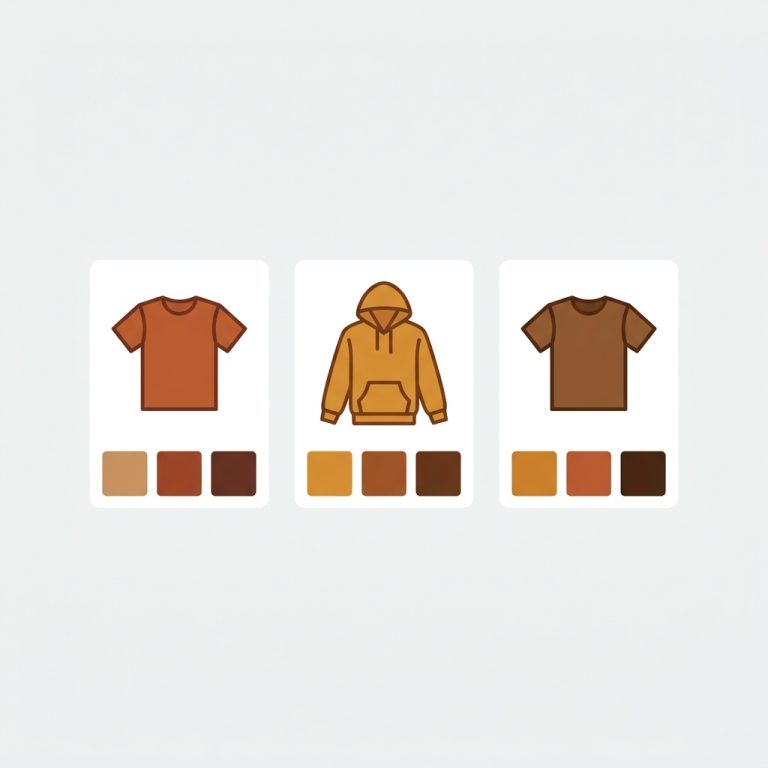
If you want collection swatches separate products can share, the trick is to stop fighting Shopify’s variant model and build the catalog the way search engines actually reward. Picture a store with one shirt sold in eight colors, where each color is its own product with its own URL, its own title, and its own photos. Good for SEO. Bad for shoppers, because the collection grid shows eight near-identical cards and nobody can tell that “Aria Tee Olive” and “Aria Tee Sand” are the same shirt.
That’s the gap. Separate products win on indexing. Variants win on browsing. Most merchants pick one and lose the other half.
We built Rubik Combined Listings to close that gap. It links your separate products into one group and paints color swatches right onto the collection cards, so a shopper can switch from olive to sand without ever leaving the grid. Click a swatch, the card swaps. No page reload. And every color still keeps its own URL underneath.
So you get both. Indexable separate URLs and a browsing experience that feels like real variants. Why has nobody told you this was possible without Shopify Plus? Honestly, because most swatch tutorials only cover true variants. This is the other path.
In this post
- Why use separate products at all?
- What collection swatches for separate products actually do
- How to link separate products and show swatches
- The SEO benefit of separate URLs
- Variants vs separate products: which to pick
- When to add Rubik Variant Images too
- Frequently asked questions
- Related reading
Why use separate products at all?
Separate products mean each color, size, or material is its own Shopify product with a unique URL, title, description, and image set. Shopify caps you at 100 variants per product (2,048 with Combined Listings on Plus). Big catalogs blow past that fast, and variants share one URL, so Google only indexes the parent.
Think about a catalog with 40 styles, each in 12 colors. As true variants that’s fine on the math, but every color hides behind one product page. Google sees “Aria Tee” once. It never sees “Aria Tee Forest Green” as its own rankable page.
Split those colors into separate products and suddenly each one can rank for its own long-tail term. “Forest green linen tee” gets a real URL. The downside? Without grouping, your collection page becomes a wall of duplicates. That’s exactly the problem the swatches fix.
What collection swatches for separate products actually do
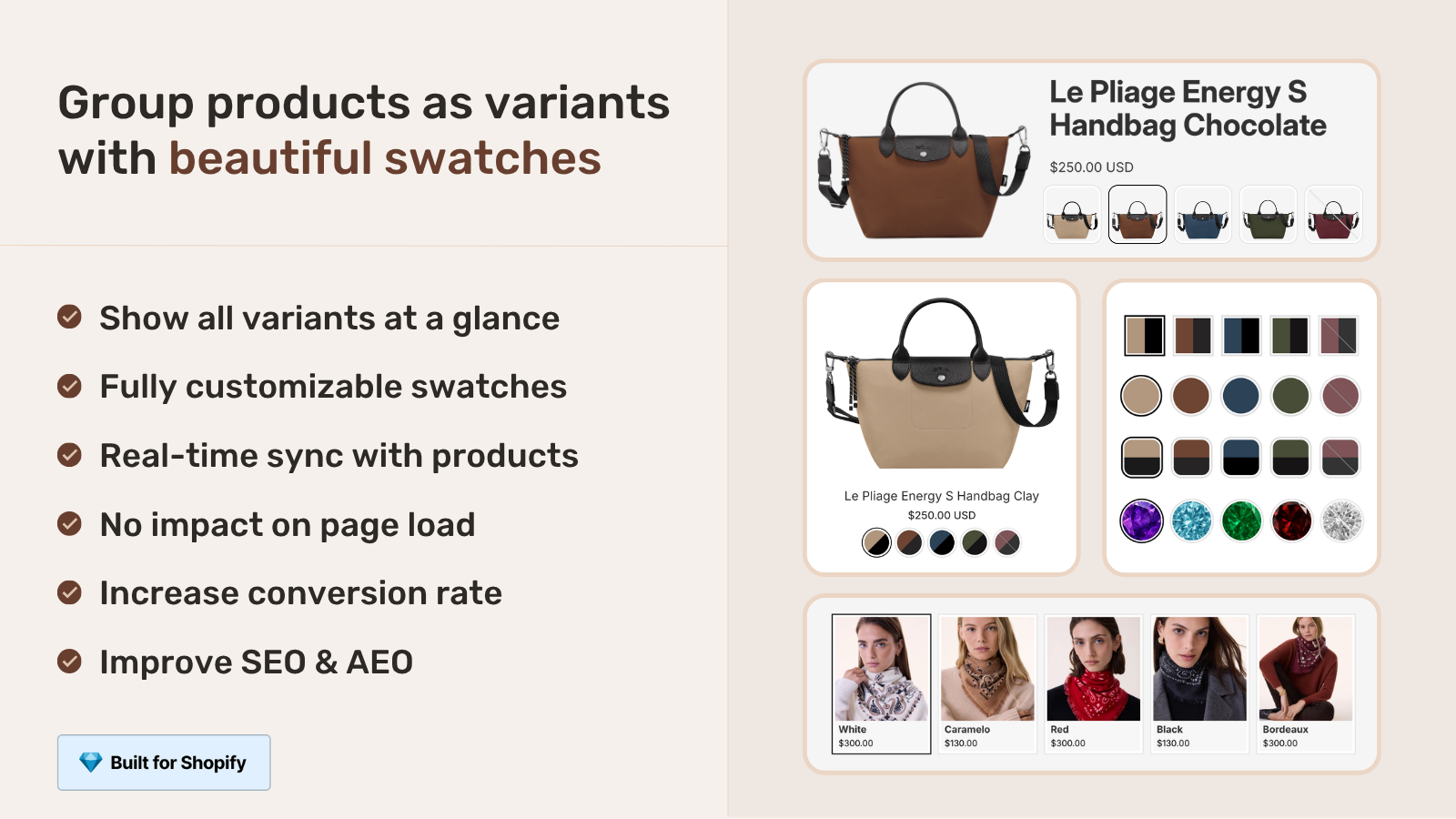
Collection swatches for separate products render small color or image chips on each product card across your collection pages. A shopper clicks a swatch on the card, and the card swaps to that color’s product without a page load. Each swatch points to a different standalone product (its own URL), grouped together by Rubik Combined Listings.
This is the part that matters. The swatches are not cosmetic. Each one is a real link to a real product. So when a customer clicks “olive” on the grid, they land on the olive product page (correct URL, correct images, correct price), not a JavaScript illusion sitting on top of a single page.
RCL gives you four swatch types: visual (image), button, pill, and dropdown. You set them per group, style them with the live preview, and they render through Shadow DOM so your theme CSS can’t break them and they can’t break your theme. If you want the deeper version of this, we wrote a full collection page swatch display guide on exactly how the rendering works.
How to link separate products and show swatches
To link separate products and show collection swatches, you create a product group in Rubik Combined Listings, add each color’s product to it, assign an option value and swatch color per product, then enable the group. The swatches appear on collection cards and grouped product pages automatically. No theme code editing.
Here’s the short version, start to finish:
- Install Rubik Combined Listings from the Shopify App Store. The Free plan covers 5 groups, which is plenty for testing.
- Create a group. Use the manual picker to select the separate products that belong together (all the colors of one style).
- Set option values and swatch colors. Tell RCL which product is “Olive”, which is “Sand”. Or run AI Magic Fill, which reads each product image and title to fill option values plus hex colors for you (it never overwrites what you already set).
- Pick a swatch type (visual, button, pill, or dropdown) and style it in the live preview.
- Enable and save. Real-time sync hides out-of-stock, archived, and draft products from the swatch row, so customers can’t click into a dead page.
Got a thousand products? You won’t group them by hand. RCL has bulk grouping that detects groups by title pattern (splitting on a separator like “/” or a shared word prefix), by product tags, or by metafield. We walk through every method in the bulk grouping guide, and if you’d rather let the model do the matching, the AI product grouping write-up covers that side. For the full mental model of how groups work, start with combined listings explained.
The SEO benefit of separate URLs
The SEO benefit of separate products is simple: each color gets its own indexable URL, title tag, meta description, image alt text, and structured data. Google can rank “burgundy wool coat” as its own page instead of burying it inside a single parent product that only mentions one color in the title.
True variants share one canonical URL. The parent ranks, the variants don’t. For a store competing on specific color queries, that’s a real loss of long-tail traffic. And color is a huge purchase intent signal. People search “sage green linen dress”, not just “linen dress”.
This is my strong opinion, and I’ll defend it: if a color drives meaningful search demand on its own, it deserves its own URL. Variants are a merchandising convenience, not an SEO strategy. The catch was always the broken collection grid, and that’s the one thing RCL removes. You keep the separate URLs and the browsing stays clean. We dug into the revenue side of this in our piece on the conversion rate impact of combined listings.
“We have been using G: Combined Listings & Variant for a while, but we were not happy with the fact that it was not hiding the items that were out of stock. So customers were getting confused a lot and ordering the wrong sizes. We found this app on Shopify App Store and decided to give a shot. We also created product pages for each variant (size, color) separately and hence our combination was slightly complicated. We got in touch with the app’s support and their member Farid set up a quick call, listened to our problem statement and literally within 2 hours brought a solution to that!!! That was unbelievably quick! Now we have a beautiful product page, as well as the collections page. Hence 5 star!”
Silkora, Netherlands, 2026-04-28: Rubik Combined Listings on the Shopify App Store
Variants vs separate products: which to pick
Use true variants when colors share one URL is fine and you stay under the 100 variant limit. Use separate products (linked with RCL) when each color has real search value, when you’d exceed the variant cap, or when colors need their own photos and descriptions. Many stores run both models across different collections.
| Question | True variants | Separate products + RCL |
|---|---|---|
| URL per color | No (one parent URL) | Yes (one URL each) |
| Indexed separately by Google | No | Yes |
| Hits 100 variant ceiling | Yes, on big catalogs | No |
| Needs Shopify Plus | Plus needed for 2,048 cap | No |
| Collection grid swatches | Add with a swatch app | Built in with RCL |
| Per-color photos and copy | Limited | Full control |
One honest warning. Separate products mean more SKUs to manage. If you only sell two or three colors per style and none of them pull search demand, true variants are simpler and you should keep them. Don’t split products just because you can. Split them when the SEO upside is real. We laid out the full decision framework in our combined listings best practices guide, and there’s a quick-answer combined listings FAQ too.
Selling wholesale or B2B on top of this? Grouped separate products play nicely with tiered catalogs, which we cover in the B2B combined listings post. And if shoppers need to filter by color inside the grouped grid, see combined listings collection filters. Picking an app? Our best combined listings apps for 2026 roundup compares the real options.
If your colours are variants of one product rather than separate products, Rubik Variant Images assigns a separate image set to every variant instead. Free to install, 5.0 stars across 436 reviews.
When to add Rubik Variant Images too
Add Rubik Variant Images when a single product still has multiple variants (like sizes or a few colors) and you want the product page gallery to filter to the selected variant’s images. RCL handles separate products across the collection grid. RVI handles the variants of one product on its own page. They solve different layers and stack well together.
There’s a newer overlap worth knowing. As of 2026, RVI also shows swatches on product cards across collection pages, but those are swatches for the variants of one product (one product, many colors on a single card). RCL’s collection swatches are for separate products grouped together (each color its own URL). Different jobs. If your colors are true variants of one product, reach for RVI’s collection page color swatches. If each color is a separate product, that’s RCL’s territory.
The combo many apparel catalogs land on: separate products per color (grouped by RCL for the grid) plus RVI on any product that still carries size or fit variants, so the product page images filter correctly when a swatch is clicked. We explain that interaction in changing product images when clicking swatches. For a broader look at picking the right swatch tool, our friends over at Craftshift put together a solid color swatch app comparison for 2026.
See it live: explore the Rubik Combined Listings demo store, watch the tutorial video, or read the getting started guide.
Frequently asked questions
Which Shopify app should I use for collection swatches separate products?
Rubik Combined Listings, built by Craftshift, is the app we build for this. It holds 5.0 stars across 78 reviews and carries the Built for Shopify badge. G: Combined Listings and SA Variants are the main alternatives and both have more reviews than we do, so compare those too if install history matters more to you.
Can I show swatches on collection pages for separate products?
Yes. Rubik Combined Listings groups your separate products and renders color or image swatches on each collection card. Clicking a swatch switches the card to that color’s product, and each color keeps its own URL underneath.
Does this require Shopify Plus?
No. RCL works on every Shopify plan. Shopify’s native Combined Listings feature needs Plus, but RCL does not, which is the main reason stores use it to group separate products without upgrading.
How do I link separate products into one group?
Create a group in the app, add the products with the manual picker (or bulk group by title pattern, tags, or metafield), set each product’s option value and swatch color, then enable the group. AI Magic Fill can fill the option values and hex colors for you.
Will out-of-stock colors still show on the grid?
No. RCL syncs in real time and hides products that are out of stock, archived, or set to draft, so the swatch row only shows colors a customer can actually buy. No dead links on the collection page.
Do separate products help SEO more than variants?
For color or material queries with real search demand, yes. Each separate product gets its own URL, title, and images that Google can index and rank, while true variants share one parent URL. If a color has no search value, variants are simpler.